Radio Group
A radio group is a UI component that groups multiple radio buttons together, allowing users to select one option from a set of mutually exclusive choices.
Note that the radio component can only be used within a radio group.
Example
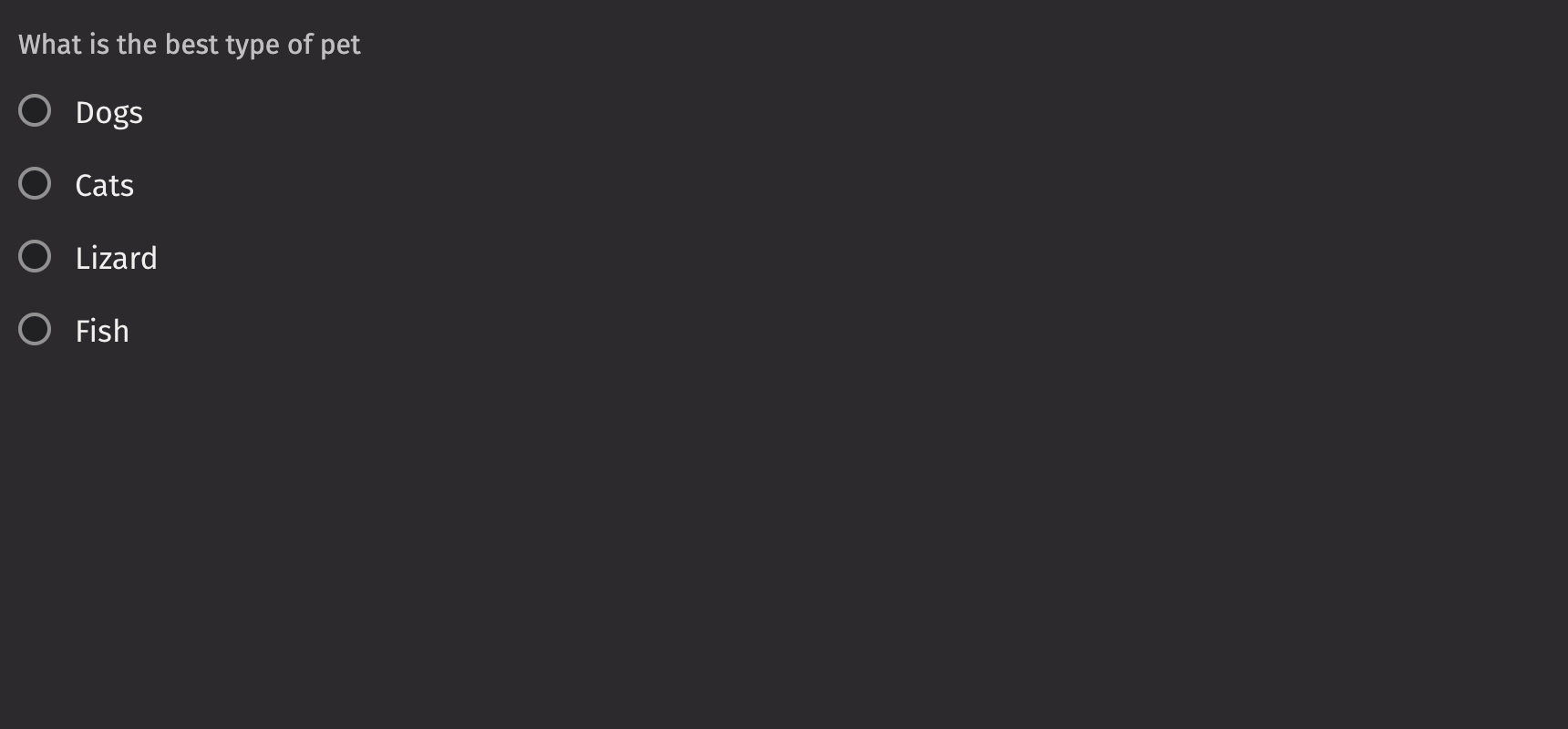
UI Recommendations
Recommendations for creating radio groups:
- Every radio group should have a label specified. Without one, the radio group is ambiguous. In the rare case that context is sufficient, the label is unnecessary; you must still include an aria-label via the
aria_labelprop. - Use radio groups when the options in a list are mutually exclusive.
- Emphasized radio buttons are ideal for forms and settings where they need to stand out, while non-emphasized radio buttons are best for monochrome application panels to keep the focus on the application.
- The label, options, and help text should all be in sentence case.
- Identify which radio groups are required or optional, and use the
is_requiredfield or thenecessity_indicatorto mark them accordingly.
Consider using a checkbox_group to manage multiple selections or no selections within a group at once. If you need to display a list of items driven by a Deephaven table, use a list_view to dynamically generate the checkboxes with selection_mode="single" to mimic radio behavior.
Value
A radio group’s value is not set by default, but a single initial, uncontrolled value can be set using the default_value prop, or a controlled value can be set via the value prop.
HTML Forms
Radio groups can support a name prop for integration with HTML forms, allowing for easy identification of a value on form submission.
Labeling
The radio group can be labeled using the label prop, and if no label is provided, an aria_label must be provided to identify the control for accessibility purposes.
The is_required prop and the necessity_indicator props can be used to show whether selecting an option in the radio group is required or optional.
When the necessity_indicator prop is set to “label”, a localized string will be generated for “(required)” or “(optional)” automatically.
Events
The on_change property is triggered whenever the value in the radio group selection is changed.
Validation
The is_required prop ensures that the user selects an option. The related validation_behaviour prop allows the user to specify aria or native verification.
When the prop is set to “native”, the validation errors block form submission and are displayed as help text automatically.
Orientation
While aligned vertically by default, the axis the radio buttons align with can be changed via the orientation prop.
Label position
By default, the position of a radio group’s label is above the radio group, but it can be changed to the side using the label_position prop.
Help text
A radio group can have both a description and an error_message. Use the error message to offer specific guidance on how to correct the input.
The is_invalid prop can be used to set whether the current radio group state is valid or invalid.
Contextual Help
Using the contextual_help prop, a ui.contextual_help can be placed next to the label to provide additional information about the radio group.
Disabled state
The is_disabled prop disables a radio group to prevent user interaction. This is useful when the radio group should be visible but not available for selection.
Read only
The is_read_only prop makes radio groups read-only to prevent user interaction. This is different from setting the is_disabled prop since the radio group remains focusable and its options remain visible.
Emphasized
The is_emphasized prop makes the selected radio button the user’s accent color, adding a visual prominence to the selection.
API Reference
Radio buttons allow users to select a single option from a list of mutually exclusive options. All possible options are exposed up front for users to compare.
Returns: Element The rendered radio group component.
| Parameters | Type | Default | Description |
|---|---|---|---|
| *children | Any | The Radio(s) contained within the RadioGroup. | |
| is_emphasized | bool | None | None | By default, radio button are not emphasized (gray). The emphasized version provides visual prominence. |
| orientation | Literal['horizontal', 'vertical'] | 'vertical' | The axis the Radio Buttons should align with. |
| value | str | None | UndefinedType | <deephaven.ui.types.types.UndefinedType object> | The value of the selected radio button. |
| default_value | str | None | UndefinedType | <deephaven.ui.types.types.UndefinedType object> | The default value of the radio button. |
| is_disabled | bool | None | None | Whether the radio button is disabled. |
| is_read_only | bool | None | None | Whether the radio button can be selected but not changed by the user. |
| name | str | None | None | The name of the radio button, used when submitting and HTML form. |
| is_required | bool | None | None | Whether the radio button is required on the input before form submission. |
| is_invalid | bool | None | None | Whether the radio button is in an invalid state. |
| validation_behavior | Literal['aria', 'native'] | None | None | Whether to use native HTML form validation to prevent form submission when the value is missing or invalid, or mark the field as required or invalid via ARIA. |
| label | Any | None | None | The content to display as the label. |
| description | Any | None | None | A description for the field. Provides a hint such as specific requirements for what to choose. |
| error_message | Any | None | None | An error message for the field. |
| label_position | Literal['top', 'side'] | 'top' | The position of the label relative to the radio button. |
| label_align | Literal['start', 'end'] | None | None | The horizontal alignment of the label relative to the radio button. |
| necessity_indicator | Literal['icon', 'label'] | None | None | Whether the required state should be shown as an icon or text. |
| contextual_help | Any | None | None | A ContextualHelp element to place next to the label. |
| show_error_icon | bool | None | None | Whether an error icon is rendered. |
| key | str | None | None | A unique identifier used by React to render elements in a list. |