UI with Tables
deephaven.ui allows you to programmatically create your own custom UIs. However, the real power of deephaven.ui is in its most unique feature: the ability to combine those UIs with Deephaven tables.
The Deephaven table is the key data structure for working with and analyzing large real-time data. By combining tables with deephaven.ui, you can create a UI that allows you to visualize and work with data in a way that best suits your own unique needs.
For more information, see the quickstart guide on Working with Deephaven Tables.
Display a table in a component
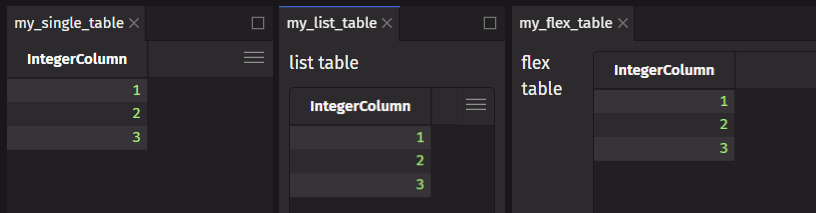
You can display a Deephaven table in a component by doing one of the following:
- Return a table directly from a component.
- Return a table as part of a
listortuple. - Add a table to a container such as a
flexorpanel. - Use
ui.table.
Use ui.table
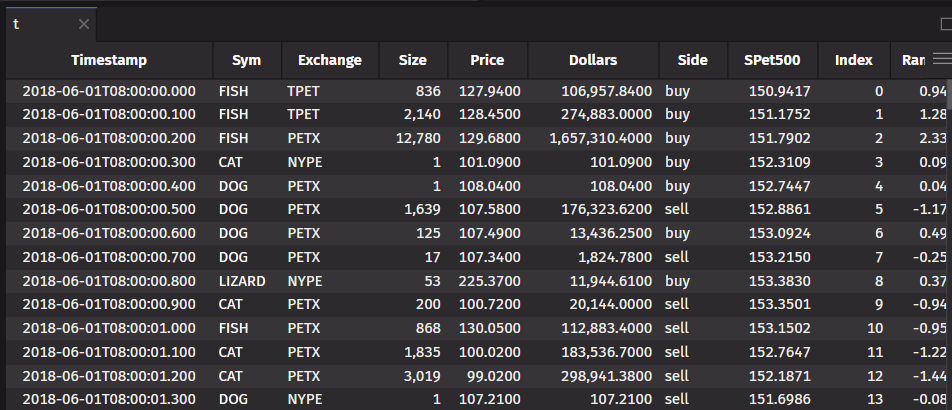
ui.table is a wrapper for Deephaven tables that allows you to change how the table is displayed in the UI and how to handle user events. Here is an example of adding custom color formatting.
Memoize table operations
If you are working with a table, memoize the table operation. This stores the result in a memoized value and prevents the table from being re-computed on every render. This can be done with the use_memo hook.
Hooks for tables
The use_table_data hook lets you use a table’s data. This is useful when you want to listen to an updating table and use the data in your component. This example uses the table data to populate two list views.
The use_row_data hook lets you use the first row of table data as a dictionary. This example displays the latest row of data in a ticking time table.
The use_cell_data hook lets you use the cell data of the first cell (first row in the first column) in a table. This value can be used for conditional rendering as shown in this example.
If the previous hooks do not fit your use case, you can use the use_table_listener hook. This allows you to listen to the raw updates from a table and perform a custom action when the table updates. The update is a dictionary containing dictionaries for data that is added, removed, or modified. Additionally, there is flag indicating if the data is a replay.
Use tables directly with components
Some deephaven.ui components support the use of tables directly or through an item_table_source.
This example shows a list_view populated directly from a table.
In this example, an item_table_source is used to create complex items from a table (i.e., defining which columns are the data’s keys/labels). These complex items are displayed in a picker.
Update tables and plots from user input
Tables and plots can update in response to user input. The following examples allows a user to pick two dates on a date_range_picker. This updates a state variable which causes the component to re-render with a filtered table and plot.