Installation
deephaven.ui is a plugin that works with Deephaven. Use the deephaven.ui plugin to build dynamic components and layouts using Deephaven.
Enterprise
Enterprise installations come packaged with deephaven.ui and therefore don’t require additional steps. The rest of the document pertains to Core installations.
New installation
If you don’t already have Deephaven installed, you can install via Docker or pip.
Install and run with Docker
deephaven.ui can be run from pre-built Docker images. The image you use will depend on your version of Deephaven:
See the Deephaven Docker install documentation for more information.
Install and run with pip
deephaven.ui can easily be installed using the Python package manager pip. Simply run:
Then you can run the Deephaven server with:
See the Deephaven pip install documentation for more information.
Existing installation
Installing Deephaven plugins is different whether you have Deephaven installed via Docker or via pip.
Add to existing Docker install
With a running Docker container named deephaven, run the following from the command line:
See the documentation for installing packages in a running container for more details.
Add to existing pip installation
With an existing pip installation of Deephaven server, just pip install the plugin:
See the documentation for using Python packages in Deephaven for more details.
Verifying installation
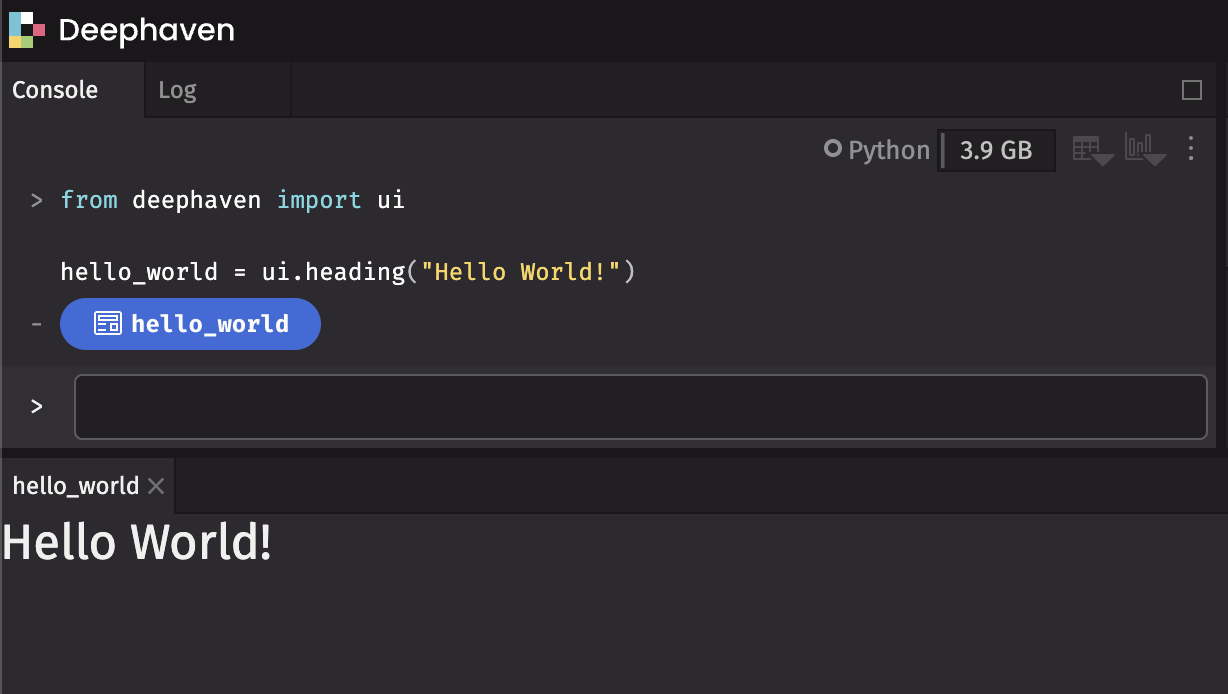
After you have deephaven.ui installed, verify it is working correctly. Run Deephaven, and in the console enter the following command:
A panel will appear that displays the “Hello world!” text: