Every second counts: Real-time Black Friday analytics
December 4 2025
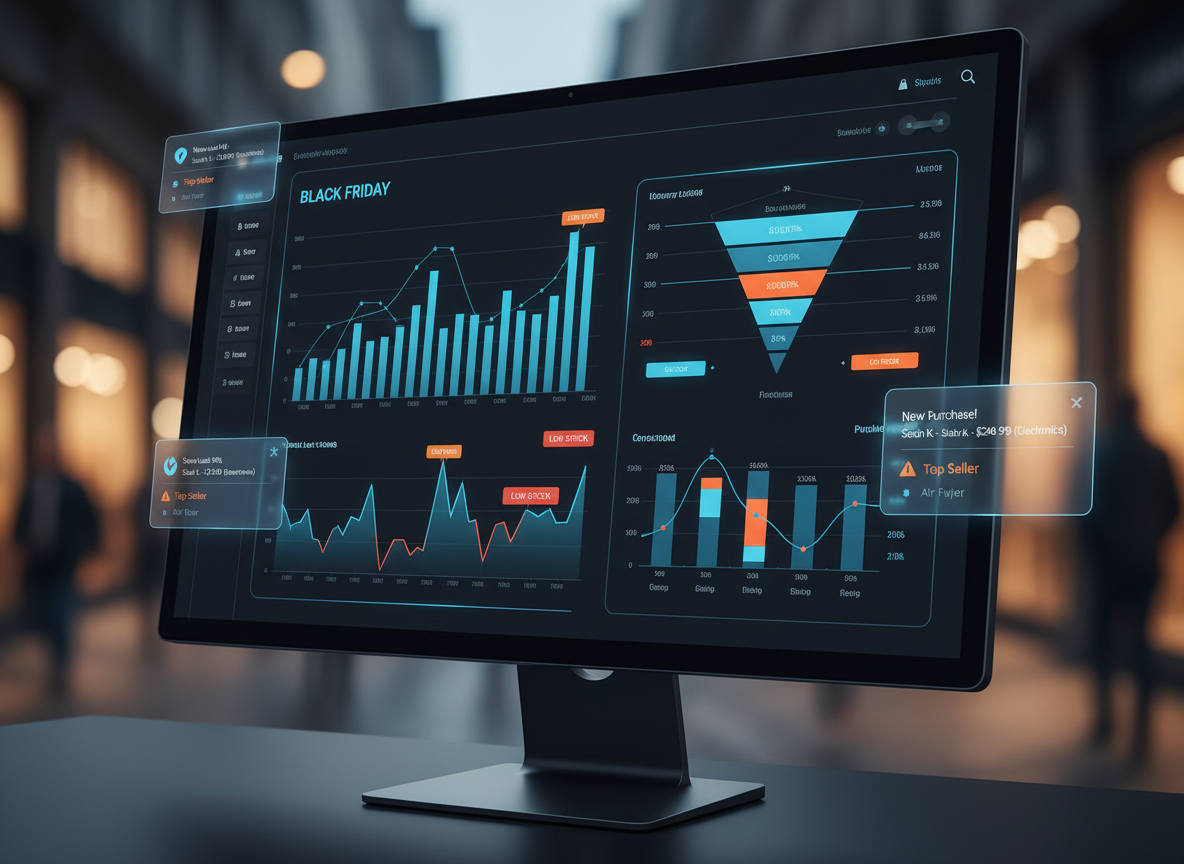
Your Black Friday dashboard shows 1,247 orders in the last hour. By the time that number refreshes, you've already lost sales to a stockout you didn't see coming, missed a payment gateway error affecting checkout, and failed to spot the trending product that should be front and center on your homepage.
Real-time analytics changes this. Instead of discovering problems in yesterday's reports, you watch transactions flow in as they happen, catch inventory issues before stockouts, and respond to performance degradation while customers are still on your site. This post builds a complete Black Friday analytics system using Deephaven — streaming sales data, live inventory tracking, conversion funnels, and performance monitoring, all updating continuously.
The Black Friday data deluge
During peak shopping events, e-commerce systems generate massive data streams:
- Transactions: Orders, payments, returns flowing in every second.
- Inventory: Stock levels changing with every purchase and restock.
- User behavior: Clicks, searches, cart additions, abandonments.
- Performance: Page load times, API response times, error rates.
- Marketing: Campaign performance, conversion funnels, attribution.
Traditional analytics tools can't keep up. By the time your hourly report runs, you've already missed the trending product that should've been featured on your homepage, the payment gateway issue that cost you thousands in abandoned carts, and the inventory stockout that sent customers to your competitors.
Let's build better.
Note
This post is designed for data engineers, technical teams, and developers who build analytics systems for e-commerce operations. If you're a business stakeholder or sales manager, this shows you what's possible — your technical team will implement these dashboards, and you'll use the insights they provide.
What you'll build
By the end of this post, you'll have a complete real-time analytics system that tracks:
- Sales velocity — Orders and revenue per second with rolling 10-second windows.
- Inventory alerts — Automatic detection of low stock and stockouts before they happen.
- Conversion funnels — View → Cart → Checkout → Purchase with live conversion rates.
- Cart abandonment — Real-time tracking of abandoned carts and recovery opportunities.
- Performance monitoring — Page load times and error rates across all endpoints.
- Pricing analysis — Discount effectiveness and revenue optimization.
- Customer segmentation — VIP vs. new vs. single-purchase customer behavior.
- Geographic insights — Regional performance and shipping implications.
- Marketing attribution — Channel-by-channel ROI and ROAS tracking.
- Live dashboards — Interactive visualizations updating in real-time.
All processing live data as it streams in. No batch jobs, no refresh delays, no stale reports.
Simulating Black Friday traffic
First, let's generate realistic Black Friday e-commerce data to work with. This simulates the kind of high-velocity data stream you'd see during peak shopping. In production, this data would flow in from your order management system, web analytics platform (like Google Analytics), and inventory database.
We'll use Deephaven's time_table to generate streaming data and update_by operations for real-time aggregations.
What we're creating:
- Transaction stream updating every 100ms (10 transactions per second).
- Product categories, pricing, and payment methods.
- Geographic customer data and shipping information.
- Simulated revenue ranging from 500 per order.
This gives us a realistic Black Friday scenario to analyze:
Note
Heap memory requirements Running the full simulation with all tables requires sufficient heap memory. If you encounter out-of-memory errors, increase your JVM heap:
This allocates 8GB maximum heap and 4GB initial heap. Adjust as needed based on your system's available RAM.
The analytics suite
Real-time sales velocity
Now let's track how fast sales are happening. This is crucial during Black Friday — you need to know immediately if sales are spiking (time to promote that product more!) or slowing down (check for website issues or payment problems).
What this dashboard shows:
- Last 10 seconds: Rolling count of orders happening right now (are we at peak traffic?).
- Total cumulative revenue: Running total since Black Friday started (how close are we to our $1M goal?).
- Orders per second: Velocity metric (processing 50 orders/sec vs. our 100/sec capacity).
- Average order value: Real-time AOV tracking (did that discount campaign lower or raise it?).
Here's how to calculate these metrics as data streams in:
Inventory crisis detection
Nothing kills Black Friday momentum like "OUT OF STOCK" messages. Let's build a real-time inventory tracker that alerts you before you hit zero, so you can pull products from the homepage or activate backup suppliers.
What this monitors:
- Current stock levels: Live count as sales deplete inventory.
- Stock percentage: How much is left (75% remaining vs. 5% remaining).
- Status flags: OK / LOW STOCK / OUT OF STOCK labels.
- Critical alerts: Products below reorder point (20% remaining).
- Trending products: Which items are flying off the digital shelves.
This gives your ops team time to react instead of discovering stockouts from angry customer emails:
Conversion funnel analysis
Understanding where customers drop off in the purchase journey is critical during high-traffic events. Tracking the funnel in real-time enables rapid identification of conversion bottlenecks.
The customer journey we're tracking:
- Page View: Customer lands on a product page (100% starting point).
- Add to Cart: Product interest converts to cart addition (typically ~30% conversion).
- Checkout Started: Customer proceeds to payment (typically ~60% of cart additions).
- Purchase Complete: Transaction completed (typically ~80% of checkouts).
Diagnostic value: Sudden drops in conversion rates signal potential issues — payment gateway problems, unexpected costs at checkout, or performance degradation requiring immediate attention.
Here's how to build the funnel tracker:
Cart abandonment tracking
Cart abandonment rates spike during Black Friday as customers comparison shop across multiple sites. Real-time tracking identifies abandonment patterns and enables recovery strategies like targeted emails or checkout optimization.
What we're detecting:
- Cart creation: Customer starts shopping.
- Items added: They're building a cart (cart value grows).
- Checkout started: They're serious about buying.
- Abandoned: No purchase after checkout start.
- Average cart value: Potential revenue at risk.
Actionable insights: High abandonment rates can indicate checkout friction, pricing concerns, or technical issues. Real-time monitoring enables immediate investigation and response.
Here's the tracking system:
So far we've covered: Real-time sales tracking, inventory monitoring, conversion funnels, and cart abandonment. Now let's add performance monitoring, pricing analysis, customer segmentation, and visualization to complete your Black Friday command center.
Website performance monitoring
Your site going slow on Black Friday? That's lost sales. Every extra second of load time costs you conversions. Let's monitor performance in real-time so you can scale servers, fix slow API calls, or disable that heavy animation before customers bounce.
What we're watching:
- Page load times: Homepage, product pages, checkout (target: under 2 seconds).
- API response times: Payment gateway, inventory lookup, user auth.
- Error rates: 4xx errors (broken links), 5xx errors (server crashes).
- Slowest endpoints: Which pages need immediate optimization.
Critical thresholds: If average load time hits 3+ seconds or error rate goes above 1%, you're in trouble. This dashboard tells you exactly which page or API is the culprit.
Here's the performance tracker:
Dynamic pricing insights
Discount strategy optimization requires understanding the relationship between discount depth and sales volume. Analyzing which discount tiers drive revenue helps balance volume and margin.
What this reveals:
- Discount effectiveness: Comparative sales volume across discount tiers.
- Revenue per discount tier: Total revenue generated at each discount level.
- Volume vs. margin: Trade-offs between order count and profit per order.
- Optimal pricing: Discount levels that maximize total revenue.
Analysis approach: Compare order volume and revenue across discount tiers to identify inefficiencies in pricing strategy.
Here's the discount analyzer:
Customer segmentation
Customer behavior varies significantly during Black Friday. High-spending customers have different needs than single-purchase shoppers, and segmenting them in real-time enables targeted responses.
Customer segments we're tracking:
- High-Value Customers: Multiple orders, high total spend ($500+).
- New Customers: First-time buyers during the event.
- Single-Purchase Customers: One-time low-value transactions.
- Average order value per segment: Spending patterns by customer type.
Application: Segment-specific metrics enable prioritized resource allocation and targeted interventions based on customer value and behavior patterns.
Here's the segmentation engine:
Geographic performance
Where are your sales coming from? If California is crushing it but Texas is lagging, maybe your shipping times to Texas are too long, or you need region-specific promotions. Geographic data helps you optimize marketing spend and logistics.
Regional insights:
- Sales by state/region: Which areas are driving revenue.
- Orders per region: Volume distribution (East Coast vs. West Coast).
- Average order value by region: Are coastal customers spending more?
- Shipping implications: High volume in specific regions means warehouse proximity matters.
Use case: If you see massive orders from NYC but slow shipping times there, consider expedited shipping promotions for that region. Or if Seattle sales are low, investigate if your local competitors are running better deals.
Here's the geographic breakdown:
Peak hour analysis
When does the Black Friday tsunami hit? Is it midnight (online shoppers refreshing at 12:01am), morning (8-10am coffee + shopping), or evening (6-8pm after work)? Knowing your peak hours helps you staff support teams and ensure server capacity.
Time-based patterns:
- Hourly sales volume: Which hours drive the most revenue?
- Orders per hour: Traffic spikes throughout the day.
- Average order value by time: Do late-night shoppers spend more or less?
- Capacity planning: Ensure your servers can handle 3pm surge.
Strategic value: If you know 9pm-11pm is your peak window, schedule your best flash deals then. If 2am is dead, that's when you run database maintenance.
Here's the hourly breakdown:
Marketing attribution
You're spending thousands on Black Friday ads across email, social media, paid search, and affiliates. But which channels actually deliver ROI? Real-time attribution shows you where to double down and where to cut spending during the event, not weeks later.
Channel performance metrics:
- Revenue by channel: Email vs. Social Media vs. Paid Search
- Orders per channel: Volume from each traffic source.
- ROAS (Return on Ad Spend): Revenue / Cost for each channel.
- Average order value by channel: Which brings higher-value customers?
Real-time decisions: If paid search is generating 1 spent (3x ROAS), increase your bids. If social media ads are underperforming (0.5x ROAS), pause them and reallocate budget.
Here's the attribution tracker:
Real-time alerts
Set up automated alerts for critical conditions:
In production, you'd check conditions and generate alerts:
- Inventory below reorder point.
- Error rate above threshold.
- Page load time degradation.
- Sudden drop in conversion rate.
- Payment gateway failures.
Building your dashboard
Now comes the visual payoff — turning these data streams into actionable dashboards. Deephaven offers two approaches: programmatic visualization with Python or no-code chart building through the UI.
Using the Chart Builder UI
The easiest way to visualize your data is through Deephaven's built-in Chart Builder. Right-click any table in the UI and select Create Chart:
Sales velocity line chart:
- Right-click
sales_velocitytable → Create Chart. - Choose "Line" chart type.
- X-axis:
Timestamp_ms. - Y-axis:
Sales_Last10s. - Add a second series for
TotalRevenueto track cumulative sales.
Top categories bar chart:
- Right-click
top_categoriestable → Create Chart. - Choose "Bar" chart type.
- X-axis:
Category. - Y-axis:
CategoryTotal. - Enable "Color by Category" for visual distinction.
Inventory status scatter plot:
- Right-click
current_inventorytable → Create Chart. - Choose "Scatter" chart type.
- X-axis:
StockPct(percentage remaining). - Y-axis:
TotalSold. - Color by:
Status(red for OUT OF STOCK, yellow for LOW STOCK, green for OK). - Size by:
InitialStock(larger bubbles = higher-volume products).
Performance monitoring:
- Right-click
endpoint_performancetable → Create Chart. - Choose "Line" chart type.
- X-axis:
Timestamp_perf. - Y-axis:
AvgLoadTime_100. - Split by:
Endpoint(creates separate lines per endpoint).
Programmatic dashboards with deephaven.ui
For automated dashboard generation or custom layouts, use deephaven.ui to build interactive control panels. Here's a complete Black Friday monitoring dashboard:
This creates a responsive dashboard with:
- Real-time tables that update automatically as data streams in.
- Embedded charts showing sales velocity and category performance.
- Multi-column layout for efficient space usage.
- Scrollable views showing the most recent or critical data.
You can extend this with filters, buttons, and interactive controls using other ui components like ui.picker, ui.button, and ui.text_field.
Taking it to production
What you would've seen on Black Friday
With this dashboard running during the actual event, you would have:
Caught inventory issues early:
- Detected trending items before stockouts.
- Triggered reorders automatically.
- Redirected customers to alternative products.
Optimized performance in real-time:
- Identified slow endpoints during traffic spikes.
- Scaled resources before customers noticed.
- Reduced error rates by catching issues instantly.
Maximized revenue:
- Featured trending products on homepage.
- Adjusted discounts based on velocity.
- Targeted high-value customers with special offers.
Improved conversion:
- Identified bottlenecks in checkout flow.
- Sent abandoned cart recovery emails immediately.
- Optimized user experience based on behavior.
Made smarter decisions:
- Reallocated ad spend to best-performing channels.
- Extended promotions on slow-moving categories.
- Prepared for next-day traffic patterns.
Beyond Black Friday
These patterns apply to any high-stakes e-commerce scenario:
Cyber Monday: Same framework, different products. Product launches: Monitor adoption and detect issues immediately. Flash sales: Track velocity and prevent overselling. Prime Day: Multi-category coordination and inventory management. Holiday shopping: Extended period monitoring with trend detection.
The real-time advantage
Traditional analytics:
- Lag time: Hours or days before you see problems.
- Batch processing: Can't respond to changing conditions.
- Static reports: Outdated by the time you view them.
- Limited granularity: Miss short-term trends and issues.
With Deephaven:
- Instant visibility: See every transaction as it happens.
- Automatic updates: All metrics refresh continuously.
- Real-time alerts: Catch issues before they impact revenue.
- Unlimited detail: Drill down to individual transactions.
Implementation in your stack
To build this for your Black Friday 2026:
- Data ingestion: Connect your order management, web analytics, and inventory systems using Kafka or other data sources.
- Schema mapping: Map your actual fields to the table structures using table operations.
- Alert logic: Define thresholds for your business.
- Dashboard creation: Build visualizations for your team.
- Load testing: Ensure system handles peak traffic.
- Team training: Make sure everyone knows how to use it.
The code patterns shown here scale from thousands to millions of transactions per second. The same queries work whether you're processing 100 orders per minute or 10,000.
Ready for next year?
Start building now. Test with historical data. Refine your metrics. Train your team. When Black Friday 2026 arrives, you'll have the command center that turns chaos into opportunity.
The best time to build real-time analytics was before last Black Friday. The second best time is now.
Join the Community