From prototype to production — scaling trading dashboards with Deephaven Enterprise
January 20 2026
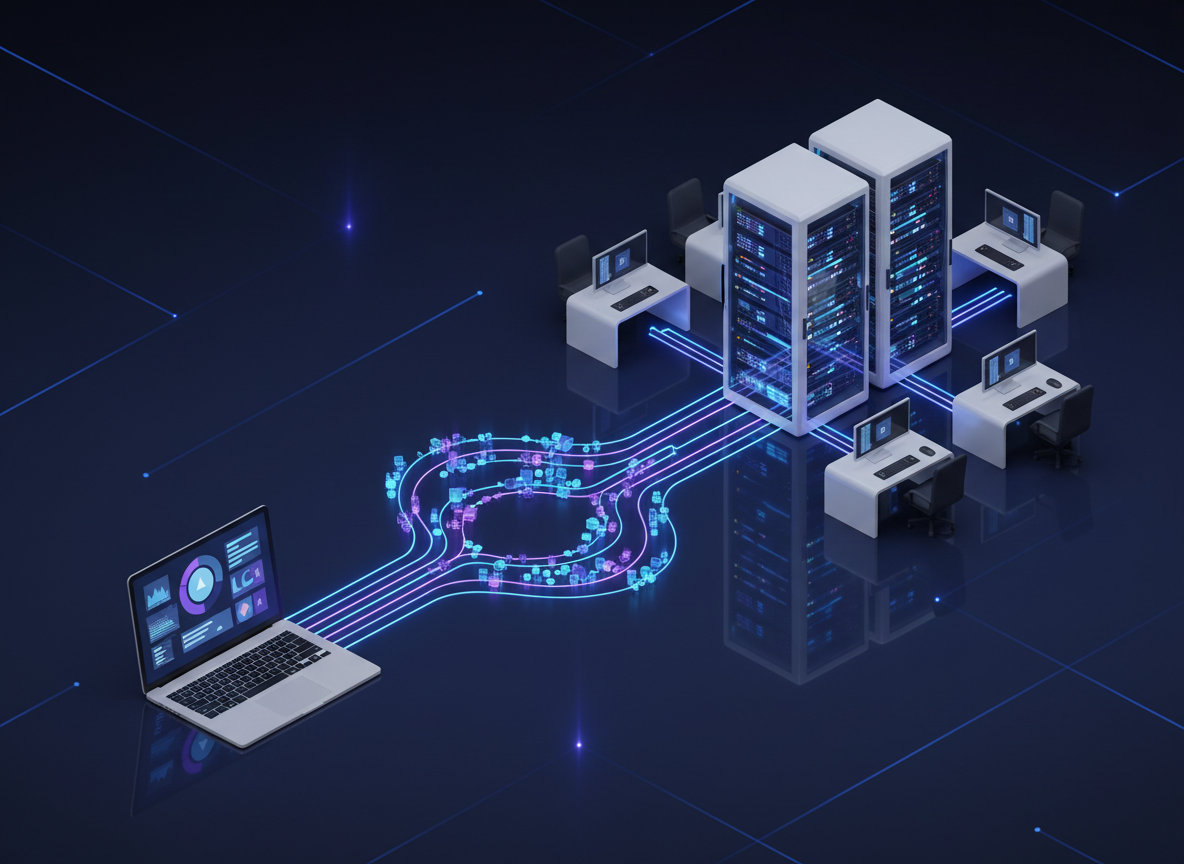
You've built your real-time trading dashboard in Deephaven Community, explored it with the built-in UI, and created custom visualizations with Plotly Express. The portfolio P&L updates automatically, risk metrics calculate in real-time, and your technical indicators respond to every price tick.
Then your desk head walks by. "This is great — can you share it with the team?"
That's when you realize you've outgrown Community.
Deephaven Community is free and open-source — perfect for personal analysis, prototyping, and proving out ideas. But when your prototype becomes something others depend on, you hit operational constraints that Community wasn't designed to solve. Deephaven Enterprise is a commercial platform that adds the infrastructure layer production trading teams need: always-on queries, access control, audit trails, and multi-user scalability.
This post walks through the challenges you'll encounter as your dashboard gains traction — and shows how Enterprise solves each one. If these problems sound familiar, it may be time to talk to your organization about adopting Enterprise.
"Can you keep it running?"
You share your screen with three traders. They love the dashboard, but it's Thursday afternoon, and you're leaving for vacation tomorrow.
"This is exactly what we need," one of them says. "Can you keep it running while you're gone?"
"I'll leave it running," you say. Except your laptop goes to sleep on the plane. The Docker container crashes over the weekend. Monday morning, traders are emailing you in Cabo asking why the dashboard is down.
In Community, your trading dashboard exists as long as your session is active. Close the browser, restart the container, or lose your connection and you need to re-run your code.
With Enterprise, this problem disappears. Persistent Queries (PQs) run independently of any user session. Your trading dashboard becomes a scheduled query that:
- Starts automatically when the system boots.
- Runs continuously, processing market data 24/7.
- Survives system restarts and maintenance windows.
- Can be monitored, stopped, and restarted through the UI.
Your trading dashboard code from the series can become a Persistent Query that other users access. Here's what that looks like:
Create this as a Persistent Query named "Trading Dashboard - Market Data", and it runs continuously. Users can then open dashboards that display trading_signals and portfolio_pnl without running any code themselves.
Key insight: The Persistent Query runs continuously regardless of user connections. If the controller restarts, the PQ recovers automatically. Users connect and disconnect, but the query keeps processing data.
With Enterprise, your dashboard would run 24/7. Traders could access it anytime. But even if you solve uptime, another problem emerges.
"Not everyone should see everything."
"Junior traders are seeing the book's total P&L," your risk manager says, "and I just found out the summer interns can see our position sizes."
You've been manually creating filtered views — one dataset for juniors, another for seniors, a third for risk. It's unsustainable. Every time someone changes roles, you're editing code.
Trading data is sensitive. Your junior analyst shouldn't see the same positions as your portfolio manager, and external auditors need read-only access to specific tables.
With Enterprise, you define permissions once and the platform enforces them. Access Control Lists (ACLs) let you specify who can access what. Different users see different views of the same data — traders see actual positions and P&L, risk managers see aggregated metrics, and auditors get read-only access to everything. This happens at the database level, not in application code, so there's no need to build separate data pipelines for different user roles.
You can set permissions at multiple levels:
- Query level: Who can view, start, stop, or modify a Persistent Query.
- Table level: Which specific tables from a query users can access (entire tables, not column-level).
- Row level: Fine-grained filtering so users only see data they're authorized for.
- Dashboard level: Who can view or edit specific dashboard layouts.
For a trading dashboard, you might structure access like this:
- Traders: Full access to their own portfolio data, market prices, and signals.
- Risk managers: Access to aggregated risk metrics and portfolio summaries.
- Senior management: Access to high-level P&L and risk summaries only.
- Auditors: Read-only access to transaction logs and compliance tables.
This means you build one dashboard with one Persistent Query, and different users automatically see only what they're authorized to access.
One dataset, multiple filtered views: Each user sees only what they're authorized to access, enforced at the database level.
Permission matrix by role:
| User Role | View Own P&L | View Desk P&L | View All P&L | Modify Query | View Audit Logs |
|---|---|---|---|---|---|
| Junior Trader | ✓ | ✗ | ✗ | ✗ | ✗ |
| Desk Manager | ✓ | ✓ | ✗ | ✗ | ✗ |
| Risk Manager | ✓ | ✓ | ✓ | ✗ | ✓ |
| Auditor | ✗ | ✗ | ✗ | ✗ | ✓ |
| Admin | ✓ | ✓ | ✓ | ✓ | ✓ |
With proper ACLs, everyone would see exactly what they should — and nothing more. But remember that original request from your desk head?
"Can you share it with the team?"
Even if you solve uptime and access control, the London desk has heard about your dashboard. They want it too. You're copying Python scripts to Slack, explaining dependencies, and debugging why it doesn't work on their machines.
In Community, sharing means sending someone your code. They need to run it themselves, understand the dependencies, and keep their version synchronized with yours.
With Enterprise, dashboards are shareable artifacts that preserve your exact layout:
- Create a dashboard: Arrange your tables, charts, and risk alerts in the layout you want.
- Save it: The dashboard configuration is stored centrally.
- Share it: Grant access to specific users or groups.
- They open it: They see your exact layout, updating with live data from the Persistent Query.
If you update the dashboard layout — add a new chart, rearrange panels, adjust filters — everyone with access sees the changes. There's no code to distribute, no version control to manage, no "it works on my machine" problems.
No code distribution needed: Changes propagate automatically to all users with access.
Dashboard export and import
You can also export dashboards as archive files and import them into different Deephaven environments. This is particularly useful for:
- Moving between dev and prod: Develop and test dashboards in a staging environment, then promote to production.
- Sharing across teams: Export a dashboard template and import it into different regions or trading desks.
- Backup and recovery: Export critical dashboards as part of your disaster recovery plan.
When you export a dashboard, you can include the related Persistent Queries, making the entire application portable across environments.
With Enterprise, London and Tokyo could both use the same dashboard. But as your prototype spreads across the firm, compliance calls.
"Who accessed this data?"
"We need to know who looked at the ACME position data last Tuesday," the compliance officer says. "There's an investigation."
You have no idea. Community doesn't track who's using your dashboard, let alone what data they viewed.
Financial services require detailed audit trails. Who accessed what data? When? What queries did they run? What changes did they make?
With Enterprise, all of this is logged automatically:
- Authentication events: User logins, logouts, and authentication attempts.
- Data access: Which users accessed which tables and when.
- Query operations: When queries were started, stopped, or modified.
- Permission changes: Who granted or revoked access to data or dashboards.
- System events: Significant system operations and configuration changes.
These audit logs are queryable tables themselves, so you can build compliance dashboards that answer questions like:
- Who accessed position data for Symbol X yesterday?
- Which users ran queries that accessed customer personally identifiable information (PII) this week?
- What permission changes were made to the trading dashboard query?
- When was the risk alerts query last restarted?
This isn't something you need to build — it's built into the platform.
Example audit log entries:
| Timestamp | AuthenticatedUser | Event | Namespace | Details |
|---|---|---|---|---|
| 2025-11-26 09:15:32 | jsmith | Live Table Access | Trading | Allowed: PortfolioPnL |
| 2025-11-26 09:16:01 | jdoe | Add Query Request | Risk Monitoring PQ | |
| 2025-11-26 09:17:45 | admin | Add ACL | Granted READ on Trading.Signals | |
| 2025-11-26 10:22:18 | auditor | Historical Table Access | DbInternal | Allowed: AuditEventLog |
With Enterprise, compliance would be satisfied. But even with uptime, security, sharing, and auditing solved, there's one more challenge: scale.
"50 traders just logged in."
It's 9:30 AM. The opening bell rings. The quant team kicks off their Monte Carlo simulations. Your phone buzzes — a message from IT support: "50 traders just logged in. Your dashboard is hammering the server." Your risk monitoring freezes.
Community runs as a single process. One user, one session, one JVM. Enterprise is architected for multiple concurrent users:
- Multi-server deployment: Query servers (the components that execute queries) can be deployed across multiple machines.
- Load balancing: Users connect to available servers automatically.
- Resource isolation: Heavy queries don't impact other users' dashboards.
- High availability: If one server fails, users automatically reconnect to others.
For a trading team, this means:
- Morning rush: When 50 traders log in at market open, your pre-provisioned capacity handles the load.
- Heavy analytics: The quant team's Monte Carlo simulations don't slow down the real-time P&L dashboard.
- Failover: If a query server crashes, your risk monitoring continues without interruption.
With Enterprise, your infrastructure could handle the load. But there's one more consideration: your data connections.
"We need this integrated with the rest of our infrastructure."
You've connected to Kafka for market data and you're reading positions from a database. It works. But the infrastructure team has questions: "Who restarts the stream if it disconnects at 3 AM? How do we monitor data quality? Where's the audit trail for data lineage?"
Community already supports Kafka streaming and Parquet files — you can connect to real data sources today. But production deployments need more than connectors. They need managed data infrastructure:
Kafka in production means:
- Multiple concurrent streams with different update frequencies, all managed centrally.
- Automatic recovery when streams disconnect.
- Monitoring and alerting on data quality issues.
- Integration with your firm's Kafka clusters and security policies.
Historical data at scale means:
- Petabytes of tick data partitioned by date and symbol.
- Iceberg table management for efficient queries across years of history.
- Integration with your firm's data lake and warehouse infrastructure.
Enterprise data sources that Community doesn't include:
- JDBC connections to position systems, risk databases, and corporate data warehouses.
- Scheduled batch imports for end-of-day reconciliation, reference data updates, and historical backfills.
- Centralized data governance with audit trails on data access and lineage.
The difference isn't whether you can connect to Kafka or read Parquet — it's whether that connection is production-grade, monitored, and integrated with your firm's infrastructure.
Putting it all together
You started with a prototype on your laptop. Now you have a production trading platform. Let's see what that looks like for a real trading team.
The setup
-
Data engineer creates a Persistent Query that ingests market data and calculates core metrics:
- Real-time price feeds.
- Technical indicators (SMA, EMA, VWAP).
- Market microstructure data (spreads, depth).
-
Portfolio manager creates a PQ that tracks positions and P&L:
- Current positions by trader and desk.
- Real-time P&L calculation.
- Attribution by strategy and sector.
-
Risk manager creates a PQ that monitors risk:
- Value at Risk calculations.
- Concentration limits.
- Volatility tracking.
- Limit breach alerts.
Each of these is a separate Persistent Query, and they can reference tables from each other (with appropriate permissions).
The dashboards
Different users get different dashboards:
Junior trader dashboard:
- Market prices and technical indicators for their symbols.
- Their own position and P&L.
- Risk metrics for their book.
- Price alerts for their positions.
Desk manager dashboard:
- Aggregated P&L for the entire desk.
- Top winners and losers.
- Concentration by sector.
- Team-wide risk metrics.
Risk manager dashboard:
- Firm-wide risk metrics.
- Limit breach alerts across all desks.
- Volatility trends.
- Largest exposures.
Compliance dashboard:
- Audit logs for data access.
- Query operation history.
- Permission changes.
- User activity patterns.
Each person sees their dashboard immediately on login. The data is live and updates automatically. No code to run, no setup required.
Have you outgrown Community?
Remember where this started? A prototype on your laptop. Your desk head walked by and asked, "Can you share it with the team?"
That simple question revealed every operational gap: uptime, security, sharing, compliance, scale, and data integration. These aren't problems you can solve by writing more Python — they're infrastructure problems that require a platform designed for production.
You've outgrown Community if:
- Your dashboard needs to run when you're not at your desk.
- Multiple people depend on your work.
- Different users need different views of the same data.
- Compliance or audit requirements apply to your data.
- You need to connect to production data sources.
- Performance degrades as more users access your work.
If any of these sound familiar, your prototype has proven its value — and it's time to talk to your organization about what comes next.
The path forward:
Enterprise is a commercial platform that your organization adopts and deploys. It's not a switch you flip — it's a decision your team makes when the value of production infrastructure outweighs the cost of staying on Community.
The good news: your code doesn't change. The queries you wrote, the dashboards you built, the visualizations you created — they all run in Enterprise exactly as they do in Community. You're not starting over; you're graduating to infrastructure that matches your ambitions.
Next steps:
- Keep building in Community — Try the quickstart if you haven't already. Prove out your ideas. Build something your team wants.
- Understand what Enterprise offers — Read the Enterprise docs to see the full platform capabilities.
- Start the conversation — When you're ready, contact us to discuss your team's requirements and see Enterprise in your environment.
Questions? Join our Slack community — we have both Community users prototyping and Enterprise teams running production systems who can share their experiences.