Time Operations Cheatsheet
Deephaven is a real-time data platform. Many of the applications that Deephaven is used for time-stamped data in some way, and this guide outlines the toolbox at your disposal. The guide on working with time in Deephaven provides conceptual detail that is not covered here.
Date-time literals
The Deephaven engine understands values enclosed in single quotes as date-time literals. These are useful in many places and are sprinkled throughout this document. Here are some examples:
Note
These should not be confused with strings, which are enclosed in backticks.
Create tables with timestamps
new_table
new_table creates a Deephaven table from Python objects:
empty_table
To use the query language instead of Python to create a timestamped table, use empty_table and update:
time_table
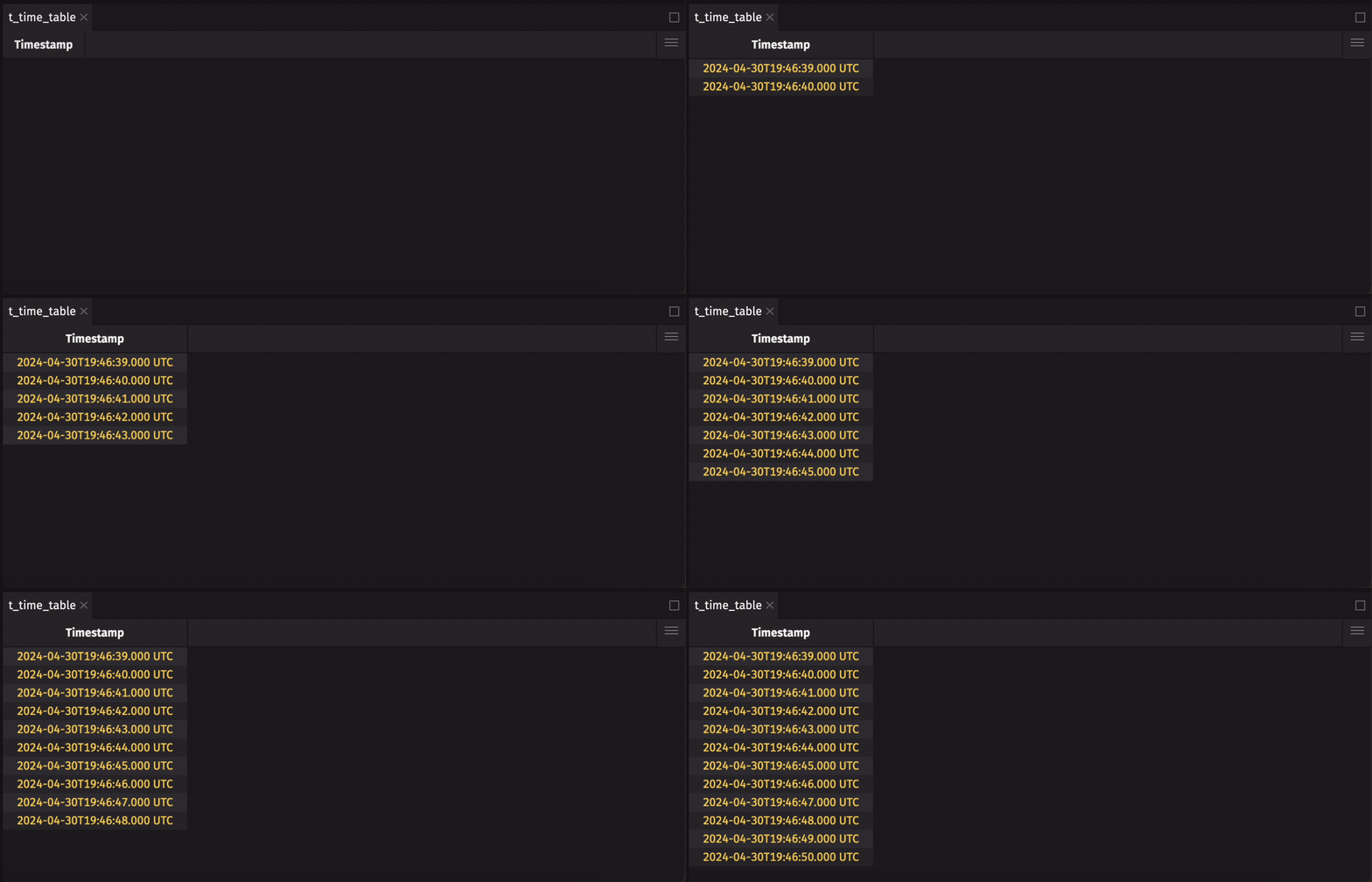
Lastly, time_table is good for creating a ticking table:
Parse time-stamped data
Parse date-times
When timestamp columns contain strings formatted to ISO 8641 standards, the parseInstant function can be used to convert them to the Instant date-time type:
Often, date-time formats do not adhere to strict ISO standards, so they must be massaged before they can be used as a proper date-time type.
This is done with the simple_date_format function from the deephaven.time library:
In this example, the timezone can be interpreted automatically, eliminating the need for string replacement:
Here, the dates and times are stored in separate columns. Extract the data from each column and use parseInstant or toInstant to get the final result:
Java methods are often useful for getting things into the required format. Here, the LocalDate.of method is used to create a LocalDate that is then fed to to_instant:
Parse dates
When a date column is a string with proper ISO formatting, parseLocalDate can be used to convert the column to the correct type:
When the format is unknown, simple_date_format is useful for converting to the appropriate format:
Here, the date is presented as an integer, so it must be cast to a String before using simple_date_format:
Parse times
Much like dates, string columns containing ISO-formatted times should use parseLocalTime:
When the format is unknown, simple_date_format is still useful:
Times represented with no delimiters may be stored as integers, so they must be converted to Strings first:
Alternatively, integers can be interpreted as seconds since the Unix Epoch:
Reformat time-stamped data
The format_columns table operation can be used to change the UI-level formatting of a date-time column. Note that this has no effect on the internal representation of the data, only on the way that data is presented. Reformat timestamps using valid Java date-time formats:
t = time_table("PT1S").format_columns("Timestamp = Date(HH:mm:ss.SSSSSSSSS)")
Get current time information
In a query
Outside of a query
Time zones
The time zone of the Deephaven engine and the time zone displayed by the UI are not always identical. This section covers time zone operations with respect to the engine's time zone. The UI section will cover time zones in the UI.
Change engine time zone
The engine time zone is set on server startup and cannot be modified once the server has been started. To change the engine time zone, see the Community Question on setting timezone.
Time zone aliases
Deephaven provides time zone aliases for some common time zones:
For all other time zones, you can create custom time zone aliases with time_zone_alias_add and use them in queries:
Manipulate timestamps
The following table will be used to demonstrate some common operations:
Convenience methods for date-times
Date-time columns carry a lot of information, which can be extracted with Deephaven's auto-imported functions:
Bin timestamps
The upperBin and lowerBin functions are useful for creating timestamp bins in regular intervals. Each method can accept a time interval as a number of nanoseconds (e.g., 5 * SECOND) or a Duration (e.g., 'PT5S'):
These bins can be used along with some table operations for downsampling:
Or, the agg suite can perform multiple aggregations at once on binned timestamps:
Time-based filtering
Deephaven's filter methods and logical operators can be used with timestamps:
Math with date-times
Mathematical operations on timestamps are well-defined:
The results can be used in filters without constructing new columns:
Built-in constants
The previous examples utilize our built-in constants YEAR_365 and DAY. Deephaven offers many such constants to help with unit conversion:
| Constant | Type | Description |
|---|---|---|
DAY | long | One day in nanoseconds. |
DAYS_PER_NANO | double | Number of days per nanosecond. |
HOUR | long | One hour in nanoseconds. |
HOURS_PER_NANO | double | Number of hours per nanosecond. |
MICRO | long | One microsecond in nanoseconds. |
MILLI | long | One millisecond in nanoseconds. |
MINUTE | long | One minute in nanoseconds. |
MINUTES_PER_NANO | double | Number of minutes per nanosecond. |
SECOND | long | One second in nanoseconds. |
SECONDS_PER_NANO | double | Number of seconds per nanosecond. |
WEEK | long | One week in nanoseconds. |
YEAR_365 | long | One 365 day year in nanoseconds. |
YEAR_AVG | long | One average year in nanoseconds. |
YEARS_PER_NANO_365 | double | Number of 365 day years per nanosecond nanosecond. |
YEARS_PER_NANO_AVG | double | Number of average (365.2425 day) years per nanosecond nanosecond. |
ZERO_LENGTH_INSTANT_ARRAY | Instant[] | A zero length array of instants. |
Time-based joins
Deephaven offers powerful table operations for joining time-stamped data. In practice, timestamps across multiple datasets are rarely exactly the same, so attempts to join on timestamps with traditional join methods will fail. To this end, Deephaven offers the aj and raj time-based joins.
aj(as-of join)
The as-of join aj joins tables on timestamp columns by choosing values from the right key column that are as close as possible to values in the left key column without going over:
aj also works when one or more key columns includes exact matches:
raj(reverse-as-of join)
The reverse-as-of join raj joins tables on timestamp columns by choosing values from the right key column that are as close as possible to values in the left key column without going under:
Just like aj, raj works when one or more key columns includes exact matches:
Work with Python time types
Python supports date-time types through the datetime, numpy, and pandas libraries. Deephaven provides interoperability with these types through the deephaven.time library.
Python to Java
The deephaven.time library provides the following functions for converting Python types from the aformentioned libraries to Java types for use in query strings:
Warning
For performance reasons, these functions should not be called inside of query strings. They should be called to create new objects outside of query strings, and those objects may then be used inside of query strings.
This example demonstrates the proper use of these functions:
These functions all accept multiple argument types, enabling conversion from any of the Python types to the relevant Java types.
Java to Python
Similarly, deephaven.time offers the following functions to convert Java types to their Python equivalents:
to_dateto_timeto_datetimeto_timedeltato_np_datetime64to_np_timedelta64to_pd_timestampto_pd_timedelta
These are often useful when calling a Python function from a query string that takes a date-time type as an argument:
Note
The query language methods would be better for this particular use case, but this flexibility enables solving problems that the query langauge does not have solutions for.
Date-time settings in the UI
The Settings menu in the Deephaven IDE offers a few ways to customize the appearance of date-time types:
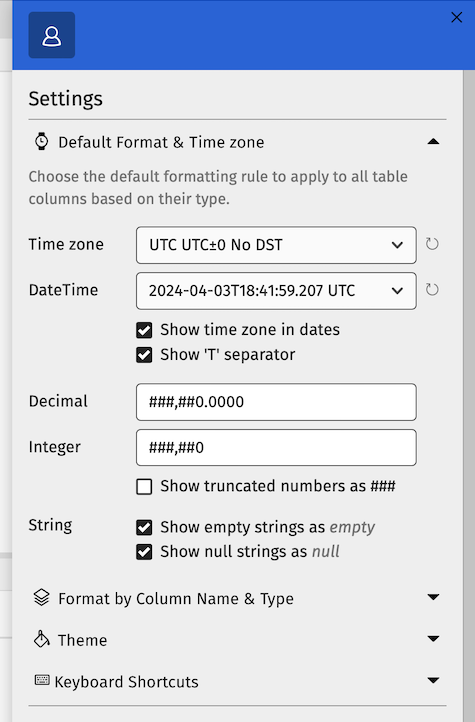
Here, you can select a time zone in which to view data. This time zone will apply to all date-time columns in all tables. You can also change the format of date-time columns, which may be useful for larger tables. Also, the Format by Column Name & Type can be used to format specific columns, enabling you apply a time zone to specific columns in a table.