Generate tables with Python functions
This guide covers function-generated tables, which enable the creation of ticking tables via a Python function. The function is run when either:
- One or more source tables tick.
- A refresh interval is reached.
Usage pattern
Function-generated tables follow this basic usage pattern:
- Define a Python function that returns a table.
- Define one or more trigger tables or a refresh interval.
- Create a function-generated table by calling
function_generated_table.- A function-generated table can use one or both of the following to trigger the function call:
- A trigger table.
- A refresh interval.
- A function-generated table can use one or both of the following to trigger the function call:
A function-generated table is designed to ingest data from external sources into ticking tables. The only requirement is that the Python function that ingests this data returns a table.
Table generator function
You can define your function in the normal Pythonic way. The only requirement is that the function must return a table.
Here's an example:
Call function_generated_table
The following code block uses make_table as the table generator function. function_generated_table is called twice:
- Once with a trigger table.
- Once with a refresh interval.
Weather data
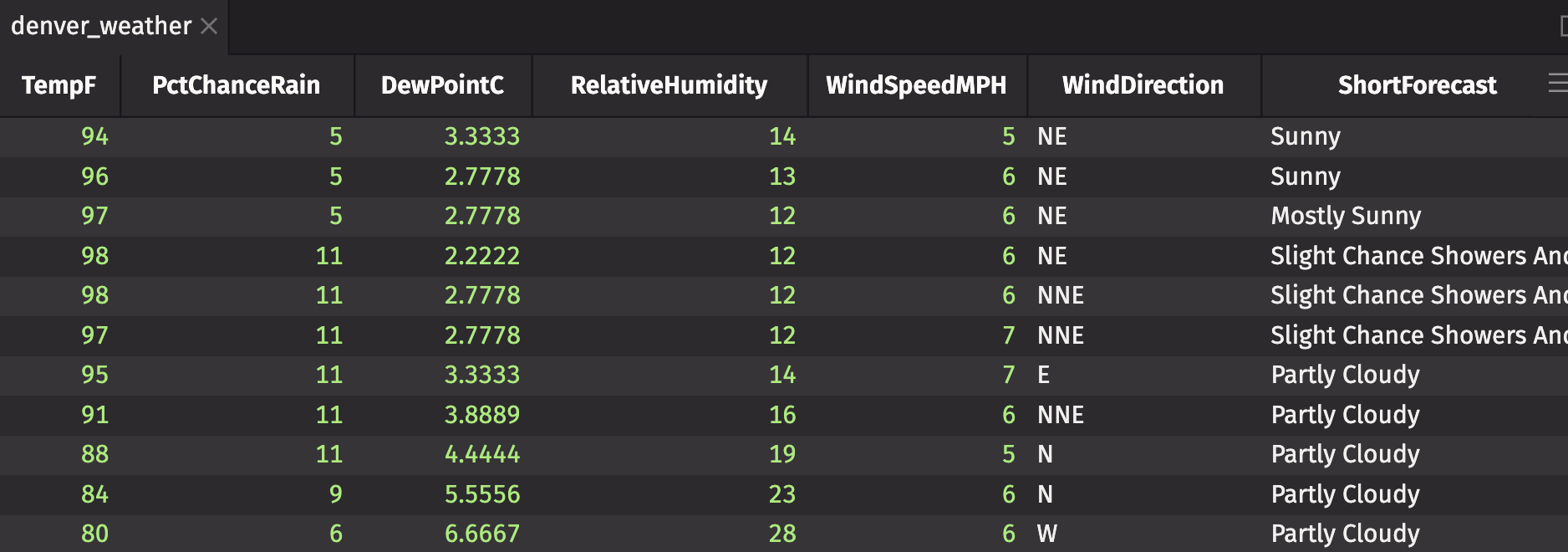
The following example pulls weather from NOAA's free-to-use Weather API for the city of Denver, Colorado. The trigger table ticks once per minute.
Execution context
Function-generated tables require an execution context to run in. If you don't specify an execution context, the method will use the systemic execution context. The example above does not specify an execution context, so the systemic execution context is used.