input_table
The input_table method creates an input table, which allows users to manually add data via the UI or programmatically via queries.
Syntax
Parameters
| Parameter | Type | Description |
|---|---|---|
| init_table | Table | The table from which the input table will be created. If used, column definitions must be |
| col_defs | dict[str, DType] | A set of column definitions that define the column names and types in the input table. If used, an initial table must be |
| key_cols | list[str] | One or more key column names. The default value is |
Returns
An InputTable, a subclass of a Deephaven table in which data can be manually entered by clicking on cells and typing values.
Methods
An input table supports the following methods:
add: add data to an input table. The added data must fit the schema of the input table.add_async: add data to an input table asynchronously. The added data must fit the schema of the input table.delete: delete data from an input table. This method can only be used on a keyed input table.delete_async: delete data from an input table asynchronously. This method can only be used on a keyed input table.
Examples
The following example creates an input table from a pre-existing table by using the init_table argument. It does not specify any key columns, which means the result table is append-only.
The following example creates an input table from a dict of column definitions. It does not specify any key columns, which means the result table is append-only.
The third example creates an input table and specifies a key column, so the resulting input table is keyed rather than append-only.
Data can be added to an input table programmatically using the add method.
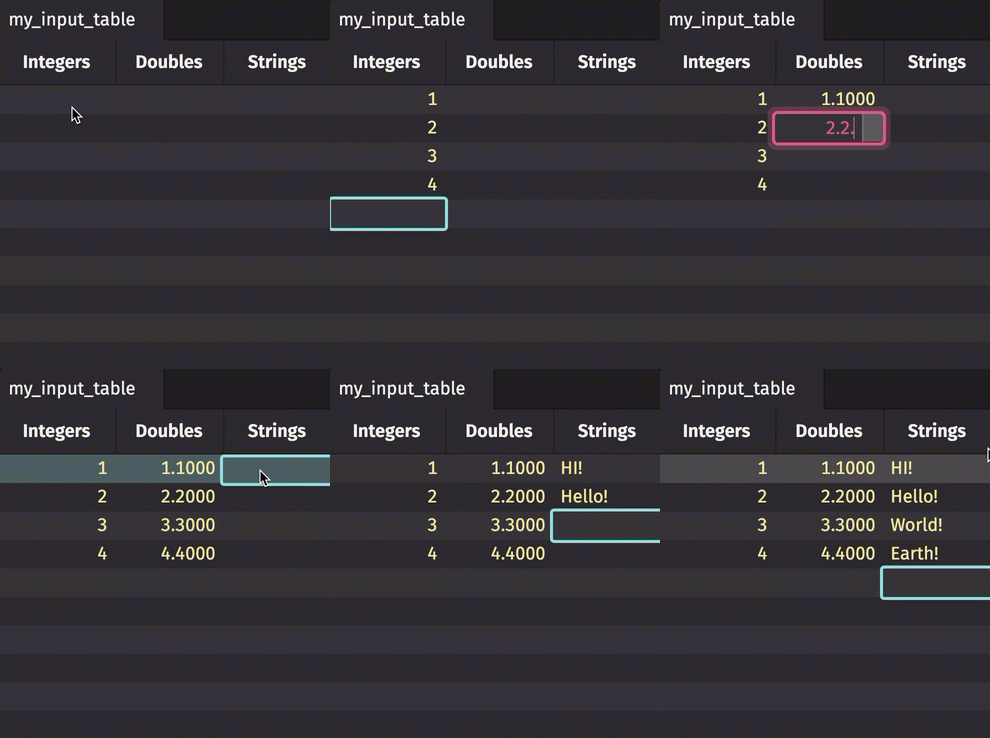
Data can be added to an input table manually via the UI.