Dashboard
Dashboards allow you to create a page layout containing a collection of components. The user can move and resize panels within the dashboard.
Example
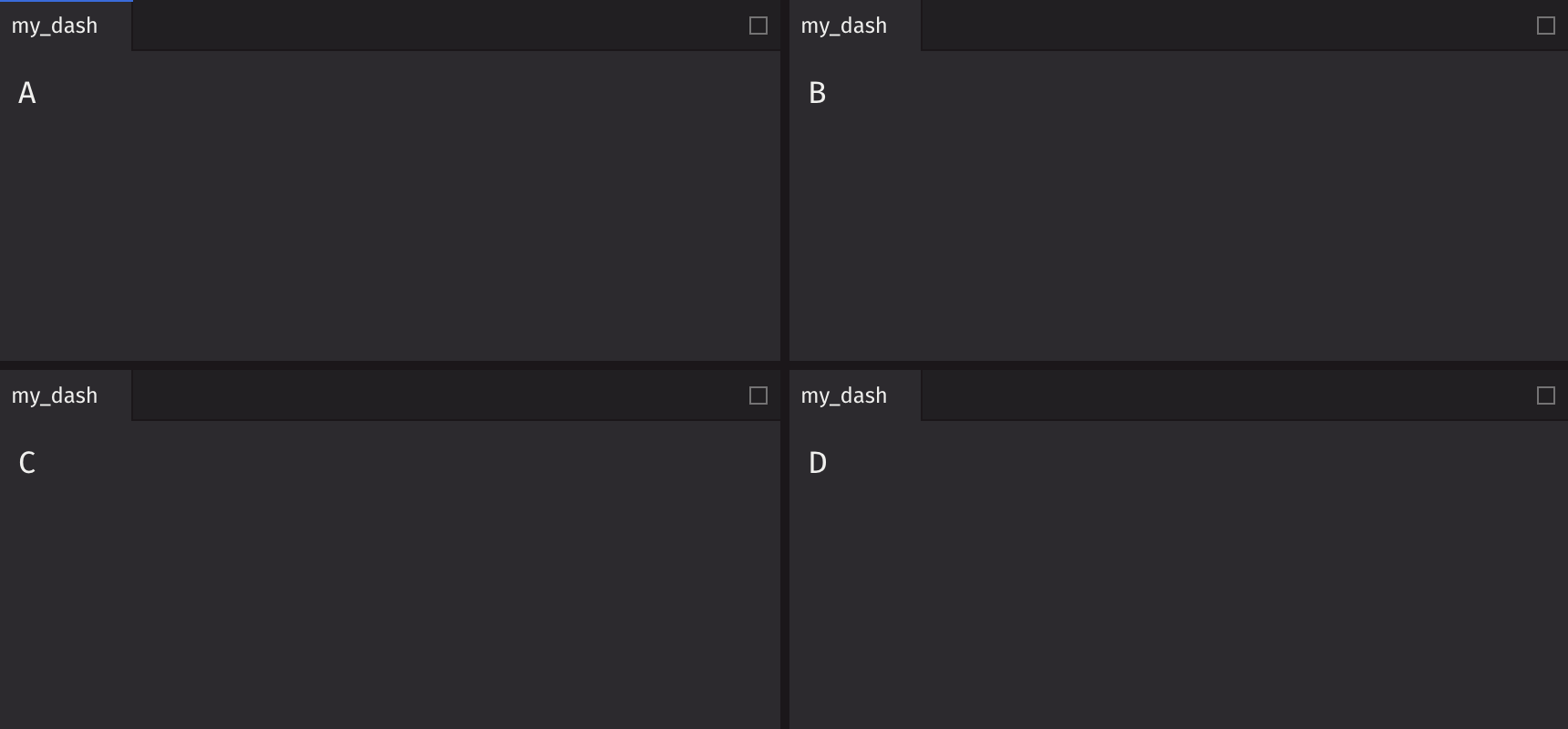
Rules
- Dashboards must have one and only one child, typically a row or column.
- Height and width of panels are summed to 100% within a row or column.
Key Components
Four main children make up a dashboard: row, column, stack, and panels.
- Row: A container used to group elements horizontally. Each element is placed to the right of the previous one.
- Column: A container used to group elements vertically. Each element is placed below the previous one.
- Stack: A container used to group elements into a stack of tabs. Each element gets its own tab, with only one element visible at a time.
- Panel: A container used to group and label elements.
Layout Hierarchy
Top-Level
Your dashboard must start with a row or column, which is the “top” of the layout tree. Columns should go inside rows and rows should go inside columns
Note: Nesting rows within rows or columns within columns will sub-divide the row or column.
Bottom-Level
Stacks and panels are considered the “bottom” of the layout tree. Once added, the layout in that section is considered complete. For layouts within a panel, see tabs, flex, grid, view and nested dashboards.
Automatic Wrapping
Children are implicitly wrapped when necessary, so the entire layout does not need to be explicitly defined.
End to end example: dashboard([t1, t2]) would become dashboard(column(stack(panel(t1)), stack(panel(t2)))).
Automatic wrapping is applied by the following rules:
- Dashboard: wrap in row/column if no single node is the default (e.g.,
[t1, t2]as the child to the dashboard would becomerow(t1, t2)). - Row/Column:
- If there are children that are rows/columns, wrap the non-wrapped children with the same element (e.g.,
row(col(t1), t2)becomesrow(col(t1), col(t2))). - If none of the children are wrapped by rows/columns, they are wrapped in stacks (e.g.,
row(col(t1), col(t2))from above becomesrow(col(stack(t1)), col(stack(t2)))).
- If there are children that are rows/columns, wrap the non-wrapped children with the same element (e.g.,
- Stacks: wrap non-panel children in panels (e.g.,
row(col(stack(t1)), col(stack(t2)))becomesrow(col(stack(panel(t1))), col(stack(panel(t2))))).
Varying dimensions
Rows can have a specified height, while columns can have a specified width.
Stacks directly within a column can have a height or a width if they are within a row. Setting the other dimension will be ignored.
Varying row heights
Varying column widths
Varying stack widths
Varying stack heights
Layout Examples
Row split (2x1)
Column split (1x2)
2x2
3x1
Basic stack
Stack with an active item index
Stack with nested tabs
Stack in a layout
Holy Grail
Nested Dashboards
Dashboards can be nested inside panels to create complex layouts with isolated drag-and-drop regions. Each nested dashboard creates its own independent layout that users can rearrange without affecting the parent dashboard.
Note
Nested dashboards will not appear in your Panels list, or in your Shared Dashboards list on Enterprise. They are only accessible through the parent dashboard that contains them. To have them appear in your Panels list or Shared Dashboards list, a dashboard must be assigned to a variable at the top level.
Basic nested dashboard
Nested dashboard inside a component
Unlike root-level dashboards, nested dashboards can be returned from @ui.component functions:
Deeply nested dashboards
Dashboards can be nested arbitrarily deep, with each level creating its own isolated layout:
Nested dashboard with state
Nested dashboards can manage their own state within a @ui.component:
Note
Panels within a nested dashboard can only be dragged within that nested dashboard. Cross-dashboard drag-and-drop is not supported.
Stateful Example
By hoisting state management to the dashboard component, interacting and sharing data between the child components is much easier to maintain and debug.
Simple
Complex
API Reference
A dashboard is the container for an entire layout.
Returns: DashboardElement The rendered dashboard.
| Parameters | Type | Default | Description |
|---|---|---|---|
| element | FunctionElement | Element to render as the dashboard. The element should render a layout that contains 1 root column or row. |
Row API Reference
A row is a container that can be used to group elements. Each element will be placed to the right of its prior sibling.
Returns: Element The rendered row element.
| Parameters | Type | Default | Description |
|---|---|---|---|
| *children | Any | Elements to render in the row. | |
| key | str | None | None | A unique identifier used by React to render elements in a list. |
Column API Reference
A column is a container that can be used to group elements. Each element will be placed below its prior sibling.
Returns: Element The rendered column element.
| Parameters | Type | Default | Description |
|---|---|---|---|
| *children | Any | Elements to render in the column. | |
| key | str | None | None | A unique identifier used by React to render elements in a list. |
Stack API Reference
A stack is a container that can be used to group elements which creates a set of tabs. Each element will get a tab and only one element can be visible at a time.
Returns: Element The rendered stack element.
| Parameters | Type | Default | Description |
|---|---|---|---|
| *children | Any | Elements to render in the row. | |
| active_item_index | int | None | None | The index of the active item in the stack. |
| key | str | None | None | A unique identifier used by React to render elements in a list. |