How do I import one Python script into another in the Deephaven IDE?
I have a Python script that defines some functions, classes, variables, or other objects. Can I use these in a new Python script from the Deephaven IDE?Yes. Python allows importing one script into another in the same way that a Python package would be imported, so long as those two scripts are in the same directory. Take the following example:
Here, script2.py imports get_5 and a from script1.py and uses them in its body. Naturally, this is expected to work from the Deephaven IDE. However, you need to take one extra step first.
When the Deephaven server launches, it starts a Python interpreter that it will use to execute Python code. In order for script2.py in the above example to run, the Python interpreter must know about the existence of script1.py. Usually this is handled by default, because the Python interpreter is running from the same directory that the scripts are stored in. However, this is not the case in Deephaven. Scripts you create in the IDE are stored in the storage/notebooks folder inside the data directory, and the interpreter does not search that folder by default. Therefore, you must add the notebooks directory to the Python path. Method 1 changes the path for the current session only and must be repeated after each restart. Method 2 sets the path before the server starts — in Docker Compose this is saved in the YAML file, while for pip you must set the environment variable in each new terminal (or add it to your shell's startup configuration).
Warning
Any user who can connect to the IDE can edit files in the notebooks directory. Once that directory is on the Python path, those users can change code that runs whenever another script imports it. Only do this when you trust everyone who can access the server.
Method 1: After starting the server
If the Deephaven server is already running, add the notebooks directory to the interpreter's search path at runtime. Call append on the sys.path list and pass it the path of the notebooks directory.
Docker
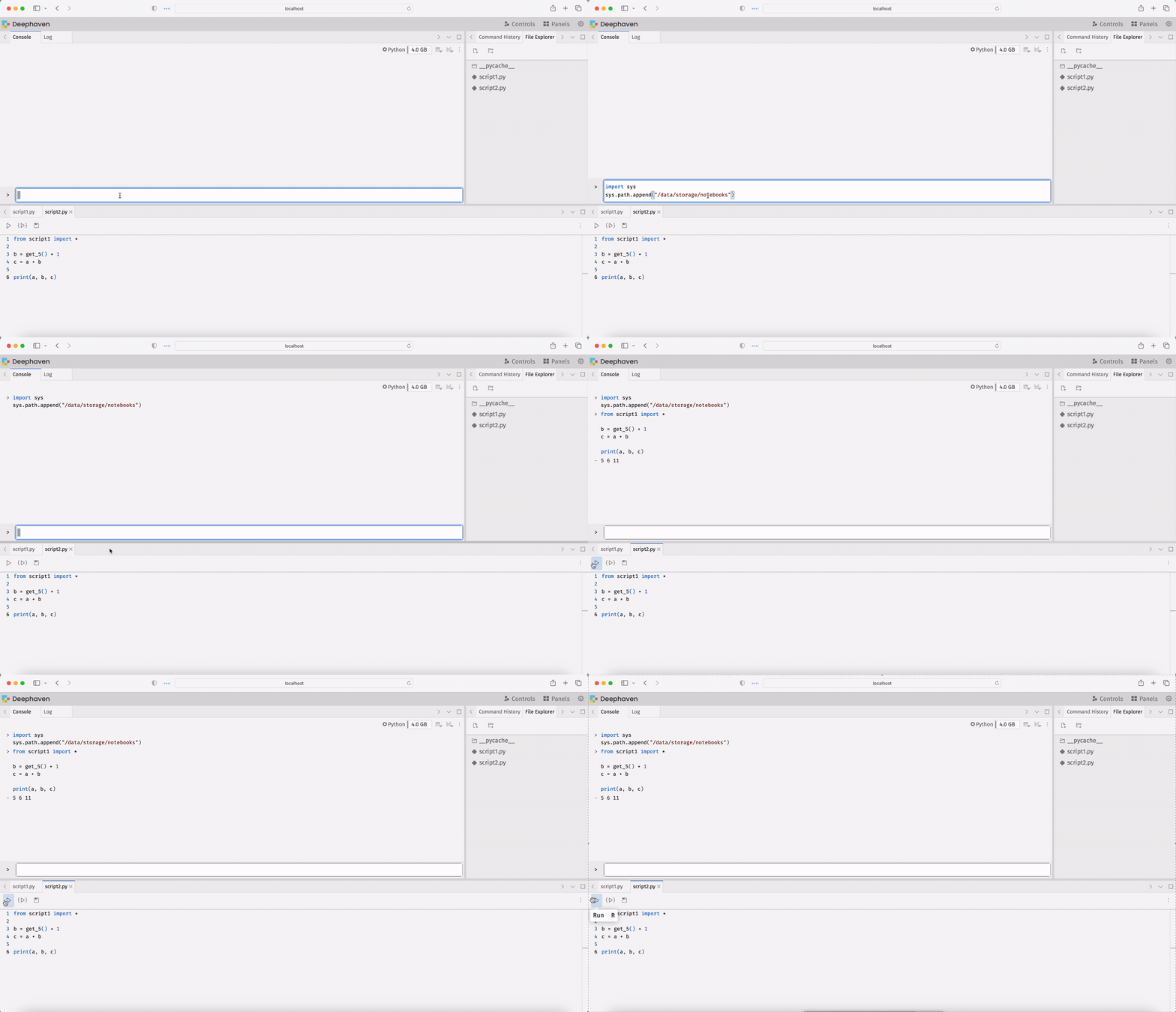
In Docker-run Deephaven, the data directory is /data, so scripts are stored in /data/storage/notebooks by default. Add that path to the set of paths known to the interpreter:
Then, script2.py from the example at the top of this page can import script1.py:
Pip
Using pip-installed Deephaven makes this slightly more complicated because the data directory depends on the operating system. However, the data directory prints to the console when the Deephaven server starts, so it can be copied from there. Then, you must append "/storage/notebooks" to the end of the path in the call to sys.path.append.
In this example, the console output indicates that the data directory is /Users/username/Library/Application Support/io.Deephaven-Data-Labs.deephaven. So, the code to add the path looks like this:
script2.py can now import script1.py with no problem:
Remove an incorrect path
If you mistakenly add the wrong path to your Python session, use sys.path.pop to remove it, then add the correct one. Here is an example:
Method 2: Before starting the server
You can add the notebooks directory to the interpreter's path before starting a Deephaven server by setting the PYTHONPATH environment variable. Python searches the directories listed in PYTHONPATH for modules when it starts.
Docker
In Docker-run Deephaven, the data directory is /data, so scripts are stored in /data/storage/notebooks by default. Set this path in the container's environment using a docker-compose.yml file or with the --env flag for the docker run command:
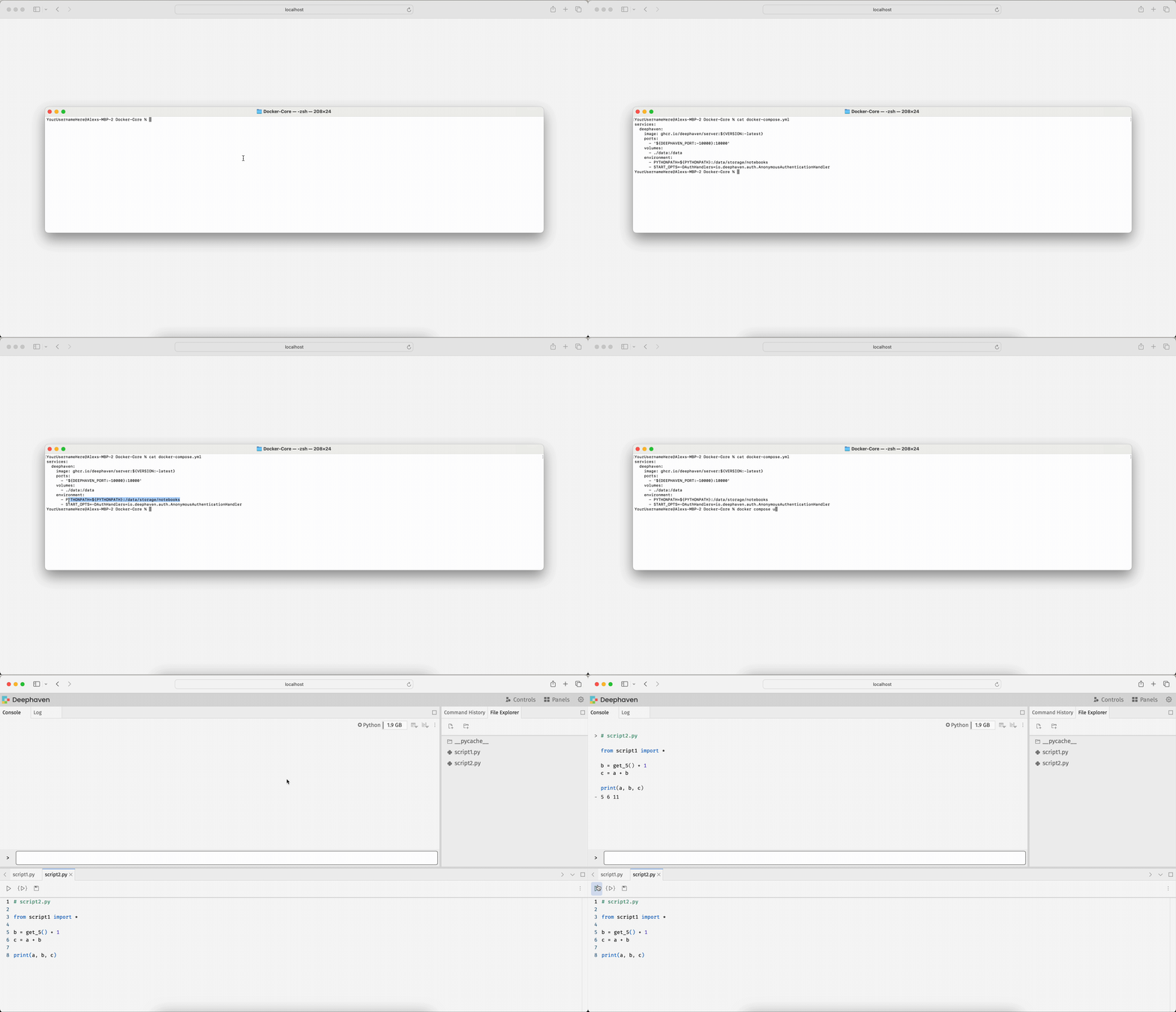
Here is a sample docker-compose.yml file that sets PYTHONPATH to the notebooks directory:
Start the server using docker compose up. script2.py can then import script1.py:
Pip
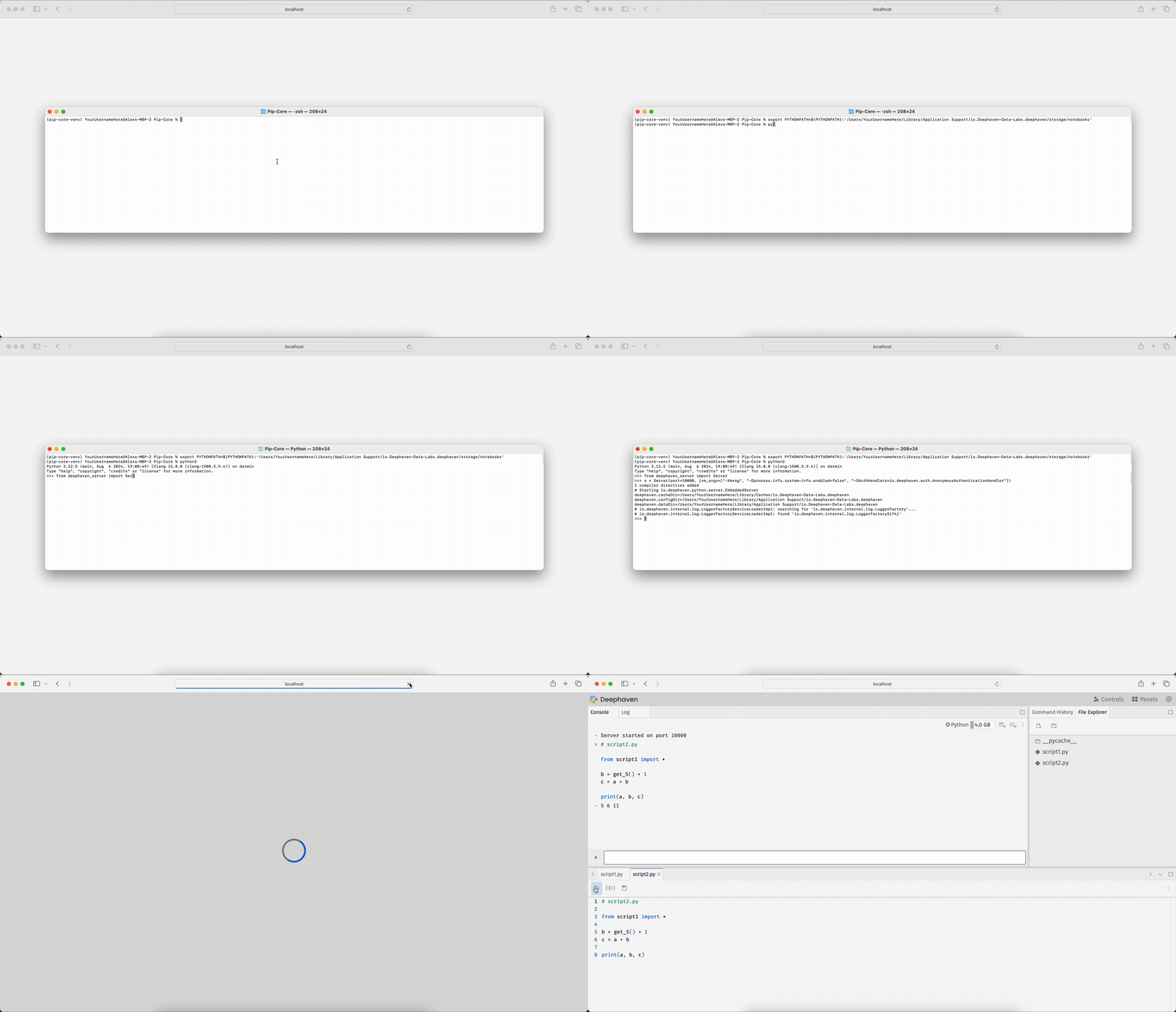
Start the server once to find the data directory (it prints as deephaven.dataDir=... in the console output). Then, set PYTHONPATH to the notebooks directory before you launch Python:
Then start the Python console and the Deephaven server as usual.
Note
These FAQ pages contain answers to questions about Deephaven Community Core that our users have asked in our Community Slack. If you have a question that is not in our documentation, join our Community and we'll be happy to help!