Convert add- and append-only tables to blink tables
This guide shows you how to convert a refreshing add-only or append-only table to a blink table, which keeps only the rows added during the current update cycle. It's a simple process that takes a single method call: AddOnlyToBlinkTableAdapter.toBlink.
The source table must meet two requirements:
- It must be refreshing, not static.
AddOnlyToBlinkTableAdapter.toBlinkthrows anIllegalArgumentExceptionwhen you pass a static table. - It must only ever add rows.
AddOnlyToBlinkTableAdapter.toBlinkdoesn't check this when you call it. If the source later removes, modifies, or shifts rows, that update fails with an error.
If the source is already a blink table, AddOnlyToBlinkTableAdapter.toBlink returns it unchanged.
When to use this method
Convert an add-only or append-only table to a blink table when:
- You have an add-only or append-only source table that is not fully in memory. Deephaven reads its column data from storage on demand instead of keeping every row in memory. Operations that keep a result for every row, such as
update, hold only the current cycle's rows when they run on the converted blink table, so they use less memory than on the source. Aggregations such ascountBykeep the same per-group state either way. Lower memory use is the main benefit of blink tables. - You want blink-table aggregation semantics. An aggregation such as
sumByorcountByon a blink table covers every row the table has delivered since the aggregation started. The table itself holds only the rows from the current update cycle.
Converting a table that is already fully in memory increases memory use rather than reducing it.
Some operations, such as groupBy and partitionBy, raise an error on a blink table.
Example
In this example, we create a time table that refreshes every second, then convert it to a blink table using AddOnlyToBlinkTableAdapter.toBlink. The time table computes each timestamp from the row key and stores no per-row data, so converting it saves no memory. It's still a refreshing append-only source, so the example shows the syntax. The counts table shows the blink-table aggregation semantics described under When to use this method.
source keeps every row the time table has added, while result contains only the rows added during the most recent update cycle. When you first create result, it holds all the rows source already has. On the next update cycle, result removes them in the same update that adds the rows source added during that cycle.
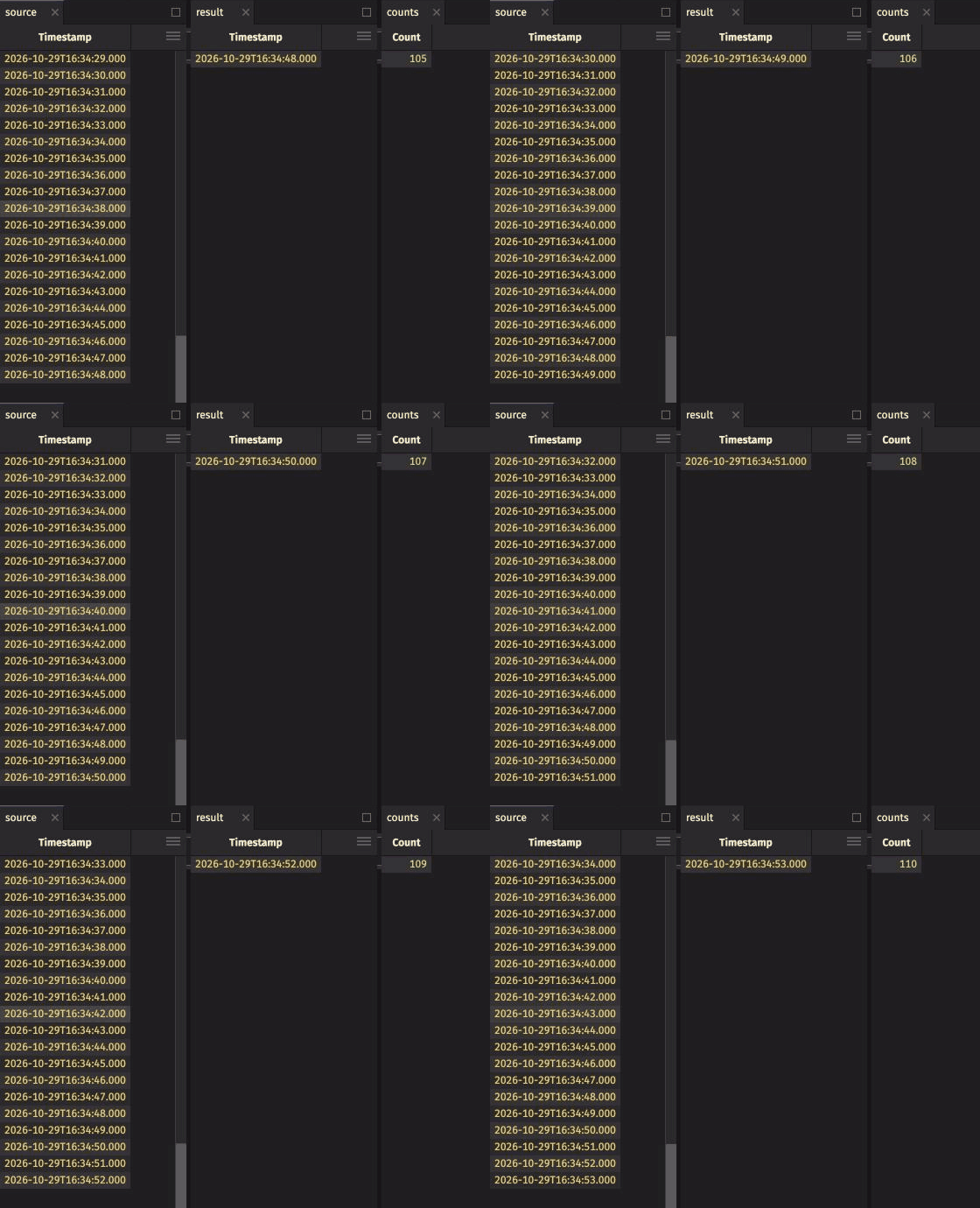
The Count value in counts keeps growing even though result holds only the latest rows. That's blink-table aggregation semantics: countBy counts every row result has held since you created counts. The count starts with the rows result held when you created counts.
If all you need is a blink time table, you don't need AddOnlyToBlinkTableAdapter.toBlink. Create one directly with timeTableBuilder. Call blinkTable(true) on the TimeTable.Builder it returns, as shown in Create a blink time table.