Plugin ACLs
Plugins such as deephaven.ui and Deephaven Express deliver server objects (tables and other references) to the client. Because Edge ACLs apply ACLs at the next downstream operation, where and in whose context the operation is performed determines what a viewer sees. This makes an ACLed table especially flexible inside a plugin: an operation performed in a @ui.component runs in the viewer's context, so the ACL is applied for the viewer, while the same operation at the top level runs in the query owner's context.
The worked-examples script below demonstrates this end-to-end: an un-ACLed table, an Edge-ACLed table, and dashboards and components that display, sum, plot, read, and listen to ACLed tables - including how to mark a derived result exportable to the current user with apply_full_access_for_current_user. Run it as a Persistent Query owned by an admin/owner; the examples use a viewer named "alice".
Tip
Download the worked-examples script: plugin-acls.py.
Setup
Import the plugins and create the sample data. These examples use the Deephaven Express "stocks" data set (columns Timestamp, Sym, Exchange, Size, Price, Dollars, Side; Sym values CAT, DOG, FISH, BIRD, LIZARD), and permit Alice to see only DOG and FISH.
Example 1 - raw_table: no ACL applied
raw_table carries no EdgeAclProvider. The query owner (or an admin) can open it directly. Alice cannot: because ACLs have been applied somewhere in this query (see acl_table in Example 2), requireAclsToExport() is true, and a table with no ACL marker is denied to viewers. When Alice tries to fetch raw_table directly, she gets a TableAccessException, and the table simply does not open for her.
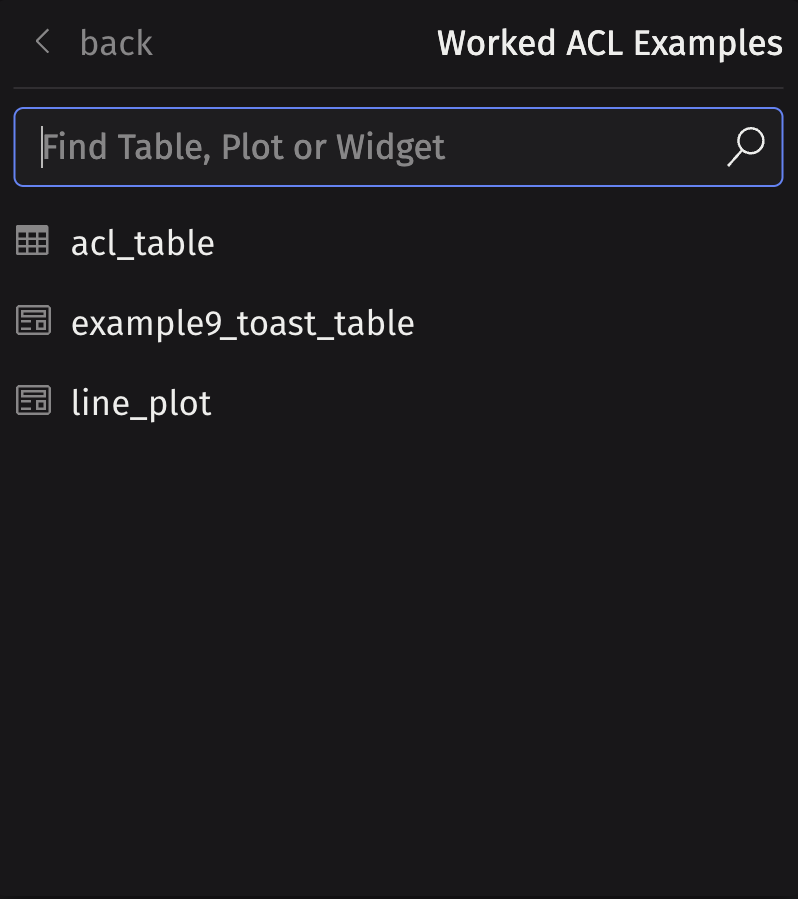
In the panels menu, raw_table is not shown because alice does not have permission:
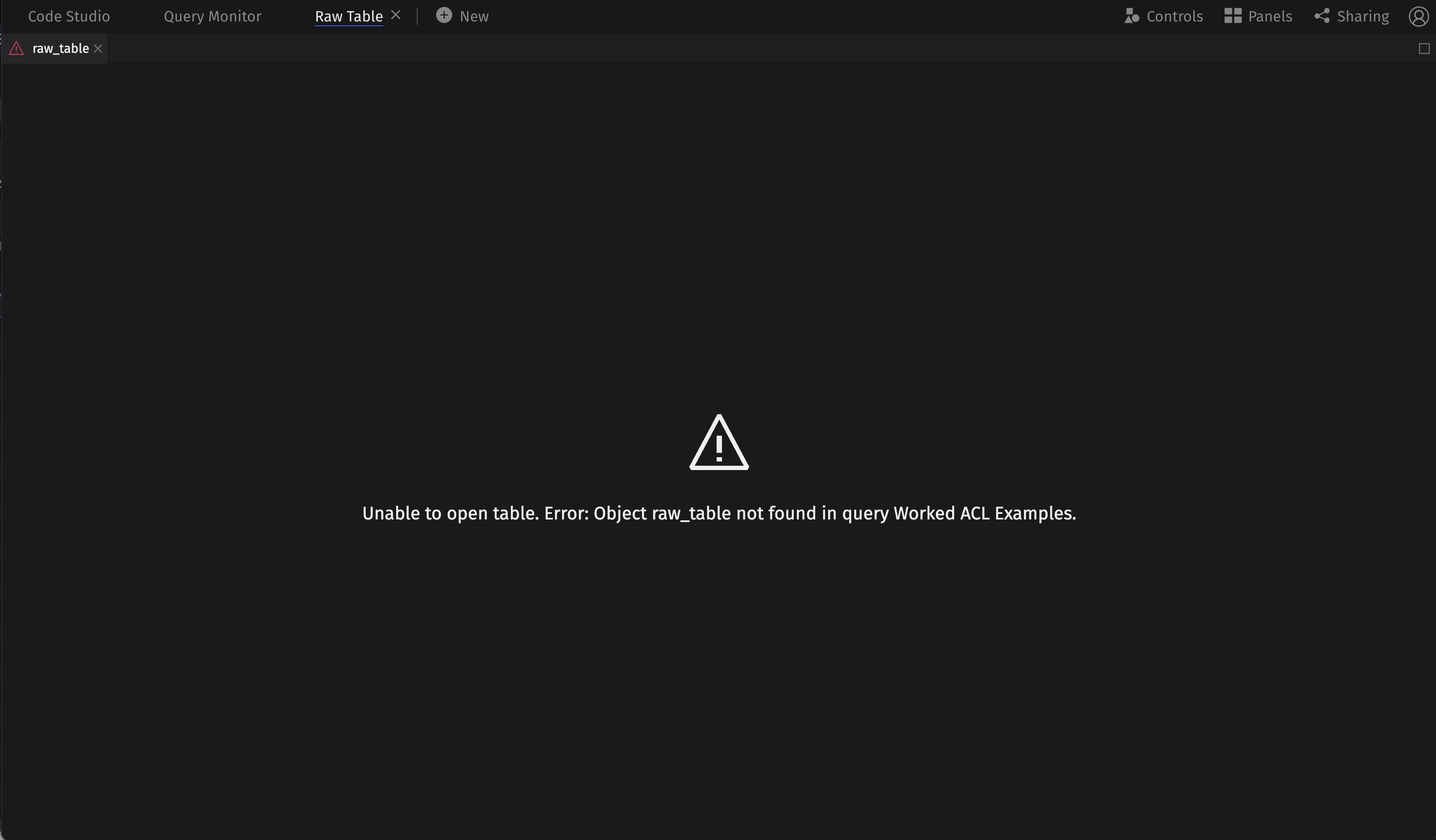
Even though the table is not listed in the panels menu, it may still be in Alice's workspace (for example, if the query writer changed the permissions of the table). When the table is loaded, she is then presented with a not found error:
Example 2 - acl_table: an Edge ACL permitting Alice to see DOG and FISH
apply_to returns a new table. When Alice opens the new table, the server applies the row ACL for Alice, so she sees only the rows where Sym is DOG or FISH. The owner/admin opening it sees everything (admins are not subject to edge ACLs).
ACLs are keyed by group. Here we grant the filter to a group named "alice":
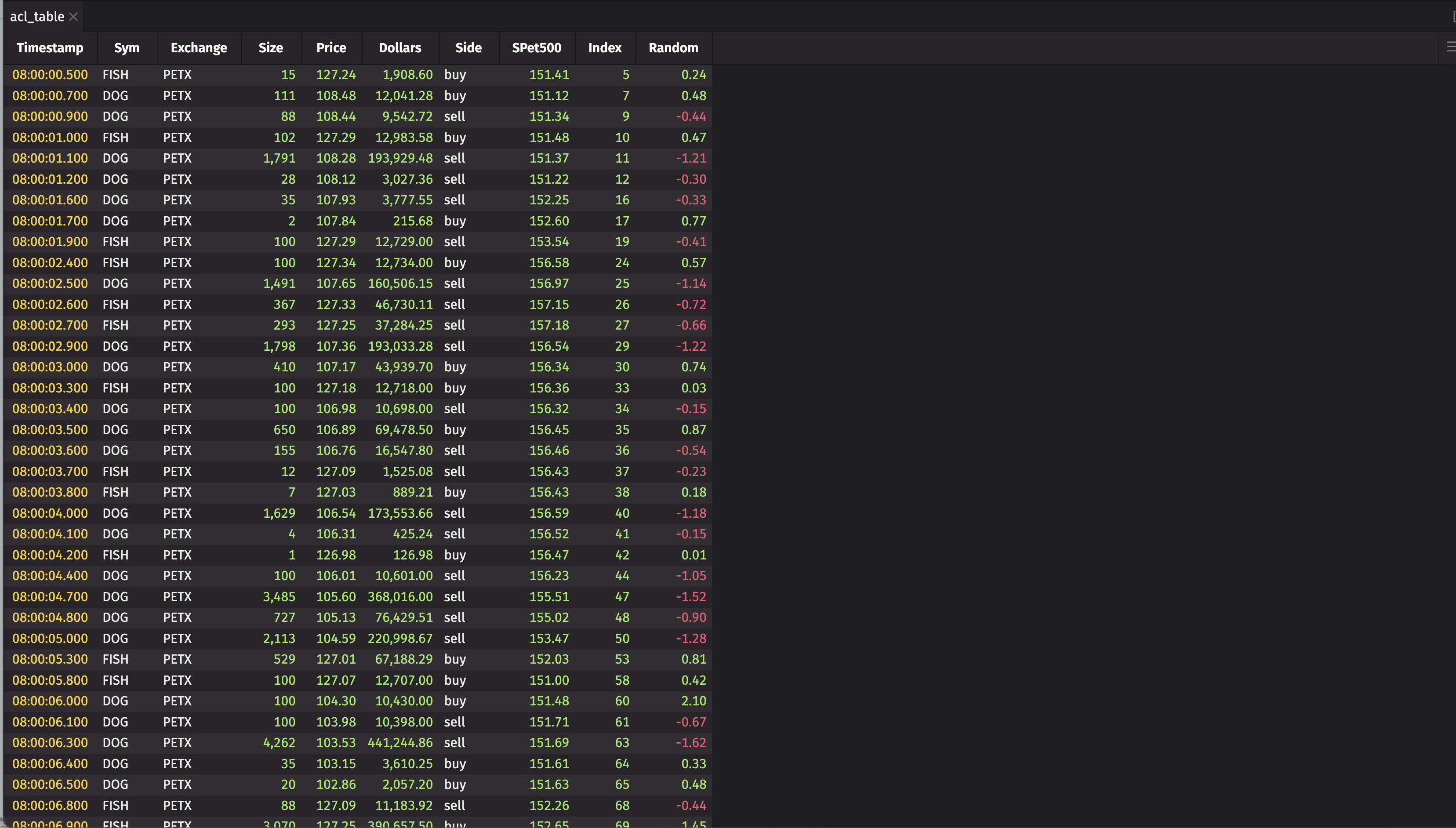
Alice can open acl_table and sees only rows for DOG and FISH:
Example 3 - a dashboard showing raw_table and acl_table side by side
A deephaven.ui dashboard exports its tables to the client as plugin references. deephaven.ui declares authorization_export_behavior="transform", so each table the dashboard exports is run through the authorization transform in the viewer's context - a dashboard table is subject to the same authorization as opening it directly:
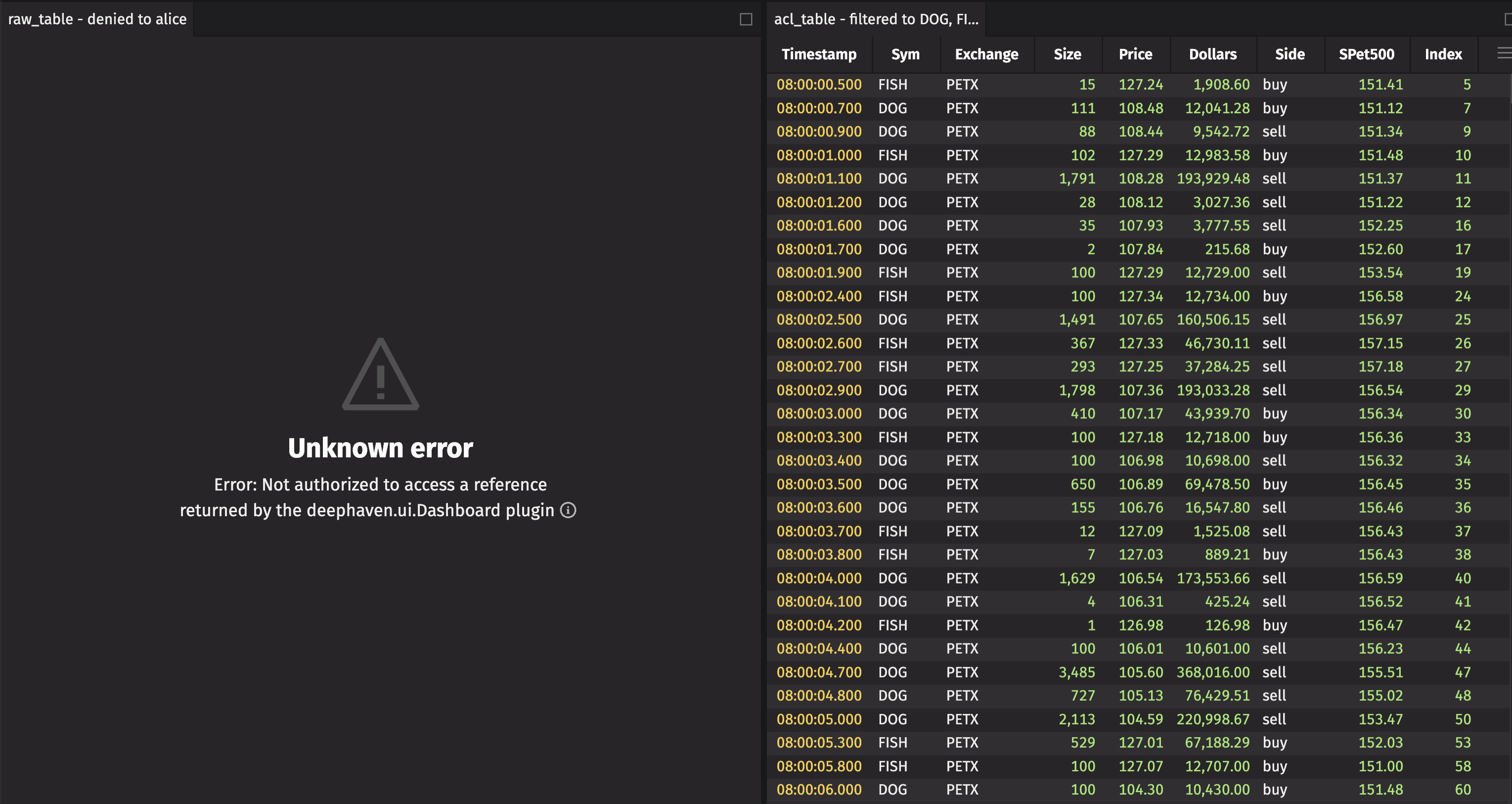
acl_table: a table with an ACL, so the transform applies Alice's row ACL, and she sees onlyDOGandFISH.raw_table: has no ACL marker, and ACLs are required to export (an ACL is applied in this query), so the transform denies it for Alice - exactly as when she opens it directly (Example 1). The transform raises aTableAccessException, so Alice'sraw_tablepanel displays an error instead of any data.
The owner/admin is exempt from edge ACLs and sees both panels in full:
Alice sees an error for the raw_table and the contents of acl_table:
The server's log contains two error messages:
Example 4 - summing trade sizes in a component
We sum the Size column inside a @ui.component and show four result tables. The component body runs at render time in the viewer's context, so the sum_by occurs in Alice's context, and its row ACL is applied before the sum. acl_total is correctly the sum over Alice's DOG + FISH rows.
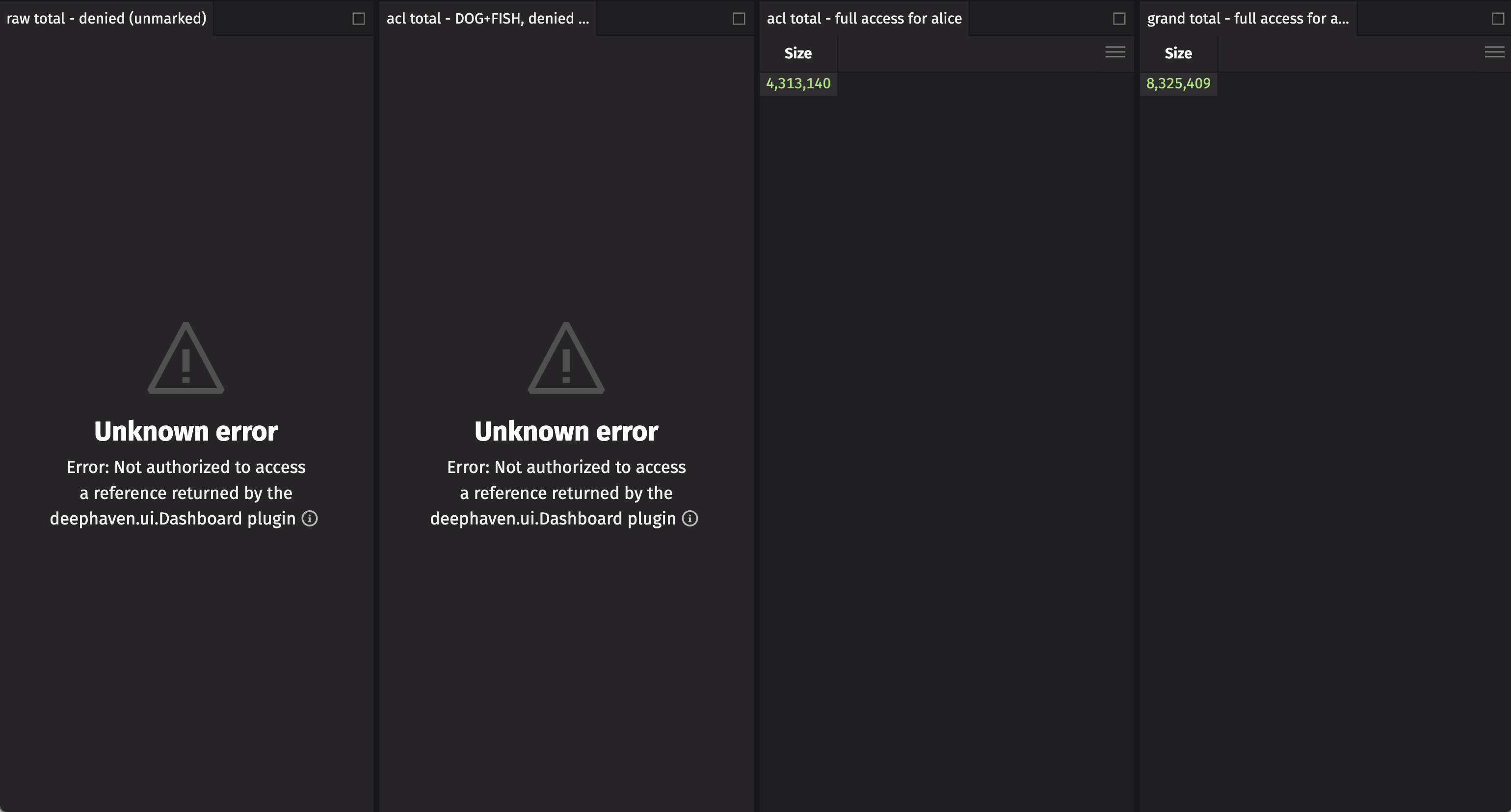
raw_total and acl_total are derived tables: aggregating a table with ACLs yields a plain result that no longer carries an ACL marker. When deephaven.ui exports them through the transform, ACLs are required to export and neither is marked, so the transform denies both (raising a TableAccessException):
raw_total: derived from an un-ACLed table; denied.acl_total: correctly filtered toDOG+FISH, yet still unmarked - so also denied, even though its data is exactly what Alice may see.
To show a derived result, re-mark it with an ACL the transform accepts. The last two panels re-mark each result for the current user with apply_full_access_for_current_user(). That grants full access to the viewing user only and does no filtering - it simply marks the result exportable to that user - so whatever you mark is shown. Both are legitimate, deliberate choices by the query writer:
shown_acl_total: alice's ownDOG+FISHtotal. Safe becauseacl_totalwas computed in her context and holds only her rows.shown_raw_total: the grand total over all Syms. A valid choice to share as an aggregate, even though Alice may not see the unsummarized rows.
Important
apply_full_access_for_current_user() asserts the data is safe to provide to the viewer; it adds no protection of its own. The query writer is responsible for ensuring each result is properly sanitized for the user before marking it - whether by filtering it to the user's rows or by otherwise transforming the data.
Alice sees errors for the two unmarked tables, her own totals in the third column, and the grand totals in the fourth column:
In this example, we used apply_full_access_for_current_user, but apply_full_access has an identical effect. The plugin exports the result table to "alice", so although apply_full_access permits "allusers" to view the tables, other users are not provided a reference to the derived tables.
Example 5 - an ACL that grants access only to Bob
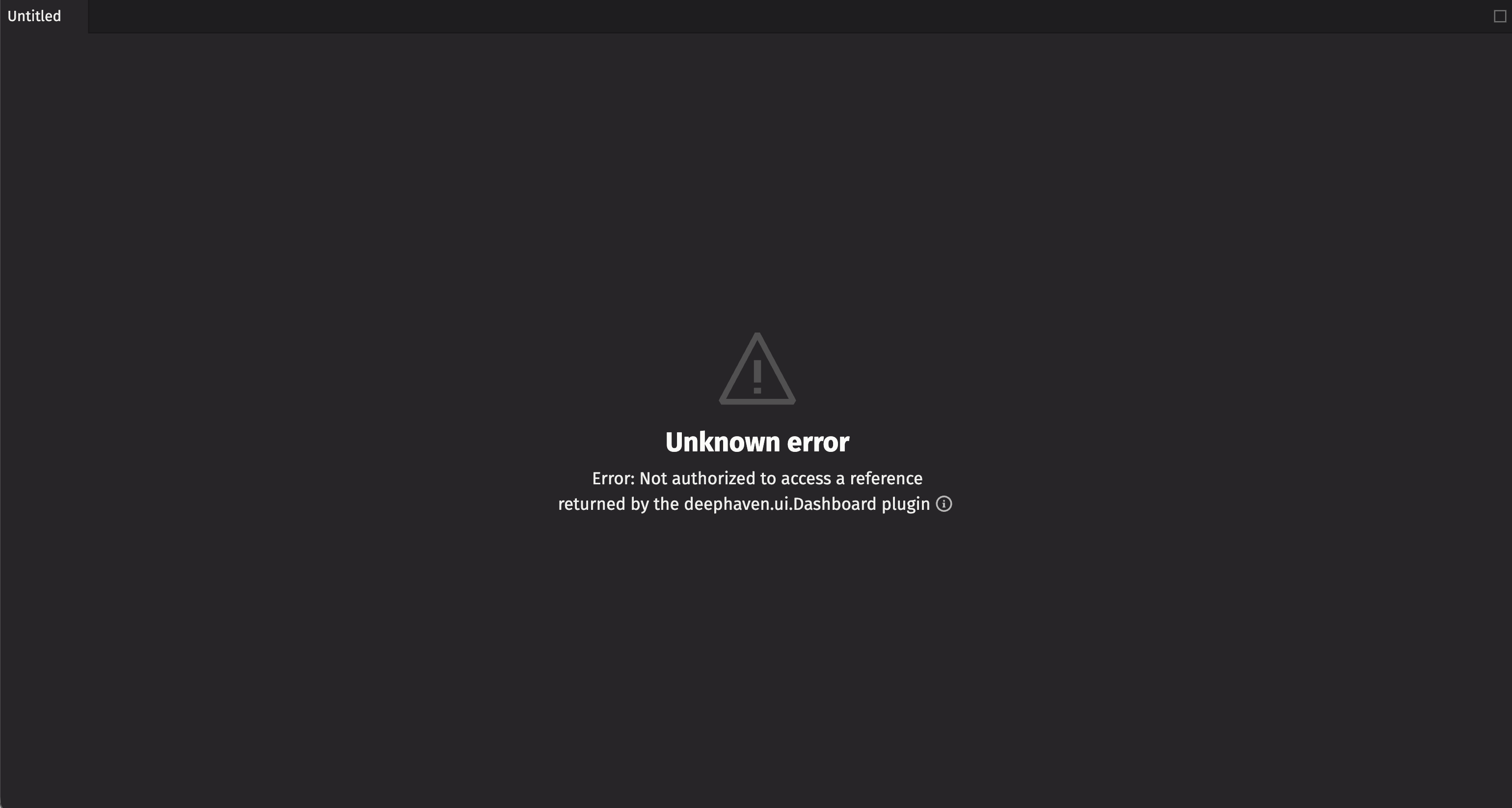
bob_acl grants a row filter to the "bob" group and no one else. Alice is not in Bob's group. bob_only_table has ACLs, so when deephaven.ui exports it for Alice, the authorization transform looks up her row filters, finds none, and treats that as "no access" - raising a TableAccessException.
Unlike opening it directly - where the denial is caught and obfuscated (typically surfaced as a generic not-found, so it does not reveal the table) - the exception raised while exporting a deephaven.ui reference propagates out as an internal server error in Alice's UI. This is the same denial as Example 3's raw_table.
Alice is permitted to see the dashboard, but the table inside the dashboard produces an error:
Example 6 - a line plot built at the top level; object ACL does not re-filter
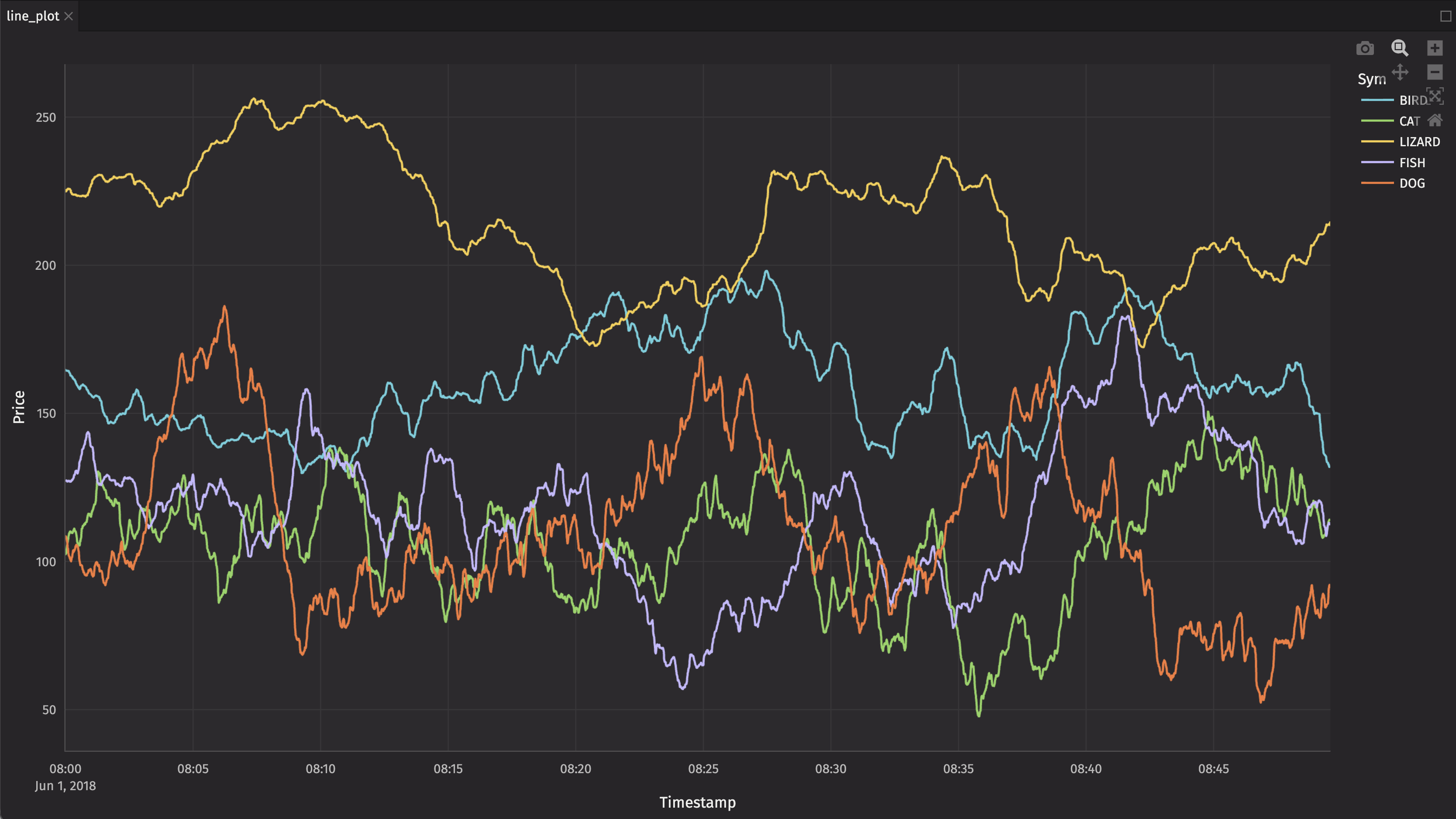
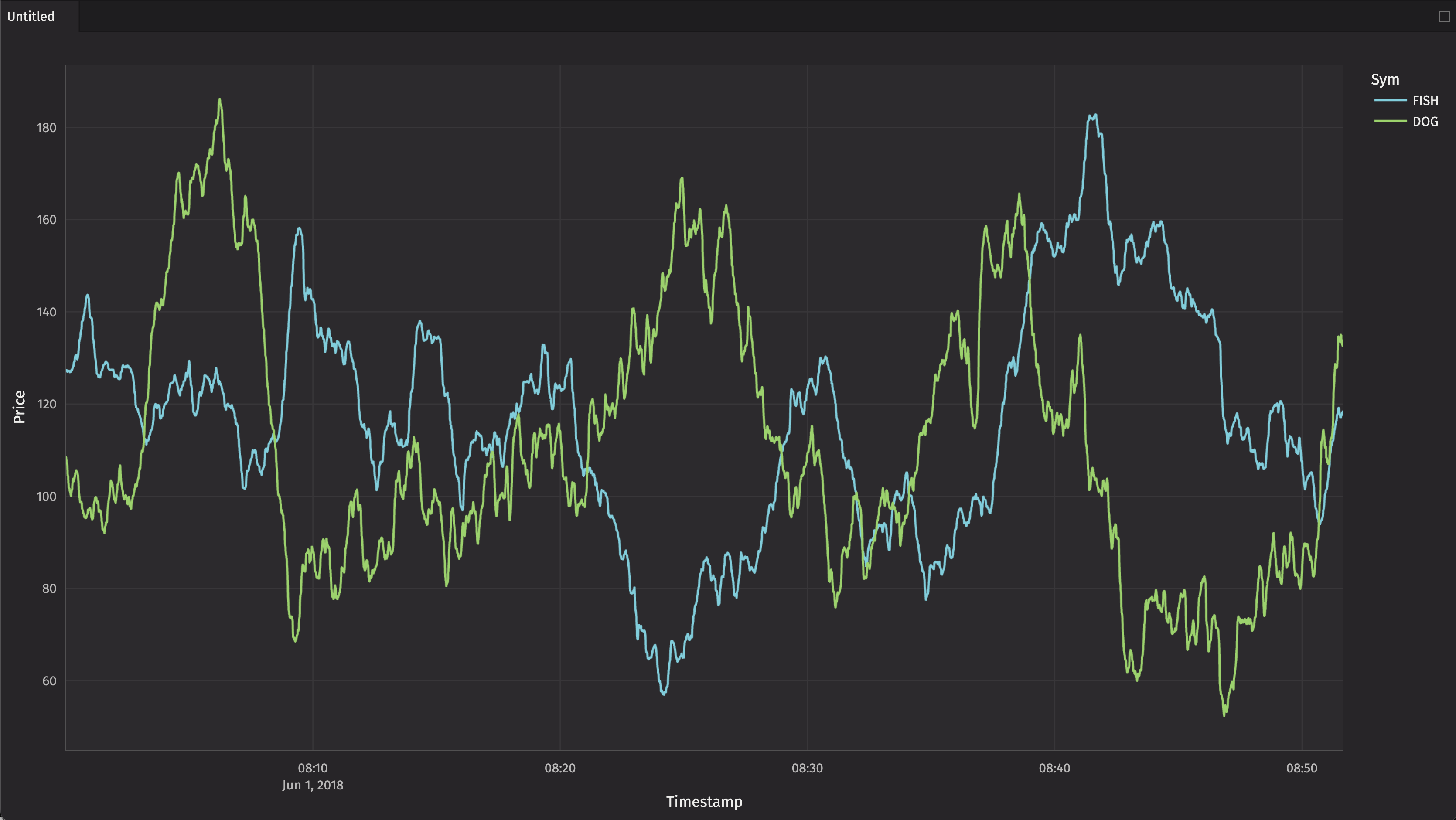
Applying an Edge ACL to a table does not automatically make it safe for use with widgets or other components. We build a line plot from acl_table with by="Sym". The by partitions the table now, at instantiation time, which runs in the query owner's context. The owner is an admin, so they see the raw, unfiltered table; the plot is built over all symbols, and that result is baked into the figure.
We then add an object ACL to make the plot visible to Alice. Object ACLs only control visibility of the object - they do not (and cannot) re-filter data that was already computed. So Alice sees a plot containing CAT, DOG, FISH, BIRD, and LIZARD, not just DOG and FISH.
Importantly, an object ACL is not a substitute for an edge ACL applied in the viewer's context. To give Alice a correctly filtered plot, build the plot inside a @ui.component (so the by runs in her context, like Example 4) rather than at the top level - see Example 7.
Alice sees the line_plot object, with all of the symbols:
Example 7 - the same line plot, built inside a component
This is the mitigation for Example 6: wrapping the plot construction in a @ui.component makes the plot do the right thing for edge ACLs without the plot needing to know anything about ACLs.
The component body runs at render time in the viewer's context. So when dx.line applies by="Sym", the downstream operation occurs under Alice's auth context, and the ACL is applied for her. Alice's figure contains only DOG and FISH; the owner/admin still sees every symbol.
Contrast this to Example 6, where the identical dx.line call at the top level operated in the owner's (admin) context and baked an unfiltered figure that no later object ACL could re-filter.
The broader point: many widgets (Deephaven Express plots among them) were never designed with ACLs in mind. By composing them with deephaven.ui so that they execute in the user's context, the widget inherits correct, per-viewer filtering for free when it accesses a table with ACLs. This lets you retrofit ACL-correct behavior onto widgets that have no ACL awareness of their own.
Alice sees the line_plot object, with only DOG and FISH:
Example 8a - reading row data from a derived top-level table: denied
ui.use_row_data (like the other data-reading hooks) applies the authorization transform to the table it is handed, the same as exporting a table directly. The data it returns is only as safe as the table passed into it.
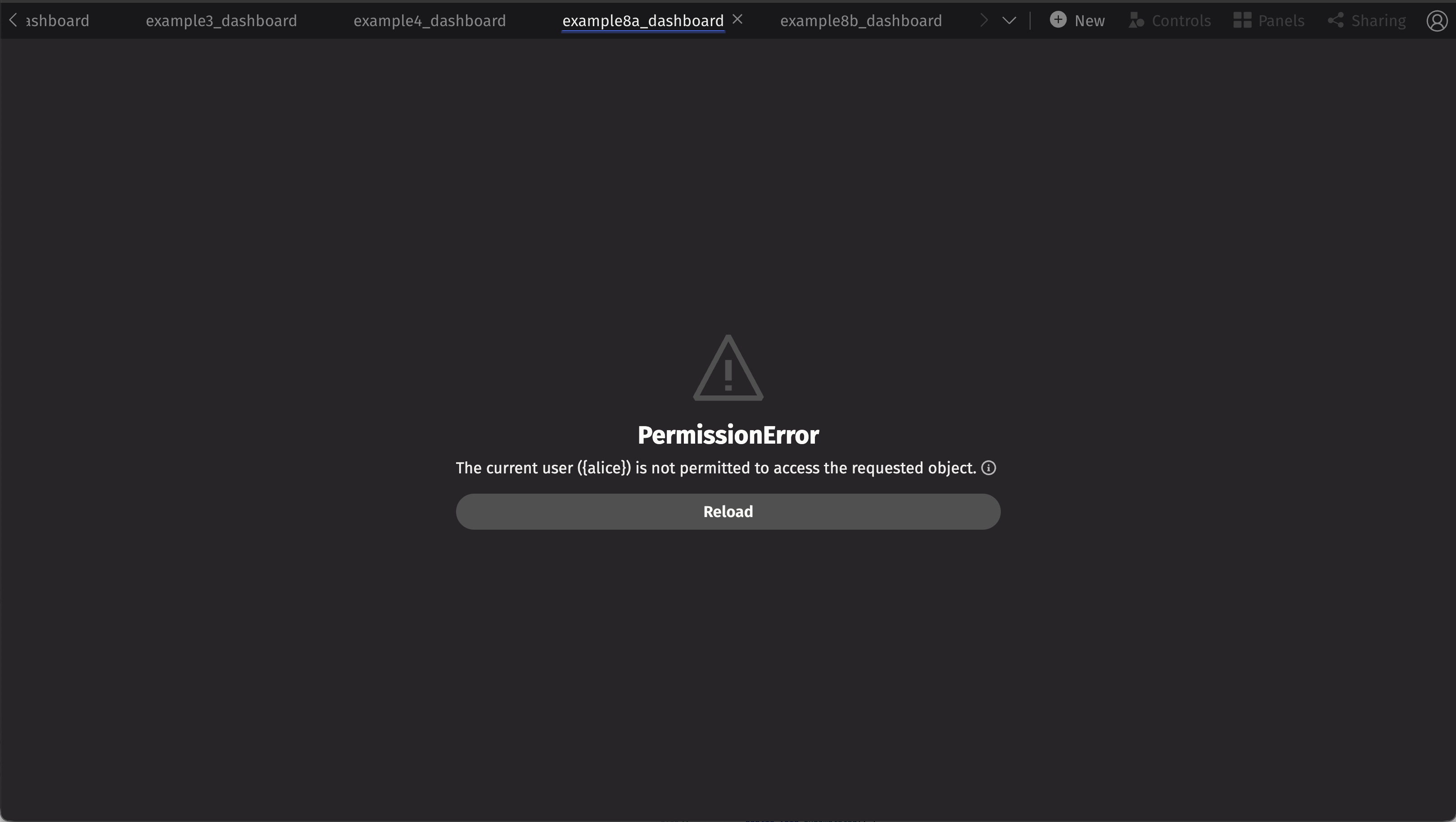
Here, acl_table.tail(1) is evaluated at the top level, in the query owner's context. The result is a plain derived table: it carries no EdgeAclProvider (ACLs are not propagated through downstream operations). Because ACLs have been applied somewhere in this query, requireAclsToExport() is true, and deephaven.ui denies the unmarked table for Alice when use_row_data attempts to read it - she gets an error.
Alice sees an error because the derived table is unmarked and denied by the authorization transform:
Example 8b - reading row data with use_row_data; tail done inside the component
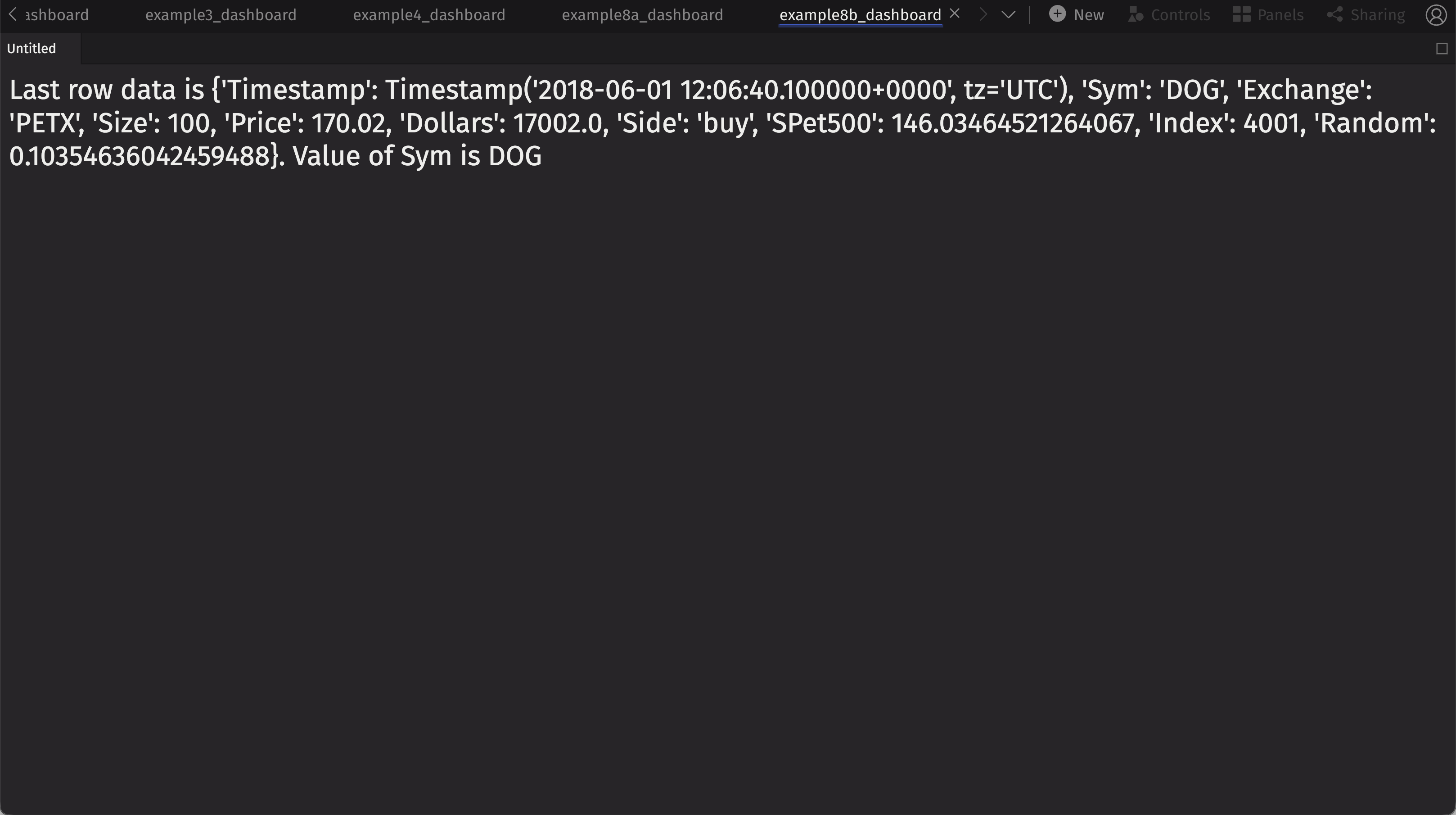
The table with ACLs is passed in, and the .tail(1) is done inside the component, at render time, in the viewer's context. Because the tail operation is performed under Alice's context, .tail(1) only sees her permitted rows. The result is then marked as exportable to the current user with apply_full_access_for_current_user, so that use_row_data can read it.
This demonstrates the same concept as Examples 4, 6, and 7, now for data-extraction hooks: perform downstream operations (here .tail) inside the per-user component, not at the top level, so the ACL is applied in the viewer's context before any data is read out.
Alice sees "DOG" (her last permitted row):
Example 9 - listening to a table with use_table_listener
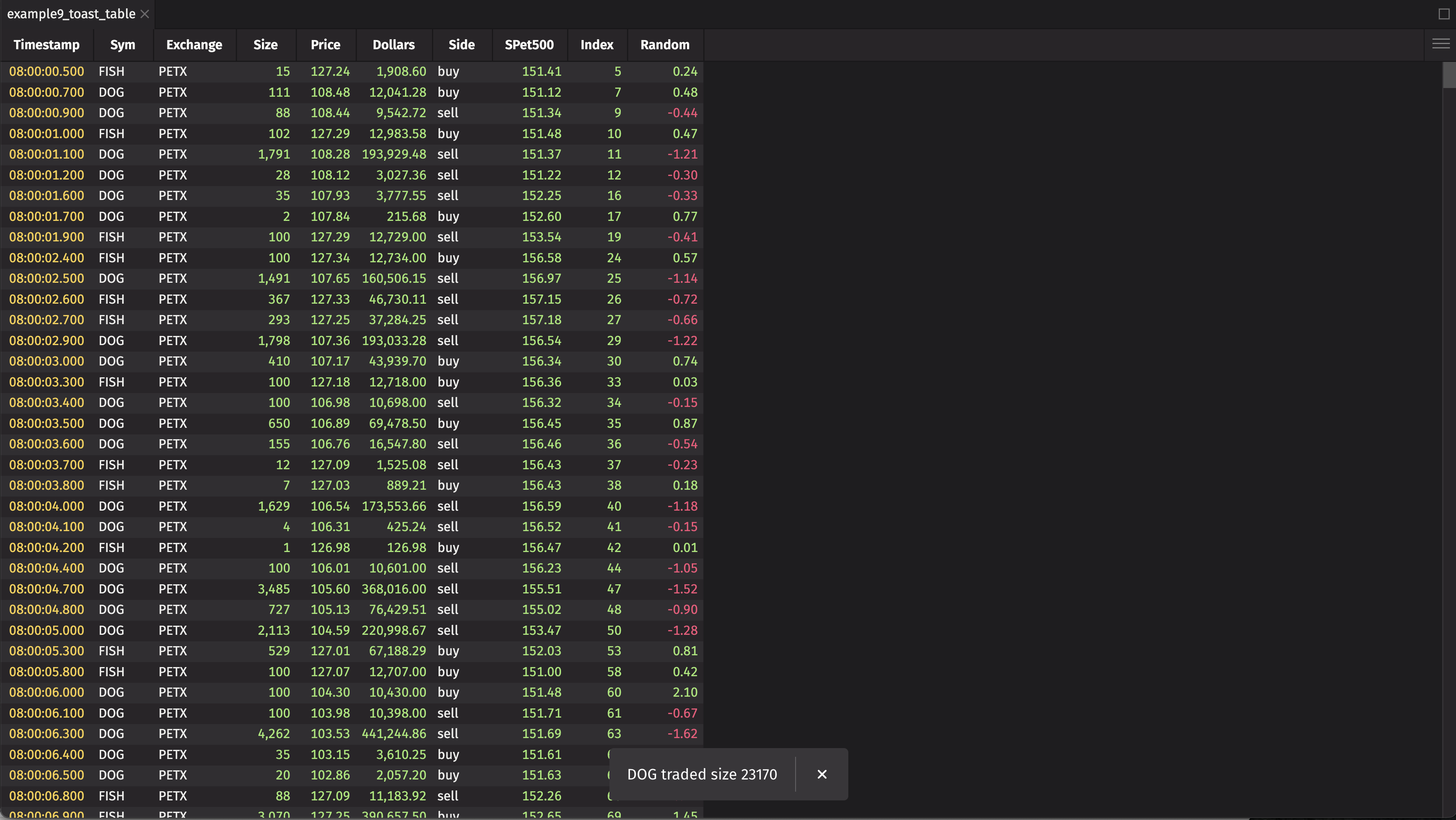
This component subscribes to its table argument with ui.use_table_listener and, on each update, toasts the added rows whose Size exceeds 5000, including the Sym and Size - that is, it exfiltrates row data, much like use_row_data in Example 8. (Sym is the column the row ACL filters on.)
The subscription is created inside the @ui.component, at render time, in the viewer's context, so the listener attaches to a table filtered for that viewer: Alice's listener only ever sees DOG/FISH rows, and the toast only shows data she is permitted to see.
Alice sees only rows for DOG and FISH; and the toast pop-ups are also limited to those values: