Customize your Kubernetes installation
There are three ways to add Python packages to Kubernetes workers:
- List them in a requirements file and rebuild the Deephaven images with
buildAllForK8s.sh. Use this if you already build and host your own Deephaven images, or to add packages to Legacy workers. - Layer a Dockerfile on the prebuilt Core+ worker images. Use this if you deploy Deephaven's prebuilt images and only need to add packages or JARs to Core+ workers; you rebuild only the two worker images.
- Install packages when the worker starts with a per-PQ temporary virtual environment. Use this to try out packages or to add them to a single query without changing any images.
Add Python packages to your Docker images
Deephaven uses a default set of requirements that provide a working environment when building container images for Kubernetes. To add packages to the default virtual environment, list them in customer_coreplus_requirements.txt (for Core+ workers) or customer_legacy_requirements.txt (for Legacy workers) in the deephaven_artifact subdirectory of the Docker build. After installing the default packages into the worker's virtual environment, Deephaven uses pip to install the packages listed in the matching requirements file.
For example, to make the Python package pybaseball available in Core+ Python workers, create or edit docker/deephaven_artifact/customer_coreplus_requirements.txt and specify the package and version. If the file doesn't exist, buildAllForK8s.sh creates it with the placeholder comment shown below, which refers to Core+ workers by their former name, Community workers:
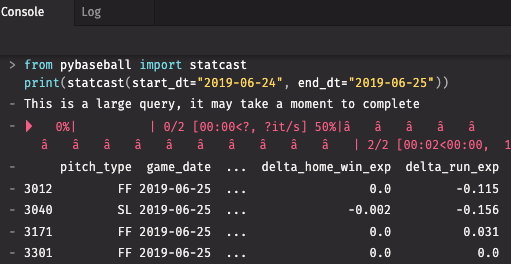
Build and push your images as specified in the installation documentation. When you create a Core+ Python worker, the package is available to use:
Layer a Dockerfile on the prebuilt Core+ worker images
Layering a Dockerfile on top of Deephaven's prebuilt worker images adds Python packages or JARs to Core+ workers without rebuilding every Deephaven image with buildAllForK8s.sh. You only need to build the two Core+ worker images. If you set a custom image.repositoryUrl in Helm values, you must also make every other chart image available in that repository.
Legacy workers (not Core+) use a different virtual environment, /db/VEnvs/*, running Python 3.10. Layering Python packages onto Legacy worker images is out of scope for this guide.
Where packages and JARs live in a Core+ worker image
- Python packages install into the virtual environment (venv) at
/usr/illumon/coreplus/venv/latest, which runs Python 3.12. The query image's default user isdbquery(uid 9000); the merge image's default user isdbmerge(uid 9001). Because the venv is owned by the image's default user, a layer can runpip installwithout switching toUSER root. - JARs go in
/usr/illumon/coreplus/latest/custom_lib/.latestis a symlink to the versioned install directory, so always copy JARs through the symlink path rather than the versioned directory itself. Every JAR in this directory is on the worker classpath, ahead of the standard libraries — this is the same directory that--customer-coreplus-jarpopulates when building images withbuildAllForK8s.sh. JARs copied in by a layer are root-owned; keep them world-readable (0644) so the worker process can read them.
Note
The WorkerKind.<name>.customLib property and the CUSTOMER_JAR_DIR environment variable only apply to bare-metal launches. They have no effect on Kubernetes workers.
Layer each worker image separately
Core+ workers run from two separate images: db_query_worker_coreplus (query-server workers) and db_merge_worker_coreplus (merge-server workers). The merge image is built FROM the query image and then switches the venv owner to dbmerge, so a layer built on top of the query image does not reach merge workers. Layer each prebuilt image separately — don't build the merge layer from a customized query image.
Example layer
The following Dockerfile adds extra Python packages and JARs to the query worker image. The merge worker layer is identical, except it starts FROM db_merge_worker_coreplus:
The constraints file lists every installed package as a plain name==version pin. The example uses pip list --format=freeze rather than pip freeze because the image installs some Deephaven packages from local wheel files, which pip freeze writes as name @ file:///... references instead of version pins. Installing against it as a constraints file stops pip from changing the versions of packages that Deephaven depends on; if a new package needs a different version of one of those packages, the install fails loudly instead of silently changing a version Deephaven relies on.
The Dockerfile examples on this page use BuildKit features such as COPY --chmod and RUN --mount, which require Docker Engine 20.10 or later. BuildKit is the default builder in Docker Engine 23.0 and later; on Docker Engine 20.10 through 22.x, set DOCKER_BUILDKIT=1 when running docker build. The legacy builder rejects these flags.
Build each layer for the CPU architecture of your cluster's nodes. Docker builds for the build machine's architecture by default, so if that differs from your nodes' (for example, an arm64 workstation and an amd64 cluster), pass --platform linux/amd64 or --platform linux/arm64 to docker build. Building for another architecture requires QEMU emulation; see Docker's multi-platform build documentation.
Install without index access
If the worker image can't reach a package index at build time, generate the constraints file and download the wheels on a machine that can, using the same worker image so the wheels match the worker's Python build and ABI instead of the download machine's. Set PLATFORM to your cluster nodes' architecture so that Docker runs the image for that architecture rather than the download machine's, and build the layer for the same platform:
In the layer, bind-mount the wheelhouse directory and the two text files for the install step instead of copying them in, so the wheels aren't left in the image:
Use a private package index
The query image writes a pip configuration for the dbquery user, and for root, only if it was built with --pypi-index. The merge image is built from the query image and keeps root's configuration from that build, but it replaces dbquery with a fresh dbmerge user that never has a configuration of its own.
To point a layer's pip install step at a private index, avoid baking the index URL into the image with ENV PIP_INDEX_URL=... if the index requires credentials: Docker stores ENV values in the image configuration, exposing an embedded username and password (for example, https://<username>:<password>@<host>/simple) to anything that can inspect the image, as well as to worker processes. Instead, mount the index configuration as a BuildKit secret for the install step only, so it isn't persisted into the image:
The secret mount needs mode=0444 because BuildKit mounts secrets readable only by root by default, and the install step runs as the image's default user. pip ignores a configuration file it can't read without reporting an error, so an unreadable secret means the install quietly uses the default index.
The example sets PIP_CONFIG_FILE instead of mounting the file at /etc/pip.conf because of pip's configuration precedence. pip applies the global file (/etc/pip.conf), then the per-user file, then the site file, so the per-user configuration that an image built with --pypi-index contains would override /etc/pip.conf. A file named by PIP_CONFIG_FILE takes precedence over all three, and while it is set, pip doesn't load the per-user file at all.
Build with docker build --secret id=pipconf,src=pip.conf ..., where pip.conf contains index-url (and trusted-host, if needed). The required secret mount makes the build fail if the secret is omitted. If the index doesn't require authentication, setting ENV PIP_INDEX_URL=... is fine.
Packages that need a compiler
The worker image has no compiler. A package needs to be built from source only if pip can't find a compatible wheel for the venv — for example, no py3-none-any, abi3, or cp312 wheel is published for the worker's platform. In that case, switch to USER root only to install the OS build dependencies (build-essential, python3.12-dev for the Python headers, plus any headers that specific package needs, for example a -dev library package), then switch back to USER 9000 (query) or USER 9001 (merge) before running pip install. Running the install itself as root would leave the files it writes into the venv root-owned, which the worker's own user could then fail to upgrade or remove at runtime.
Point Deephaven at the new images
There are two ways to make Deephaven use the layered images, depending on whether you want the change to apply to all workers or to a single query.
All workers (recommended): set the image in your Helm values:
A per-image tag overrides the global image.tag. image.repositoryUrl applies to every Deephaven image, not just the worker images. If you set it to a custom repository, mirror all the chart's Deephaven images there at their configured names and tags; only the two Core+ worker images need to be rebuilt.
Caution
To use the new worker images, apply the changed values to the Helm release, then restart the query-server and merge-server deployments. The commands below use the chart's default deployment names; run kubectl get deployments -n <ns> first to confirm the names in your installation:
Restarting a dispatcher terminates every worker it is running, so do this in a maintenance window or as part of a regular upgrade.
Use a new tag for each build (or set the top-level Helm value imagePullPolicy: Always) so that nodes don't reuse a cached image.
One query at a time: set the Persistent Query's (PQ's) Container Image field (the full image path) in its advanced settings. Each dispatcher uses the Kubernetes.workerValidator property to decide whether to accept a custom image. iris-defaults.prop sets the global default to AllowCpu, which rejects custom images; its merge-server service block overrides this with AllowAll, so only the merge server accepts custom images by default. To allow them on query workers, set Kubernetes.workerValidator=AllowAll (or a custom class: validator) in a [service.name=dbquery] { ... } block in iris-environment.prop, as described in Export, edit, and import properties. See Worker parameters for the available validators. Setting Container Image only replaces the main container's image.
Upgrades
A layer pins a specific Deephaven base image tag, so rebuild and retag it on every upgrade. Also recheck the extra packages when you do — the Python version, base OS, and Deephaven's own dependency pins can all change between releases.
Runtime alternative: a per-PQ temporary virtual environment
Instead of layering an image, a PQ's Create a temporary virtual environment for this query and Additional Packages settings install packages into a fresh virtual environment every time the worker starts. This requires no image changes, but worker startup is slower and the pod needs access to a package index. In Code Studio, the setting is labeled Create a temporary virtual environment for this worker; see Python environment.
A worker with a temporary virtual environment can also install packages from a script with the deephaven_enterprise.venv module, which reports the path to the worker's virtual environment and installs packages into it with pip:
With the Deephaven Helm chart, venv.install fails on Core+ Kubernetes workers with a venv is not writable error when no temporary virtual environment is enabled. The chart runs worker pods with a read-only root filesystem, so the default virtual environment at /usr/illumon/coreplus/venv/latest can't be modified at runtime, even though the worker's user owns it. To add packages to the default environment, build them into the worker images.