Use Envoy as a front proxy
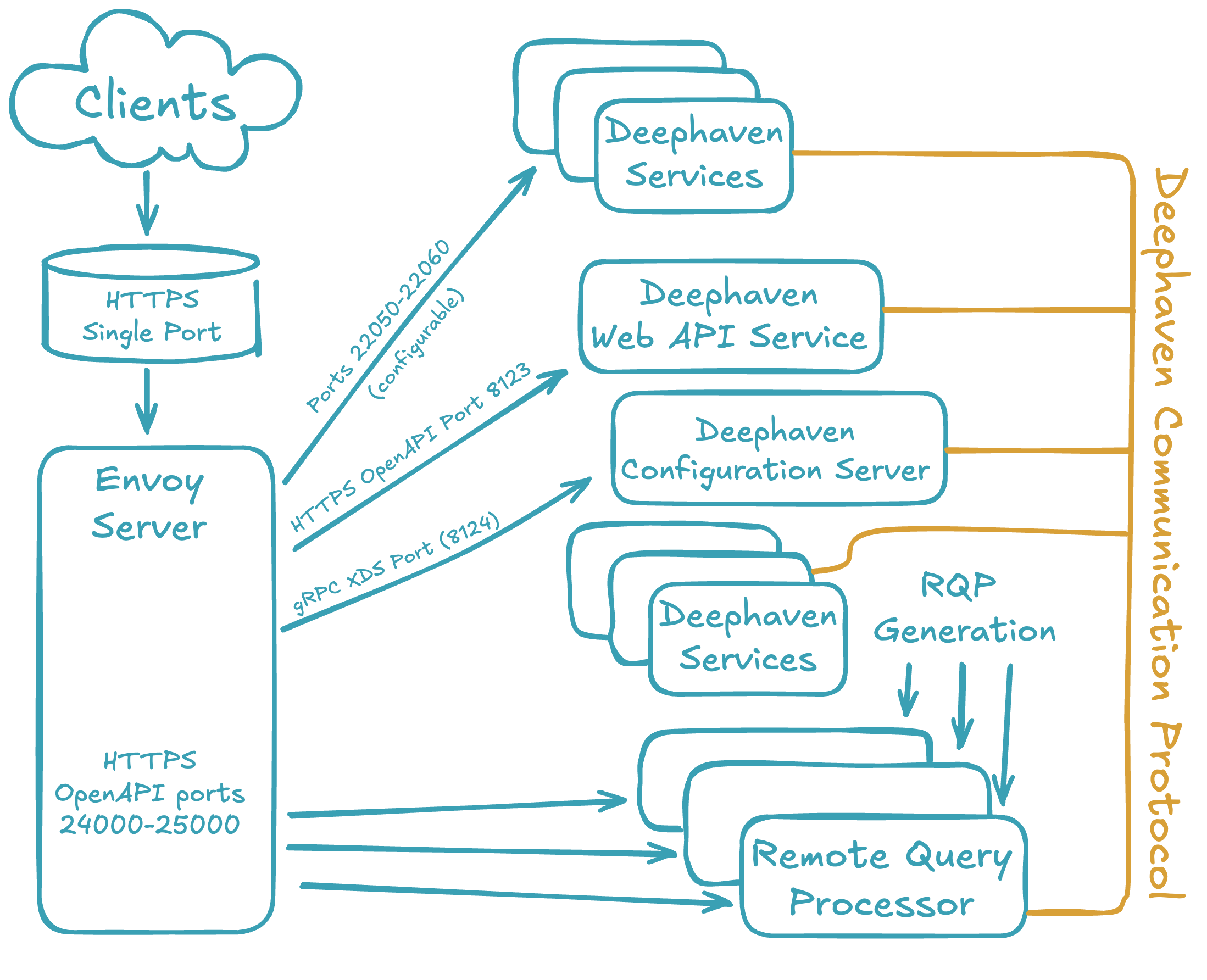
Envoy is a high-performance, open-source network proxy designed for cloud-native applications. When used with Deephaven, it acts as a front proxy, routing traffic from a single external domain name and port to the various internal Deephaven services. This simplifies network configuration, enhances security by exposing only one port, and provides a central point for managing traffic.
Note
Since Envoy routes all inbound network traffic through the proxy, this may impact performance, particularly on high-throughput systems.
- To install or upgrade Envoy, see Installing Envoy.
- To configure Envoy and Deephaven integration, see Configuring Envoy.
- To debug connectivity, TLS, or proxy behavior, see Troubleshooting Envoy.
Get started with Envoy
Envoy is supported in all Deephaven installation types. Envoy is always used for Kubernetes, and can be enabled using the Podman installation start_command.sh or configured via cluster.cnf for native installations.
Tip
Deephaven native installations now support automatic installation, upgrade, and restarting of the Envoy process! If you are upgrading an existing cluster that has already set up Envoy manually, you must choose between Manually upgrading Envoy versions or Using Deephaven-managed Envoy.
When Envoy is used, all Deephaven clients will only ever connect to Deephaven services through Envoy's configured hostname and port. All server processes communicate directly with each other and do not route through Envoy.
This changes the network topology of your cluster, and enables you to protect Deephaven service ports with restrictive firewalls or network interfaces.
When restricting network access, or debugging connectivity problems, you will need to Configure and manage Deephaven and Envoy connectivity.