Deephaven's table types
Deephaven tables are the core data structures supporting Deephaven's static and streaming capabilities. Deephaven implements several specialized table types. They differ in how the engine stores and processes streaming data, and in how some downstream operations behave. This document covers static tables, standard streaming tables, and the four specialized streaming table types: append-only, add-only, blink, and ring.
Table type summary
The following table summarizes the main differences.
| Table type | Index-based ops (i, ii) | Row key variable k | Consistent inter-cycle row ordering | Bounded memory usage | Inter-cycle data persistence |
|---|---|---|---|---|---|
| Static | ✅ | ✅ | 🚫 | 🚫 | 🚫 |
| Standard | ❌ | ❌ | ❌ | ❌ | ✅ |
| Append-only | ✅ | ✅ | ✅ | ❌ | ✅ |
| Add-only | ❌ | ✅ | ❌ | ❌ | ✅ |
| Blink | ✅ | ✅ | 🚫 | ✅ | ❌ |
| Ring | ❌ | ❌ | ✅ | ✅ | ✅ |
✅ means yes, ❌ means no, and 🚫 means the column doesn't apply to that table type. The columns mean the following:
- Index-based ops (
i,ii): Formulas can use the row-position special variablesiandiiand get stable results. - Row key variable
k: Formulas can use the special variablek, which holds a row's row key, without throwing an error. - Consistent inter-cycle row ordering: Rows keep their order of arrival from one update cycle to the next.
- Bounded memory usage: The table can't grow without bound as new data arrives.
- Inter-cycle data persistence: Rows stay in the table after the update cycle that added them.
The rest of this guide explores each of these table types, their properties, and the consequences of those properties.
Static tables
Static tables are the simplest types of Deephaven tables and are analogous to database tables, spreadsheets, and many other tabular representations of data. They represent data sources that do not update, and therefore do not support any of Deephaven's streaming capabilities.
Because static tables do not update, they have the following characteristics:
- Index-based operations are fully supported. These are formulas that read a row's position through the special variables
iandii, which hold the position as anintand along. Row positions in a static table always run from0toN-1and never change. - Row keys never change either. The special variable
kgives a row's row key, a stable internal address for the row rather than its position. - A static table never reprocesses a row, so
selectandupdateevaluate each formula once per row.viewandupdateViewinstead evaluate a formula each time a cell is read.
Even on a static table, the engine assumes by default that formulas are stateless, which means they don't depend on mutable outside state or on the order in which rows are evaluated. It can therefore evaluate them in parallel. Mark a formula that changes shared state, or that depends on row order, with withSerial. When formulas in more than one column share state, they also need barriers. See Parallelization.
Reading CSV, Iceberg, or Parquet data produces a static table by default. You can also create one with a table creation function such as newTable or emptyTable. This example uses emptyTable to construct a static table:
Check whether a table is a static table with the isRefreshing method, which returns false for static tables:
Convert any streaming table to a static table by taking a snapshot. The snapshot is a static copy of the streaming table at the moment you take it:
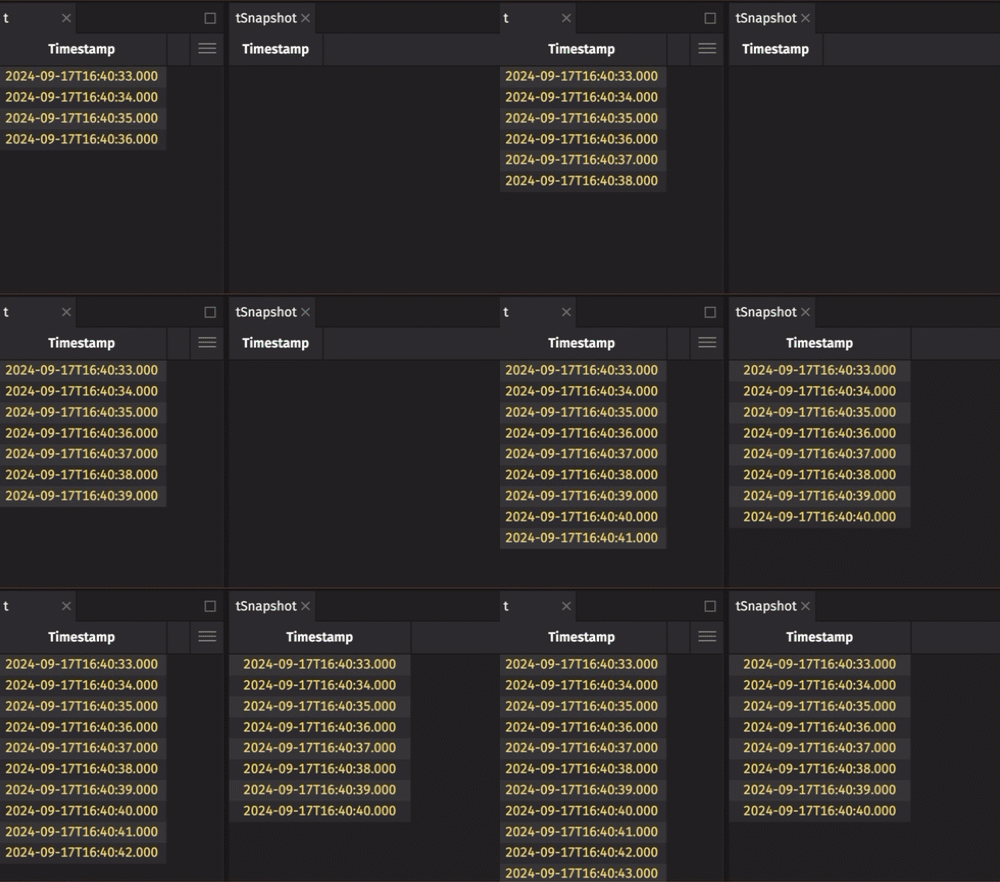
Verify that the snapshot is static with isRefreshing:
Standard streaming tables
Most streaming Deephaven tables are "standard" tables. Deephaven applies changes to streaming tables in batches called update cycles. Each cycle delivers the rows added, removed, modified, and moved since the previous cycle. Standard tables are the most flexible and least constrained types of tables, with the following key properties:
- Rows can be added, modified, deleted, or shifted (moved to a different row key) at any time, at any position in the table.
- The table's size can grow without bound.
These properties have some important consequences:
- Formulas that use the special variables
iandiiwould return values that change between update cycles, so by default Deephaven throws an error when a formula on a standard table usesi,ii,k, or most column array expressions. A formula that useskthrows an error because the engine allowskonly on add-only and blink tables, and a standard table can remove rows or shift them to new row keys. - Stateful operations change state outside the row, such as a counter, or depend on the order in which rows are evaluated. Deephaven can't detect them, so it doesn't throw an error for them the way it does for
iandii. On every table type, mark a stateful formula withwithSerial, as on a static table. A standard table adds a further problem: the engine recomputes a formula whenever it reprocesses a modified row in a later update cycle, so a stateful formula can return a different value for the same row or change that state more than once. Avoid stateful formulas on standard tables. - The rows in standard tables are not guaranteed to maintain their original order of arrival. Operations should not assume anything about the order of data in a standard table.
- Standard tables may eventually result in out-of-memory errors in data-intensive applications.
These properties are not ideal for every use case. Deephaven's specialized table types provide alternatives.
Specialization 1: Append-only
Append-only tables are highly constrained types of tables. They have the following key properties:
- Rows can only be added to the end of the table.
- Once a row is in an append-only table, it cannot be modified, deleted, or shifted to a new row key.
- The table's size can grow without bound.
These properties yield the following consequences:
- Append-only tables guarantee that old rows do not change, move, or disappear, so operations using the special variables
i,ii, andkare allowed and yield stable values for existing rows. - By default, most column array expressions still throw an error on append-only tables. Simple constant offsets such as
X_[i-1]are the exception. - Rows are never modified, so the engine never recomputes a formula because a row changed. Mark a stateful formula with
withSerial, as on a static table. - The rows in append-only tables are guaranteed to maintain their original order of arrival.
- Append-only tables may eventually result in out-of-memory errors in data-intensive applications.
Append-only tables are useful when the use case needs a complete and ordered history of every record ingested from a stream. They are predictable for index-based operations and are guaranteed to retain all the data they've seen.
A time table is append-only unless you create it as a blink table, which keeps only the current update cycle's rows. To get an append-only table from a blink table, see Create an append-only table from a blink table.
Specialization 2: Add-only
Add-only tables are relaxed versions of append-only tables. They have the following key properties:
- Rows can only be added to the table. They may be added at any position, as long as each new row gets a new row key.
- Existing rows cannot be deleted, modified, or shifted to new row keys. Their positions - and consequently, their
iandiivalues - can change when new rows are inserted before them. - The table's size can grow without bound.
These properties yield the following consequences:
- Formulas that use the special variables
iandiiwould return values that change between update cycles, so by default Deephaven throws an error when a formula on an add-only table usesi,ii, or most column array expressions. The row key variablekis still allowed, because existing row keys never change. - Existing rows are never modified, so the engine never recomputes a formula because a row changed. Mark a stateful formula with
withSerial, as on a static table. - The rows in add-only tables are not guaranteed to maintain their original order of arrival. Operations should not assume anything about the order of data in an add-only table.
- Add-only tables may eventually result in out-of-memory errors in data-intensive applications.
Every append-only table, such as a non-blink time table, is also add-only. You can also convert any refreshing add-only table to a blink table. See Create a blink table from an add-only table.
An add that requires a shift is not an add-only operation. For example, the result of merge is not always add-only. merge reserves a range of row keys for each source table. When a streaming source other than the last one outgrows its range, the rows from the tables after it shift to new row keys.
Specialization 3: Blink
Blink tables keep only the set of rows received during the current update cycle. You can create blink tables when ingesting Kafka streams, creating time tables, or using a TablePublisher. They have the following key properties:
- The table only consists of rows added in the current update cycle.
- No rows persist for more than one update cycle.
- The table's size is bounded by the size of the largest update it receives.
These properties have the following consequences:
- Blink tables see a brand new world at every update cycle. Because a blink table contains only the current cycle's rows, formulas that use the special variables
i,ii, andk, or column arrays, are allowed. The engine evaluates them over only those rows. - Rows are never modified, and each row lasts only one update cycle, so the engine never recomputes a formula because a row changed. Mark a stateful formula with
withSerial, as on a static table. - The entire table changes every update cycle, so preserving row order from cycle to cycle is irrelevant.
- Blink tables can only cause memory problems if a single update cycle delivers more data than fits in available RAM. This is unusual, but not impossible.
Blink tables are a common choice for Kafka ingestion because they use little memory. To get one, pass KafkaTools.TableType.blink() as the table type to consumeToTable. They are most useful for computing low-memory aggregations over the whole stream, deriving downstream tables, or running code in response to new data with table listeners. For how those aggregations work, see Specialized semantics for blink tables.
Check whether a table is a blink table with the isBlink method:
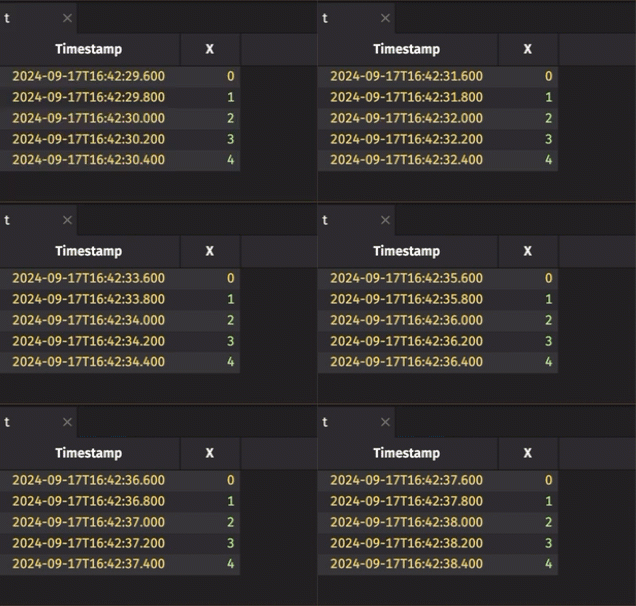
Most operations on blink tables behave exactly as they do on other tables and process added rows as usual. For example, the result of select on a blink table contains only the newly added rows from the current update cycle. The exceptions are:
- Aggregations and
selectDistinct, which cover all rows seen since the operation started. See Specialized semantics for blink tables. headandtail, which keep the first or lastNrows seen across all update cycles rather than only the current cycle's rows.whereInandwhereNotInwith a blink filter table, which keep every key the blink table has ever held rather than only the current cycle's keys.- The unsupported operations, which throw an error.
Specialized semantics for blink tables
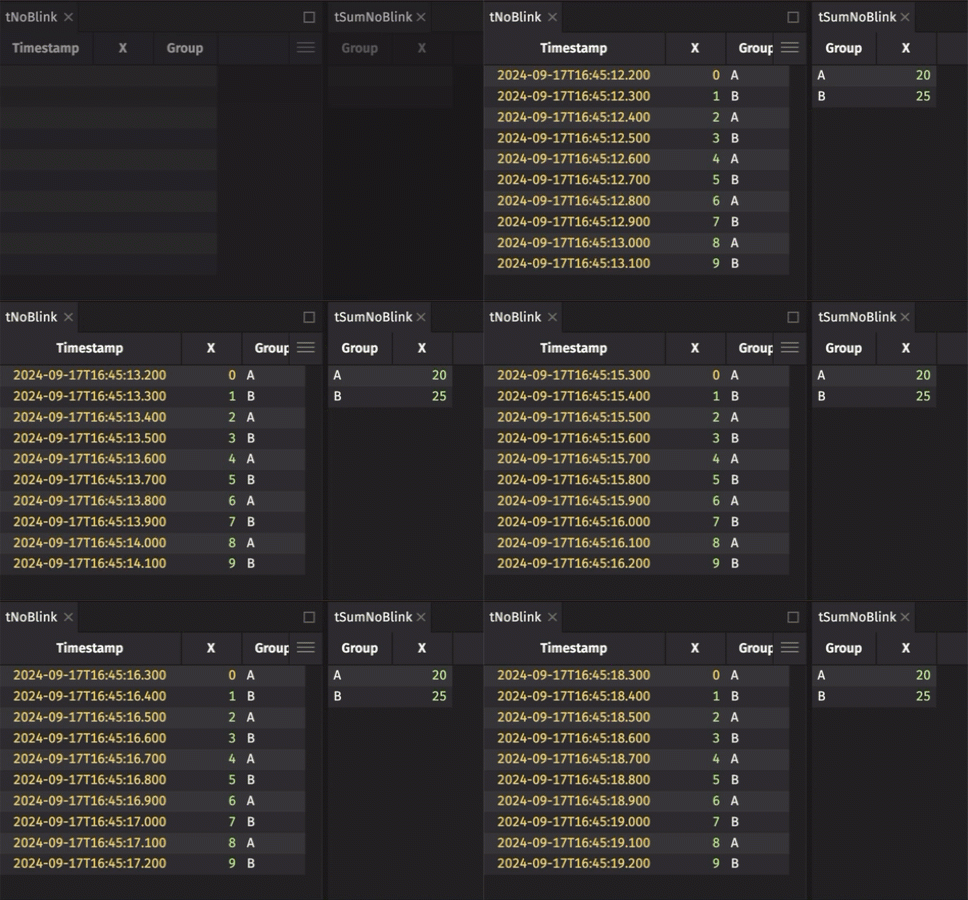
Aggregation operations such as aggBy and countBy use specialized semantics on blink tables. The result aggregates every row the blink table has delivered since you created the aggregation, not only the current cycle's rows. For example, a sumBy on a blink table holds each group's sum over all rows seen since the sumBy started. For aggregations that keep a fixed amount of state per group, such as sums and counts, you can therefore aggregate over the full history of a stream while using far less memory than holding the whole stream in an in-memory table.
Here is an example that demonstrates a blink table's specialized aggregation semantics:
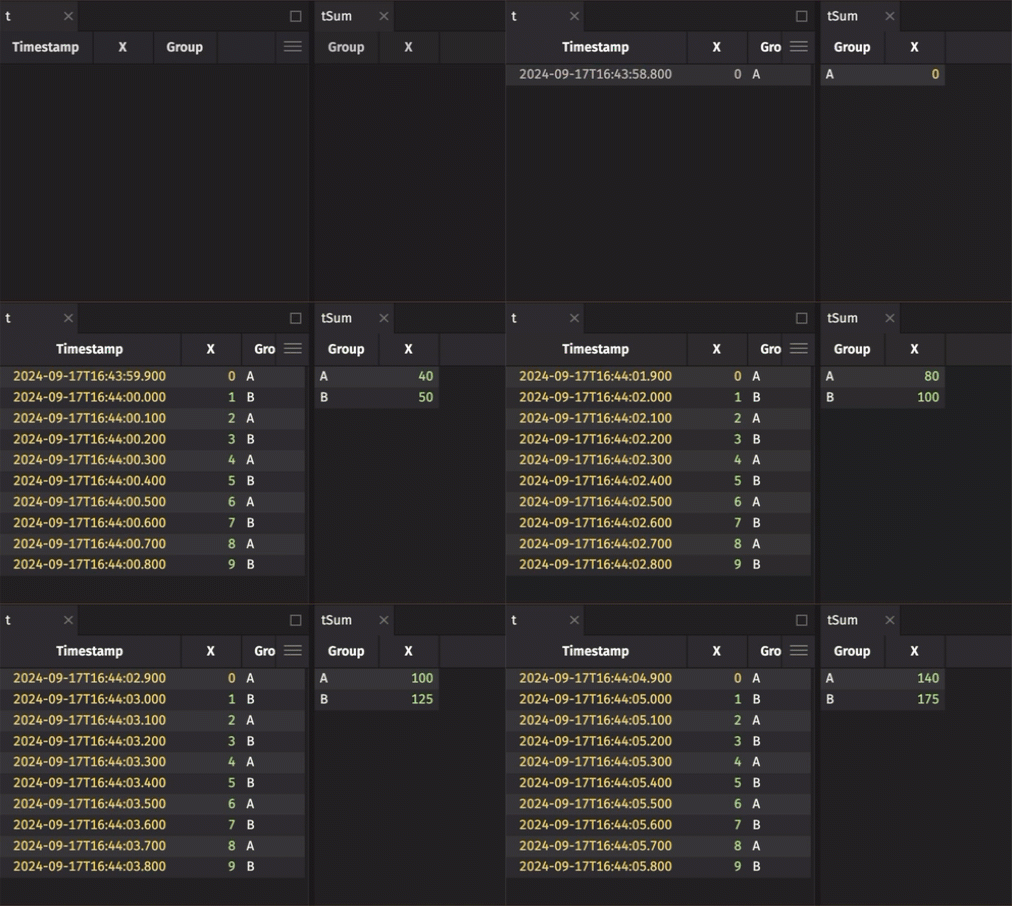
These specialized aggregation semantics are not always what you want. The blink attribute is the table marker that turns on blink table semantics. To disable the semantics, call removeBlink on the blink table. It returns a child table with the same rows as the parent blink table but without the blink attribute. The result still follows the blink table update pattern, where each cycle removes all previous rows and contains only the new ones:
Unsupported operations
Attempting to use the following operations on a blink table throws an error:
groupBypartitionBy(see Partition a blink table for a workaround)partitionedAggByheadPcttailPctsliceslicePctaggByifAggGroup,AggPartition,AggFormula,AggFirstRowKey, orAggLastRowKeyis usedaggAllByifAggSpec.groupor the deprecatedAggSpec.formulais usedrollupifincludeConstituentsistrue, or ifAggGroup,AggFormula,AggFirst,AggLast,AggSortedFirst, orAggSortedLastis usedtreeupdateBywith key columns. Without key columns,updateByruns, but it sees only the current update cycle's rows, so a cumulative operation such asCumSumstarts over each cycle.
Partition a blink table
partitionBy throws an error on a blink table, so partitioning one takes three steps:
- Call
removeBlinkto drop the blink attribute. - Partition the result with
partitionBy. - Call
transformwithassertBlinkto set the blink attribute again on each constituent table of the partitioned table.
The following example chains these three calls:
Create an append-only table from a blink table
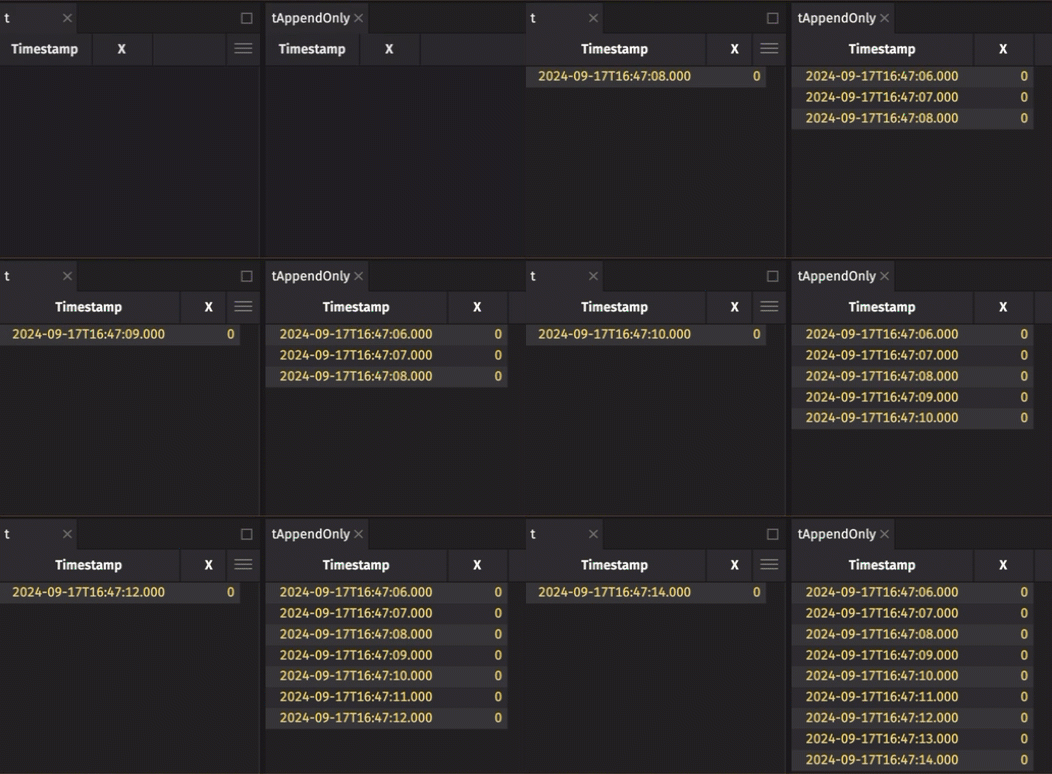
It is common to create an append-only table from a blink table to preserve the entire data history. Use blinkToAppendOnly to do this:
Create a blink table from an add-only table
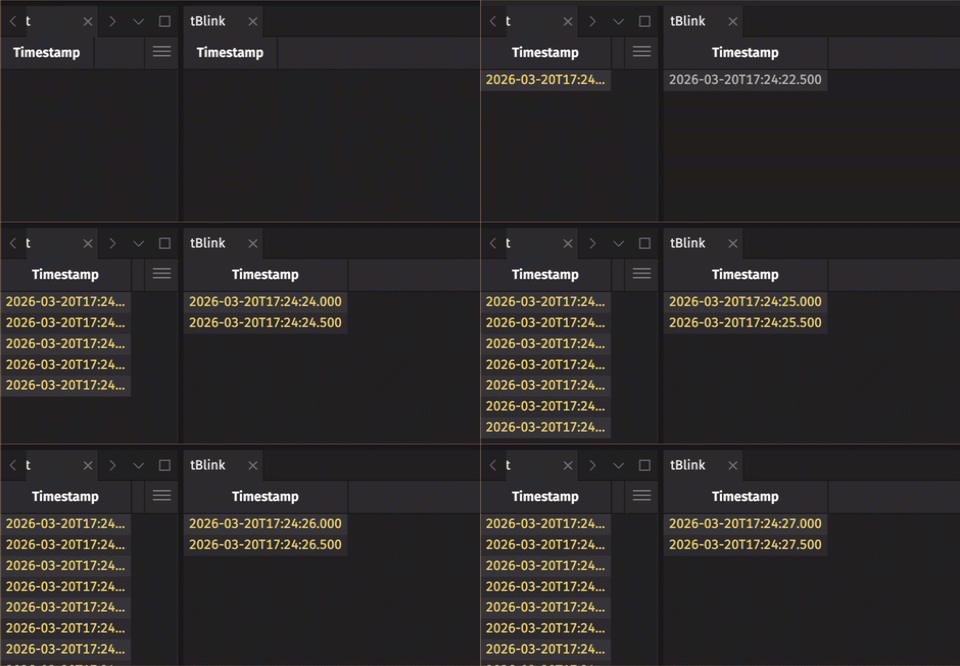
Use AddOnlyToBlinkTableAdapter.toBlink to convert an add-only table to a blink table. The conversion helps when the upstream add-only table is not fully in memory, or when you want blink table aggregation semantics. If the upstream table already holds all its rows in memory, the conversion increases memory use rather than reducing it, because the upstream table still keeps every row.
The following example converts an append-only time table to a blink table:
Specialization 4: Ring
Ring tables keep only the latest N rows they receive, where N is a capacity you set. They have the following key properties:
- New rows are appended at the end. Once the table holds
Nrows, the oldest rows are removed from the front as new rows arrive. - Rows are never modified or shifted, so arrival order is preserved.
- The positions of retained rows, and so their
iandiivalues, change as old rows are dropped. - The table's size is strictly limited to the latest
Nrows.
These properties have the following consequences:
- Formulas that use the special variables
iandiiwould return values that change between update cycles, so by default Deephaven throws an error when a formula on a ring table usesi,ii, or most column array expressions. A formula that useskalso throws an error, because the engine allowskonly on add-only and blink tables, and a ring table removes rows. - Retained rows are never modified, so the engine never recomputes a formula because a row changed. Mark a stateful formula with
withSerial, as on a static table. - The rows in ring tables maintain their original order of arrival.
- Ring tables do not grow without bound and are strictly limited to a maximum number of rows. Once the table reaches that limit, it removes the oldest rows from memory.
Ring tables do not get the specialized aggregation semantics that blink tables do. However, because a ring table discards old data, operations downstream of it can use less memory than the same operations on an append-only or standard table that keeps growing.
Create a ring table from a blink table
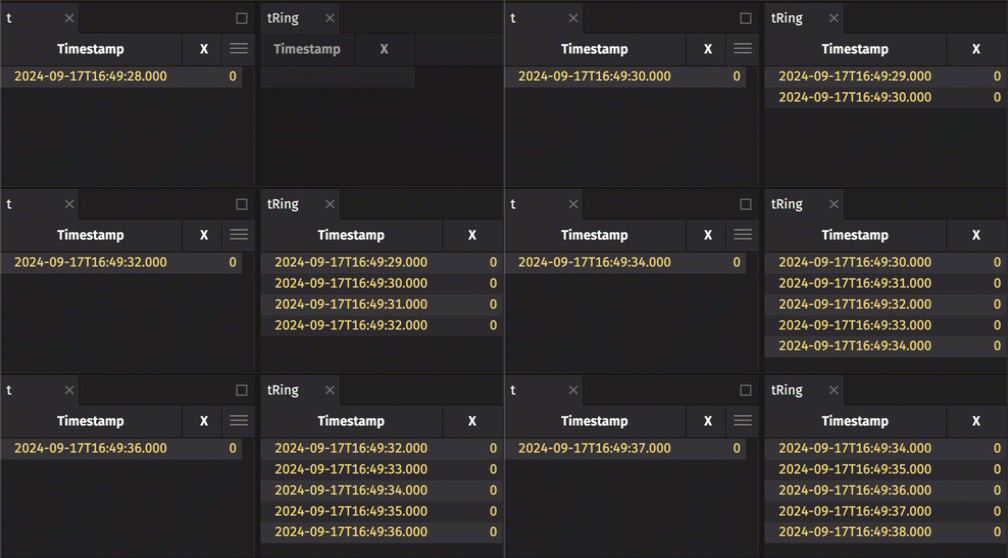
It is common to create a ring table from a blink table to preserve some data history, but not all. Use RingTableTools.of to do this.
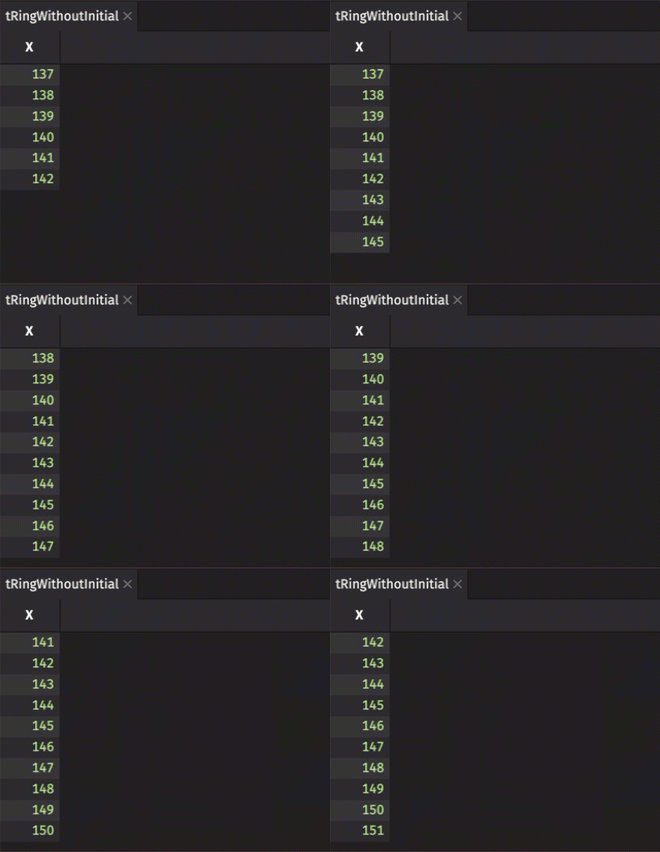
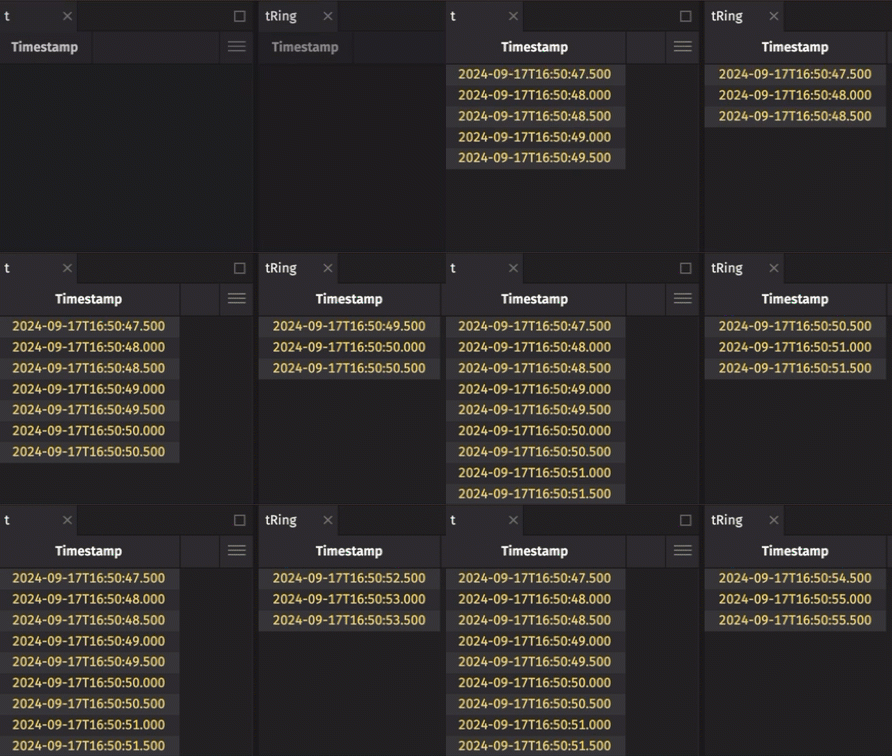
The following example creates a ring table that holds the five most recent rows from a blink table:
Create a ring table from an append-only table
Caution
Creating a ring table from an append-only table does not give the memory savings that ring tables are useful for.
You can also create ring tables from append-only tables with RingTableTools.of. The append-only table upstream keeps every row, so it can grow until it eats up all available memory. The downstream ring table only appears to save memory, and is effectively a tail of that table.
This example creates a ring table with a 5-row capacity from an append-only time table:
Include rows already in the source table
If the source table already has rows in it when you call RingTableTools.of, the resulting ring table includes those rows by default:
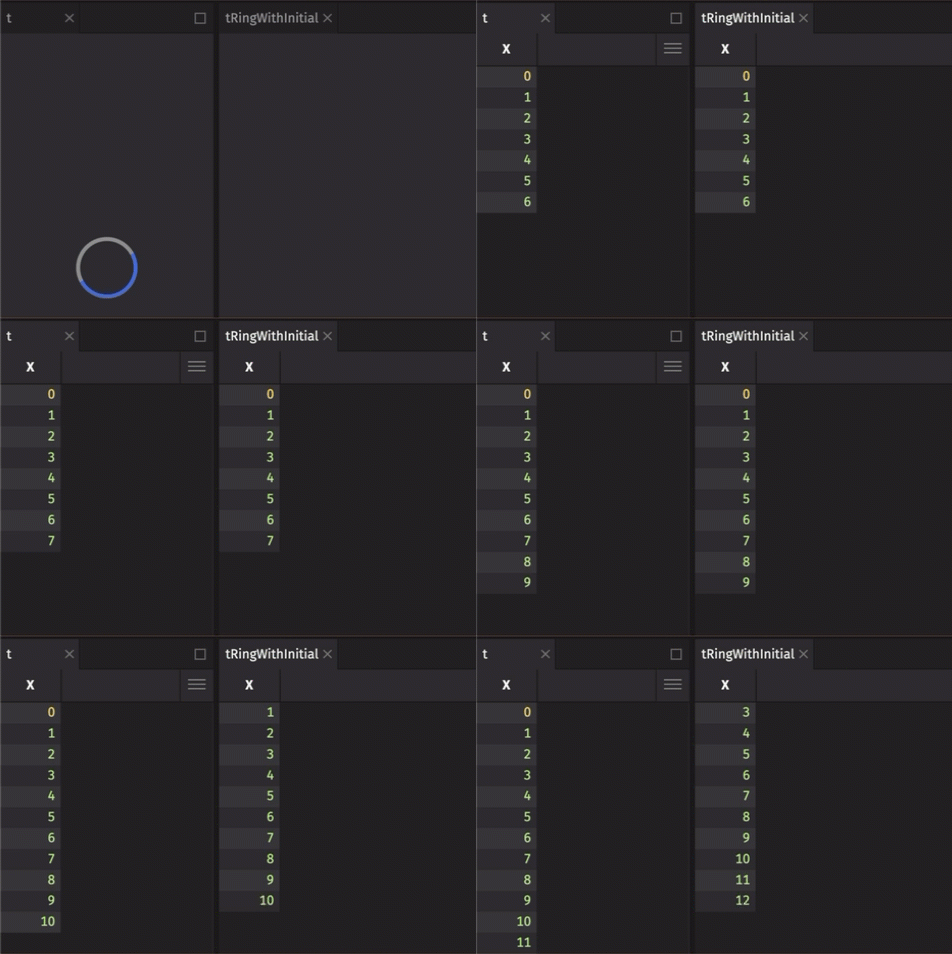
To disable this behavior, set initialize to false: