Write data to an in-memory, real-time table
This guide covers two ways to publish data to in-memory ticking tables:
TablePublisher publishes data to a blink table, while DynamicTableWriter writes data to an append-only table. Both can ingest data from external live sources, such as WebSockets. We recommend TablePublisher in most cases: it has a newer, more flexible, and more performant API, and it supports blink tables natively. DynamicTableWriter can be more convenient when you add very few rows (for example, one) at a time and want a simple interface.
Table publisher
Create a TablePublisher with TablePublisher.of, then call its table method to get the linked blink table. From there:
- Add data to the blink table with
add. - (Optionally) Store data history in a downstream table.
- (Optionally) Shut the publisher down when finished.
More sophisticated use cases add steps but follow the same basic formula.
Example: getting started with a table publisher
This example uses the four-argument form of TablePublisher.of, which takes:
- The publisher's name.
- A
TableDefinitionfor the blink table's columns. - An optional on-flush callback that runs at the start of each update cycle.
- An optional on-shutdown callback that runs once when the publisher shuts down.
This example passes null for the on-flush callback because it needs none.
The following code creates a blink table with three columns (X, Y, and Z). The columns contain no data until you call add.
Add data to the blink table by calling the add method. The rows appear on the next update cycle after the command that adds them finishes. For details, see Data appears on the next update cycle.
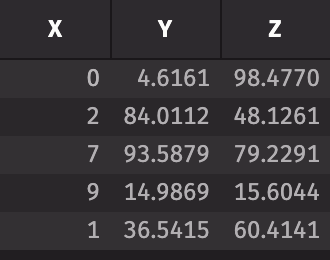
To stop the TablePublisher, call publishFailure. This notifies the blink table's listeners of the failure, so downstream tables show an error. It also invokes the on-shutdown callback, and later calls to add return without publishing.
Example: threading
The getting started example adds data to its blink table only when you call add by hand. In most real-world use cases, you want to add data automatically at a regular interval. The following example adds between 5 and 10 rows of new data to the publisher with emptyTable every second for 5 seconds in a separate thread.
Important
Table operations that run in a separate thread and compile query strings, such as update, need an execution context. Without one, they raise an exception. Capture the current context with ExecutionContext.getContext and open it in the thread with its open method in a try-with-resources block.

Data history
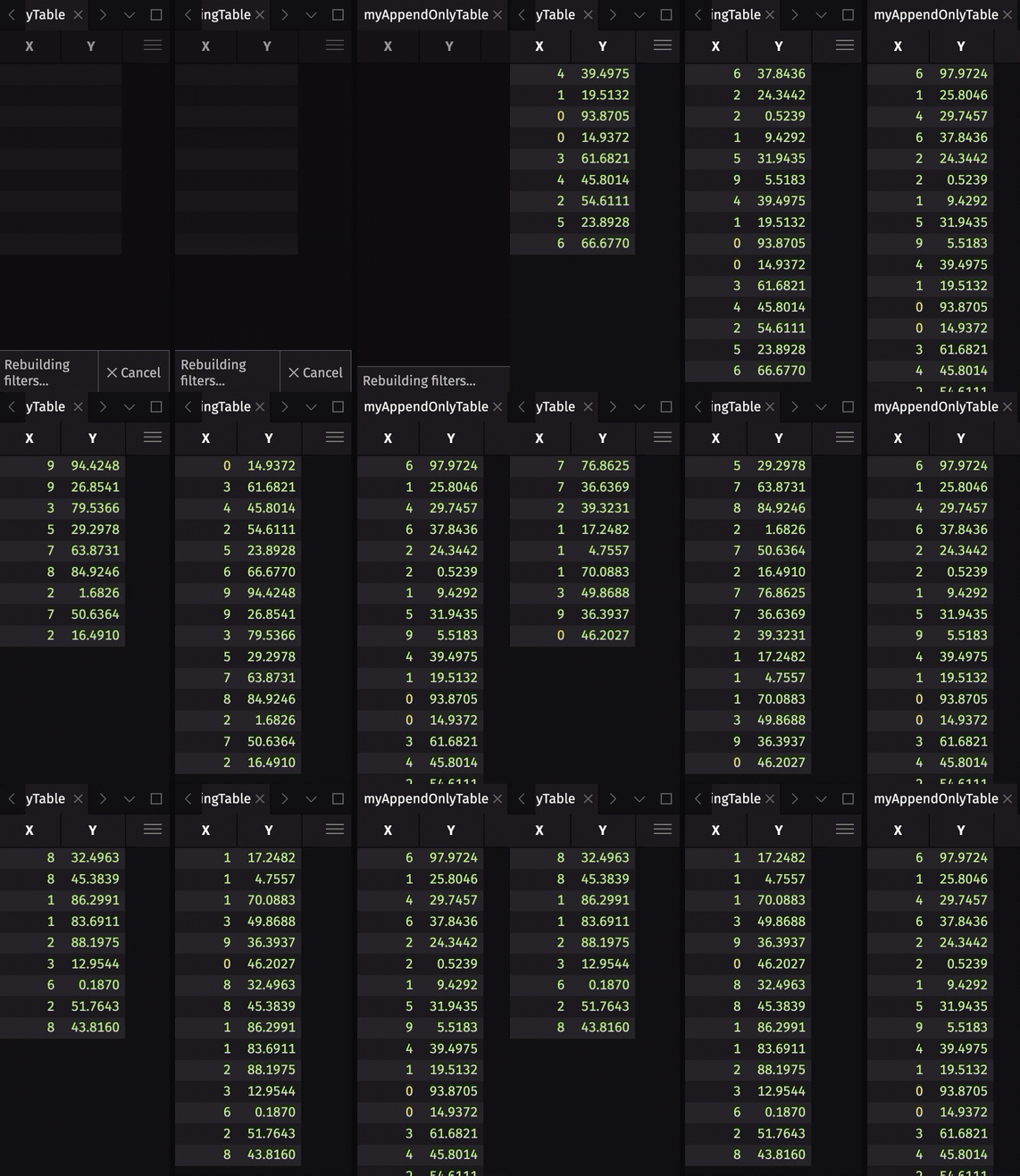
Table publishers create blink tables. Deephaven processes new data in periodic update cycles. A blink table keeps only the rows added in the current cycle and drops them when the next cycle starts, so it stores no data history. In most use cases, you want to store some or all of the rows written during previous update cycles. There are two common ways to do this:
- Store some data history by creating a downstream ring table with
RingTableTools.of. - Store all data history by creating a downstream append-only table with
blinkToAppendOnly.
See the table types user guide for more information on these table types, including which one is best suited for your application.
The following code block builds on the threading example. It reuses that example's myTable and myFunc, creates a downstream ring table and append-only table from myTable, and then starts a new thread that adds more data to myTable.
DynamicTableWriter
DynamicTableWriter writes data into a live, in-memory table whose column names and data types you define. To use it:
- Create the
DynamicTableWriter. - Get the table that the writer writes to.
- Write data to the table, typically from a separate thread so that rows appear while writing continues (see Data appears on the next update cycle).
- Close the writer.
Example: getting started with DynamicTableWriter
The following example creates a table with two columns (A and B). The columns contain randomly generated integers and characters, respectively. A separate thread adds a new row every second for ten seconds. When the thread finishes writing, it closes the writer with close.
Example: trig functions
The following example writes rows with an X column and its sine, cosine, and tangent in the SinX, CosX, and TanX columns, and plots the sine and cosine as the table updates.
Data appears on the next update cycle
Neither a table publisher nor a DynamicTableWriter adds rows to its table immediately. A table publisher's add and a writer's logRow both queue the new rows. The queued rows reach the table when the table's update source next refreshes, which happens once per cycle of the Update Graph (UG). The UG is the engine component that processes table updates. Rows queued from a background thread can appear in a cycle that is already running, if they arrive before that refresh. Rows added from a table publisher's on-flush callback, which runs at the start of a cycle, appear in that same cycle.
The Groovy script session holds the exclusive UG lock while a command executes, so that cycle cannot run until the command finishes. As a result, new rows do not appear in output tables while the command that wrote them is still running.
The following example shows this with a DynamicTableWriter, whose append-only table keeps the rows so you can inspect them afterward. What would you expect the println statement below to produce?
The println statement prints true: it runs in the same command as the logRow calls, so the UG cycle that adds the queued rows to result has not run yet.
A second command can still start before that cycle runs, so wait for the table to update if it is still empty. Then the same println statement prints false.
In a standard Deephaven server, the Periodic Update Graph drives these update cycles. To learn how update cycles propagate changes through your queries, see Deephaven's table update model.