Create a hierarchical rollup table programmatically
This guide shows you how to create a hierarchical rollup table programmatically.
A rollup table combines Deephaven's aggregations with a hierarchical structure: it aggregates values using increasing levels of grouping and shows the value of each aggregation at each level. For example, the insurance_rollup table from the Static data example groups data by region and then by age:
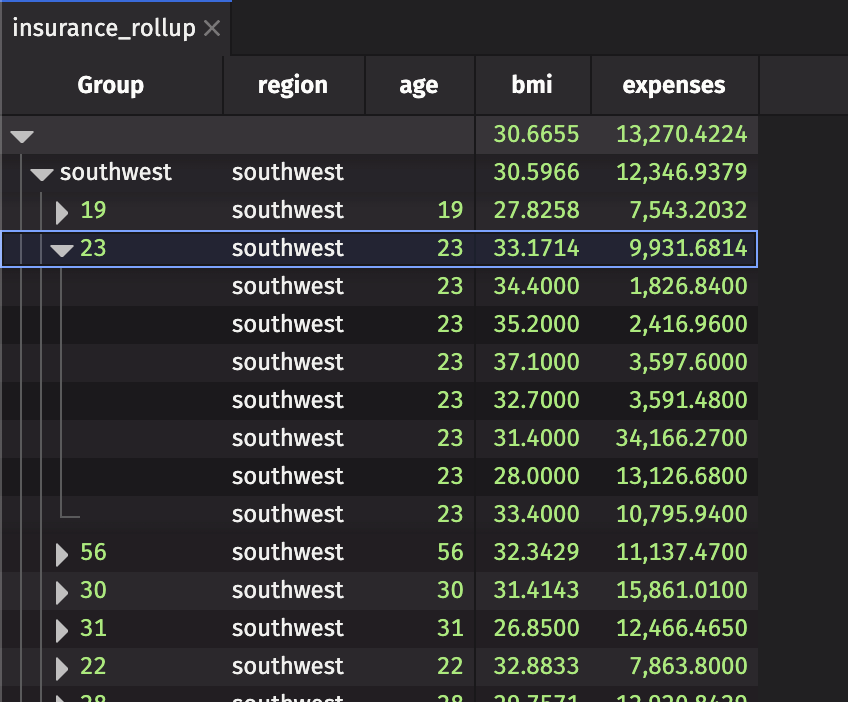
The web UI adds a Group column that shows the rollup table's hierarchy. Click the right-facing arrow in the Group column to expand a row, and the down-facing arrow to collapse it.
The topmost row, which contains all of the groups, is known as the root node. The lowest-level nodes are known as leaf nodes. The rows from the source table that each leaf node aggregates are known as constituents. If you set include_constituents=True, the constituents appear one level below each leaf node.
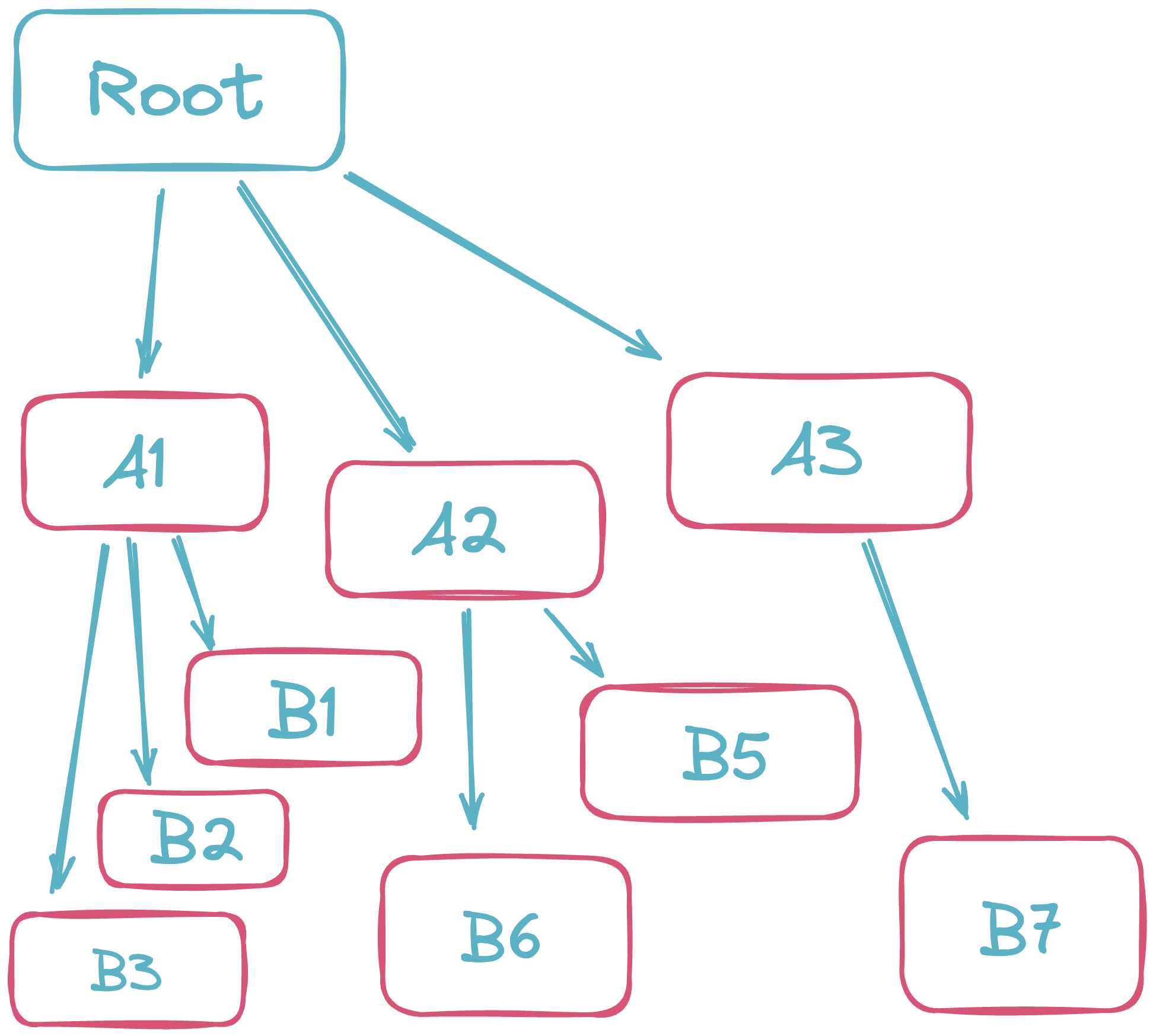
In this diagram, Root is the root node, the A rows are the first level of grouping, and the B rows are the leaf nodes.
Note
A column that is no longer part of the aggregation key is replaced with a null value on each level.
If each row instead names its parent row by ID, and you want to show that parent/child hierarchy rather than aggregate groups of rows, use a tree table.
rollup
Create a rollup table with the rollup method:
The rollup method takes three parameters. Only aggs is required.
aggs: The aggregations to compute at each level. Pass one aggregation on its own or several in a list. As with combined aggregations, you can define the list before therollupcall. Pass an empty list (aggs=[]) to build the hierarchy without computing any values. See Supported aggregations.by(optional): The columns that define the table's hierarchy. Each column adds one level, from left to right. For example, withby=["ColumnOne", "ColumnTwo"], each unique value inColumnOneexpands to show theColumnTwovalues that belong to it. The default,None, aggregates all rows into a single root node.include_constituents(optional): Whether to show each leaf node's constituents one level below it. The default isFalse. Not supported when the source is a blink table.
Supported aggregations
rollup supports most of the aggregations available to combined aggregations:
| Aggregation | Supported by rollup |
|---|---|
abs_sum | |
avg | |
count_ | |
count_distinct | |
count_where | |
distinct | |
first | |
formula | |
group | |
last | |
max_ | |
median | |
min_ | |
partition | |
pct | |
sorted_first | |
sorted_last | |
std | |
sum_ | |
unique | |
var | |
weighted_avg | |
weighted_sum |
formula is supported when the formula string names its output and input columns, for example agg.formula("Total = sum(Value)"). By default, rollup applies the formula to the source rows in each group at every level. To apply the formula to the results of the level below instead, pass reaggregating=True to agg.formula. Above the lowest level, the formula's input columns refer to the results of the level below, so each input must be a column that the rollup produces at every level: either the formula's own output or the output of another aggregation in the list. For example, agg.formula("Value = sum(Value)", reaggregating=True) sums the source Value rows at the lowest level and sums the Value results from the level below at each higher level. The deprecated form that uses formula_param is not supported.
If the source is a blink table, rollup doesn't support first, last, sorted_first, sorted_last, group, formula, or include_constituents=True. Convert the blink table to an append-only table first.
Examples
Static data
This example uses the insurance dataset from the Deephaven examples repository, read with read_csv. It creates two rollup tables, both grouped by region and then age:
no_agg_rolluppasses an empty aggregation list, so it builds the hierarchy without computing any values.insurance_rollupbuilds the same hierarchy and averages thebmiandexpensescolumns at each level.
Both set include_constituents=True, so each age row expands to show the rows from the original table that it aggregates.
Weighted averages and grouped values
rollup also supports weighted_avg and group. In this example, AvgPrice is each group's average price weighted by Qty, and Prices holds each group's prices as an array. At the Region level, both columns cover every store in the region.
Real-time data
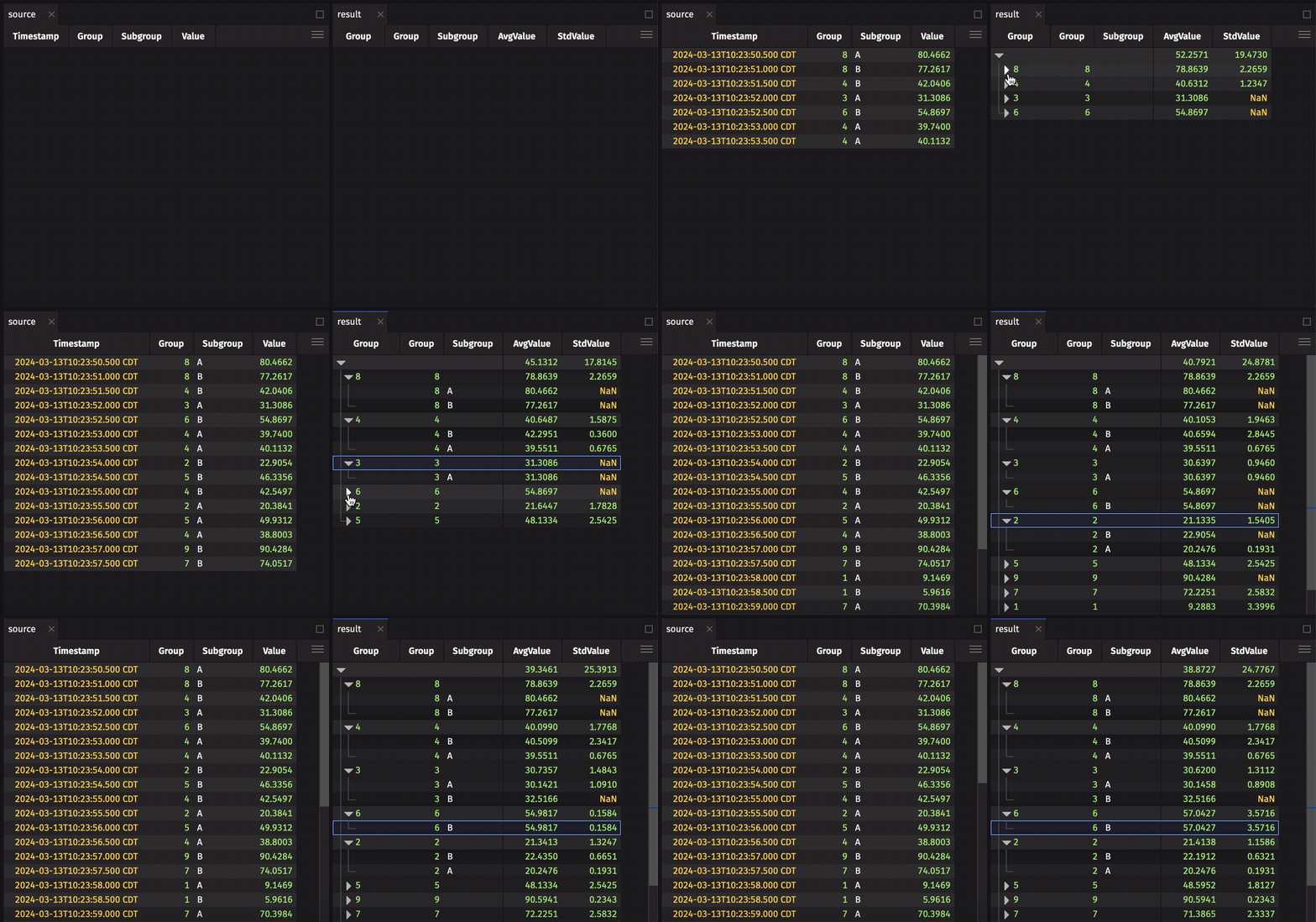
The following example uses time_table to create a ticking table that adds one row per second. Each row gets a random Group from 0 to 9 and a random Subgroup of A or B. Value is centered on Group * 10, with more random spread in subgroup B than in subgroup A.
The rollup groups by Group and then Subgroup, and computes the average (AvgValue) and standard deviation (StdValue) of Value at each level. On the Subgroup level, once enough rows have ticked in, StdValue is typically larger for B rows than for A rows.
In the result, the first Group column is the hierarchy column the UI adds. The second is the Group column from source.