Powerful Python Integrations
Deephaven empowers Python developers with efficient integrations with popular Python libraries. This chapter covers some highlights of Deephaven's Python interoperability: converting tables to and from pandas DataFrames and NumPy arrays, running AI models on real-time data with a table listener, and where deephaven.learn fits in. Along the way, it points out the inherent limitations of static Python data structures.
pandas
The deephaven.pandas module is Deephaven's gateway to pandas interoperability. The previous chapter, Recipes, not loops!, used both of its functions: to_pandas converts a Deephaven table into a pandas DataFrame, and to_table converts a pandas DataFrame into a Deephaven table.
to_pandas converts each Deephaven column to a pandas dtype. By default, it uses pandas nullable dtypes, so Deephaven nulls become pandas missing values such as pd.NA.
You can apply pandas operations to the DataFrame and convert the result back to a Deephaven table.
This example shows how flexible the pandas integration is. For this particular job, Deephaven Query Language (DQL) table operations are more efficient: t.drop_columns("Timestamp").avg_by("Group"). Unlike the pandas mean method, avg_by can't average timestamp columns. It raises an error when the table has one, so the DQL version drops Timestamp first.
pandas DataFrames are inherently static. Converting a ticking Deephaven table to a pandas DataFrame takes a snapshot of the table at that moment.
NumPy
NumPy is one of Python's most popular packages. It implements arrays and array operations. Deephaven's deephaven.numpy module converts in both directions: to_numpy converts a Deephaven table to a NumPy array, and to_table converts a NumPy array to a Deephaven table.
The following example converts the table's X and Z columns to a NumPy array, transposes the array with NumPy so the table's 10 rows become 10 columns, and converts the result back to a table. to_table needs one name for each column, so the example passes a list of 10 column names.
The example casts the X column from long to double because to_numpy requires all columns to have the same data type, while a Deephaven table can have a different type in each column. For example, the following conversion fails.
Like pandas DataFrames, NumPy arrays are static. Converting a ticking Deephaven table with to_numpy takes a snapshot of the table at that moment.
Listener-based AI
Deephaven can evaluate machine learning models on real-time data in several ways. One is to call the model from a table operation such as update, as shown in the AI/ML workflows guide. This chapter covers two others. A table listener works on any ticking table. deephaven.learn, covered in the next section, supports only some kinds of tables.
A listener-based AI workflow has four steps:
- A table listener receives each batch of changes to a source table.
- The listener passes the new data to an AI model.
- The listener publishes the model's results through a
table_publisherto a blink table. A blink table holds only the rows added in the current update cycle. blink_to_append_onlyturns that blink table into a complete history of the model's predictions.
Here's an example using a synthetic ticking dataset and a simple "model".
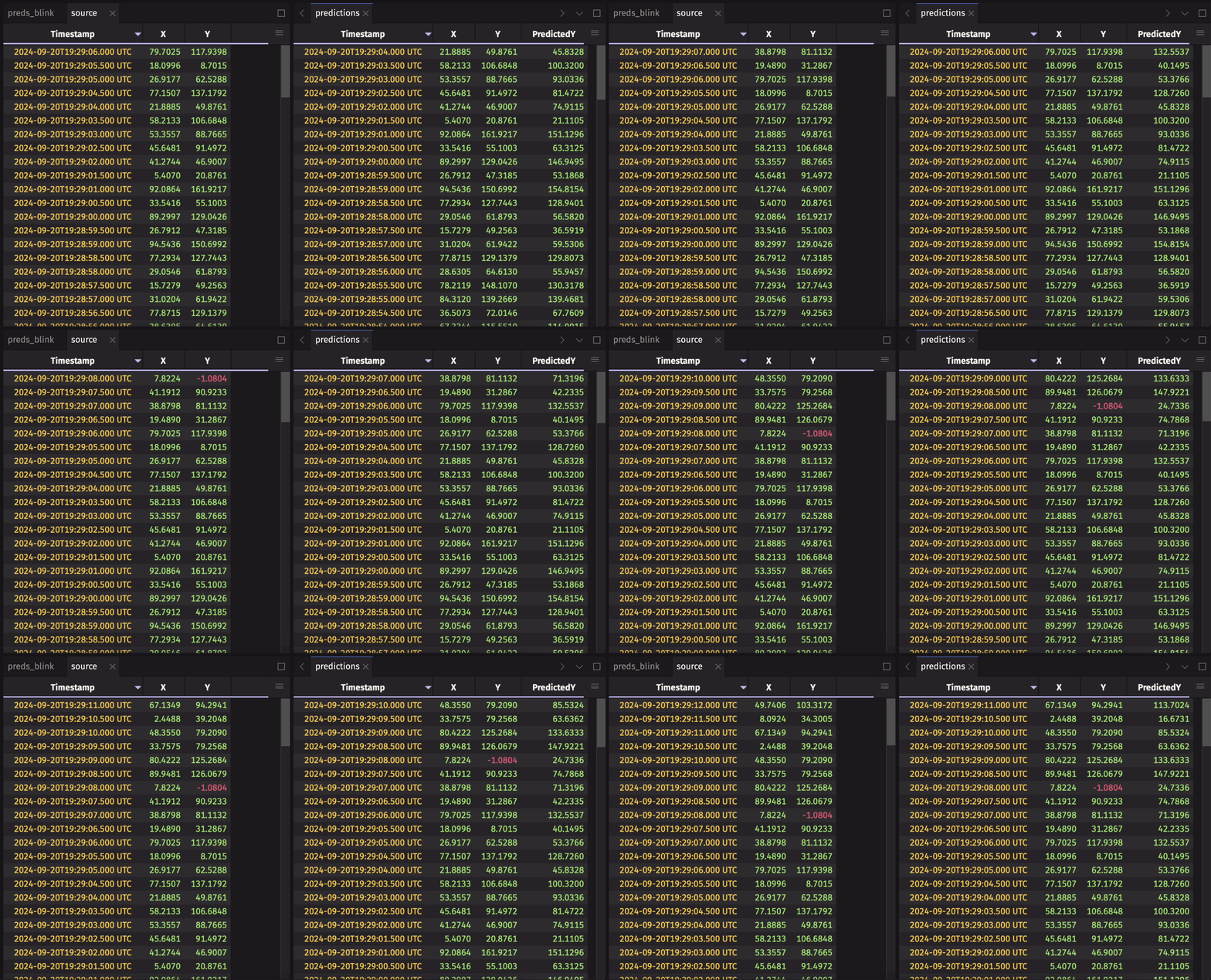
The example handles only added rows (update.added). To also handle modified rows, and to learn more about this workflow, see the AI/ML workflows guide.
deephaven.learn
Aimed at AI/ML practitioners who want to go further, deephaven.learn provides a general-purpose framework for efficient data interchange between Deephaven tables and Python objects such as NumPy arrays and PyTorch tensors. It's fundamentally geared toward machine learning applications, because it lets you apply models to real-time data. deephaven.learn uses a gather-compute-scatter model:
- Gather: copy data from table columns into a Python object, such as a NumPy array.
- Compute: run a calculation, such as a model, on that object.
- Scatter: write the calculation's results back into a table.
deephaven.learn works with these tables:
- Any static table.
- Ticking add-only tables, including append-only tables.
- Ticking blink tables.
For other ticking tables, use the table listener approach from Listener-based AI, or one of the other workflows in the AI/ML workflows guide.
Next, try the deephaven.learn guide, or see Use scikit-learn in Deephaven for a complete example that trains a k-nearest neighbors model to classify Iris flowers.