Create interactive, real-time browser dashboards with deephaven.ui
deephaven.ui is a Deephaven plugin for building real-time, data-focused apps in Python using a React-like component model.
Many other Python dashboarding frameworks handle real-time data by refreshing it on a timer. Deephaven components and plots instead update as the streaming data they display changes, so there's no polling or manual refresh to write.
Here is a deephaven.ui dashboard backed by a mock streaming dataset, to give you an idea of what you can create.
Features
- Python-native: You build user interfaces from components defined entirely in Python.
- Table-aware: You can use Deephaven tables, including tables that update in real time, as a data source for components.
- Reactive: You change a component's state, and it re-renders. Tables and plots inside it update on their own as their data changes.
- Declarative: You describe what the user interface (UI) shows for the current data and user input, not the steps to update it.
- Composable: You combine and reuse components to build complex interfaces.
- Extensive: You choose from a wide range of components, from simple text fields to complex tables and plots.
React concepts
deephaven.ui uses a React-like approach to building dashboards. If you're new to React, these concepts help you follow the examples:
- Components: React applications are made of components. A component is a part of the UI with its own logic and visual appearance. A component can be as small as a button or as large as an entire page, and you can nest components inside other components.
- Hooks: Hooks are functions that let components use state and other
deephaven.uifeatures. Their names begin withuse_. You can use built-in hooks such asuse_state, or write your own hooks to reuse logic across components. - State: State is the data a component remembers between calls of its function. Hooks such as
use_statecreate it. Whenever a component's state changes, the component re-renders. Its function runs again, and the UI updates to show the new output. - Hook rules: Hooks have rules about where you call them:
- Call hooks only at the top level of a component or of another hook, before any early
return. - Never call a hook inside a condition, a loop, or a nested function. If you need one there, move that code into a new component and call the hook at its top level.
- Call hooks only at the top level of a component or of another hook, before any early
See the React documentation for a comprehensive overview of these concepts.
Getting started
The ghcr.io/deephaven/server Docker image includes deephaven.ui. To start a server with Docker, run:
To open the IDE, find the link in the Docker logs:

Other installations need the deephaven-plugin-ui package. Install and use plugins covers both of these cases:
- pip: If you run Deephaven from pip, install
deephaven-plugin-uiin the same Python environment as Deephaven, then restart the server. - Other Docker images: If you use a Docker image that doesn't include it, such as
server-nltkorserver-all-ai, build a custom image that adds the package.
Create a component with state
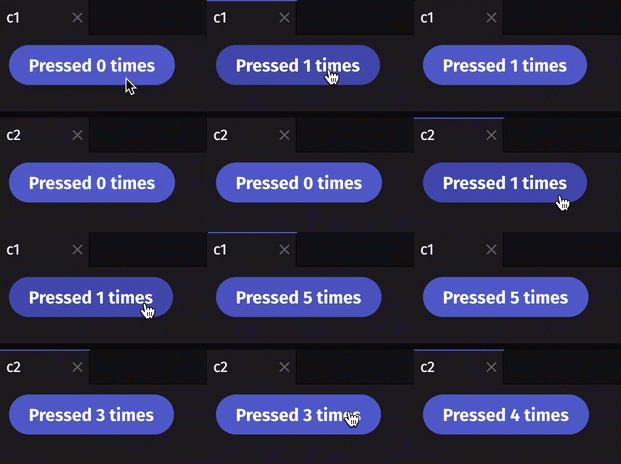
Now you can start creating components! In the IDE, paste the following code into the console and run it. The example:
- Defines a counter component with the
@ui.componentdecorator. - Keeps the count with
use_state, so the component re-renders each time you click the button. - Creates two instances of the component,
c1andc2. Each one keeps its own count and opens in its own panel.
Display a ticking table in a dashboard
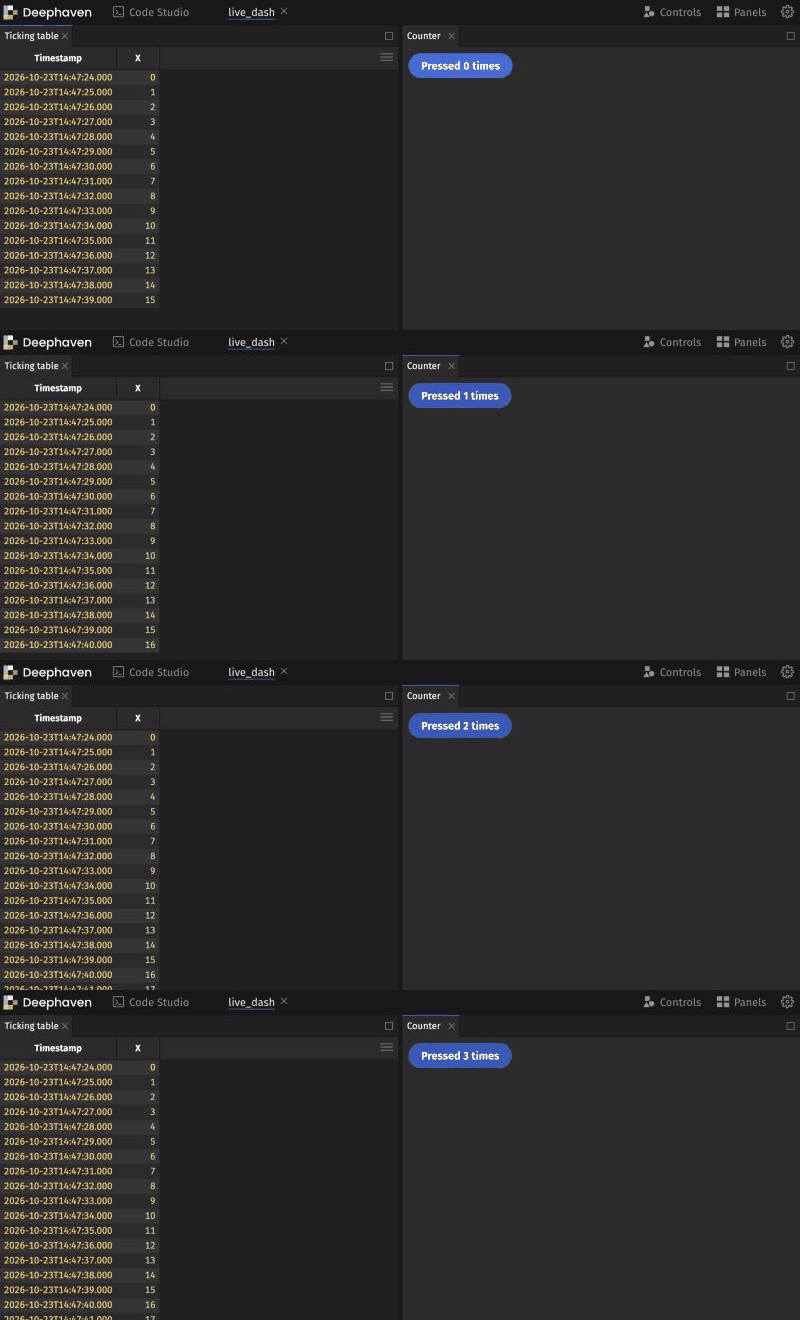
Components can also display Deephaven tables, including ticking tables, which update in real time as new rows arrive. The following example:
- Uses
time_tableto create a table that adds a new row every second, with a columnXthat numbers the rows. - Places that table in a
ui.panel. - Uses
ui.rowto arrange the table panel beside a counter panel in aui.dashboard.
The table panel updates as each new row arrives:
See ui.dashboard for rows, columns, and other layout options.
Next steps
The deephaven.ui chapter of the Crash Course walks through more components, state, table-backed components, and dashboards step by step. For comprehensive examples and the full component reference, see the deephaven.ui documentation.
Related documentation
- How Deephaven works: A mental model and patterns of use
- Crash Course:
deephaven.ui - Install and run with Docker
- Install and run Deephaven with pip
- Install and use Python packages
- Install and use plugins
- Navigate the GUI
time_tabledeephaven.uidocumentation- Hooks overview
ui.buttonui.componentui.dashboardui.paneluse_statetime_tablePydoc
A framework for building real-time data-focused apps in Python