An Overview of Deephaven's Architecture
Deephaven's power is largely due to the concept that everything is a table. Think of Deephaven tables like pandas DataFrames, except that they support real-time operations! The Deephaven table is the key abstraction that unites static and real-time data for a seamless, integrated experience. This chapter covers the three main pieces of Deephaven's architecture: tables and the operations that act on them, the engine that runs your queries, and the web user interface. Let's look at each one before diving deeper into code.
Tables and table operations
If you're familiar with tabular data (think Excel, pandas, and more), Deephaven will feel natural to you. Beyond representing data as tables, Deephaven lets you manipulate, transform, extract, and analyze that data to produce valuable insight. Deephaven represents transformations to the data stored in a table as operations on that table. You can chain these table operations together to transform the data step by step:
Here's what each step does:
new_tablebuilds a small static table, which the next chapter covers in detail.update_viewadds aNewDatacolumn.sum_bysums theDataandNewDatacolumns for each value inGroup.rename_columnsgives the sums clearer names.
This paradigm of representing data transformations with methods that act on tables is not new. However, Deephaven takes this a step further. In addition to its large collection of table operations, Deephaven provides a vast library of efficient functions that you call through query strings. You pass query strings into table operations. The "NewData = Data * 2" argument in the example above is a query string. Query strings are one of Deephaven's most powerful features. The query strings chapter covers them in detail.
Together, tables, the table operations that act on them, and the query strings inside those operations make up the Deephaven Query Language, or DQL. Code written in DQL, like the example above, is a Deephaven query. The fundamental principle of the Deephaven experience is this:
Most Deephaven queries are indifferent to whether the underlying data source is static or streaming.
The same query written to analyze data from a simple CSV file can usually analyze a similarly structured live dataset without changing the query itself. A few operations, such as range_join, support only static tables.
Immutable schema, mutable data
Every Deephaven table has a schema: the number of columns, the column names, and their data types. A table's schema cannot change after the table is created. Even so, the data stored in a table can change. Here's a simple example that uses time_table:
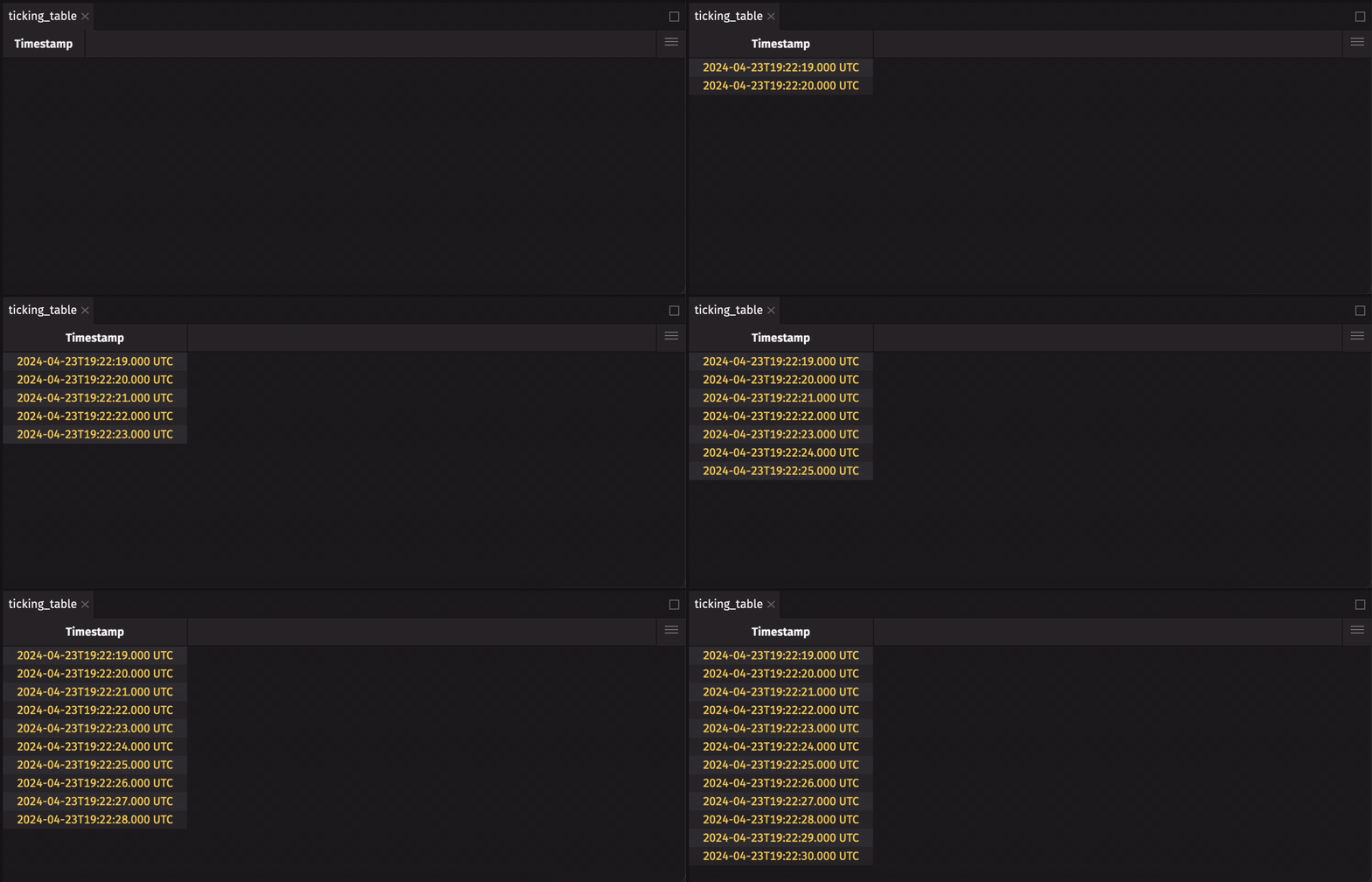
The table gains a new row each second, but its schema stays the same. Deephaven calls a table whose data changes over time a ticking table. Earlier sections of this page call this kind of data real-time, live, or streaming. All four terms mean the same thing.
Some queries appear to modify a table's schema. They may add or remove a column, modify a column's type, or rename a column. For example, the following query appears to rename the Timestamp column in the table to RenamedTimestamp:
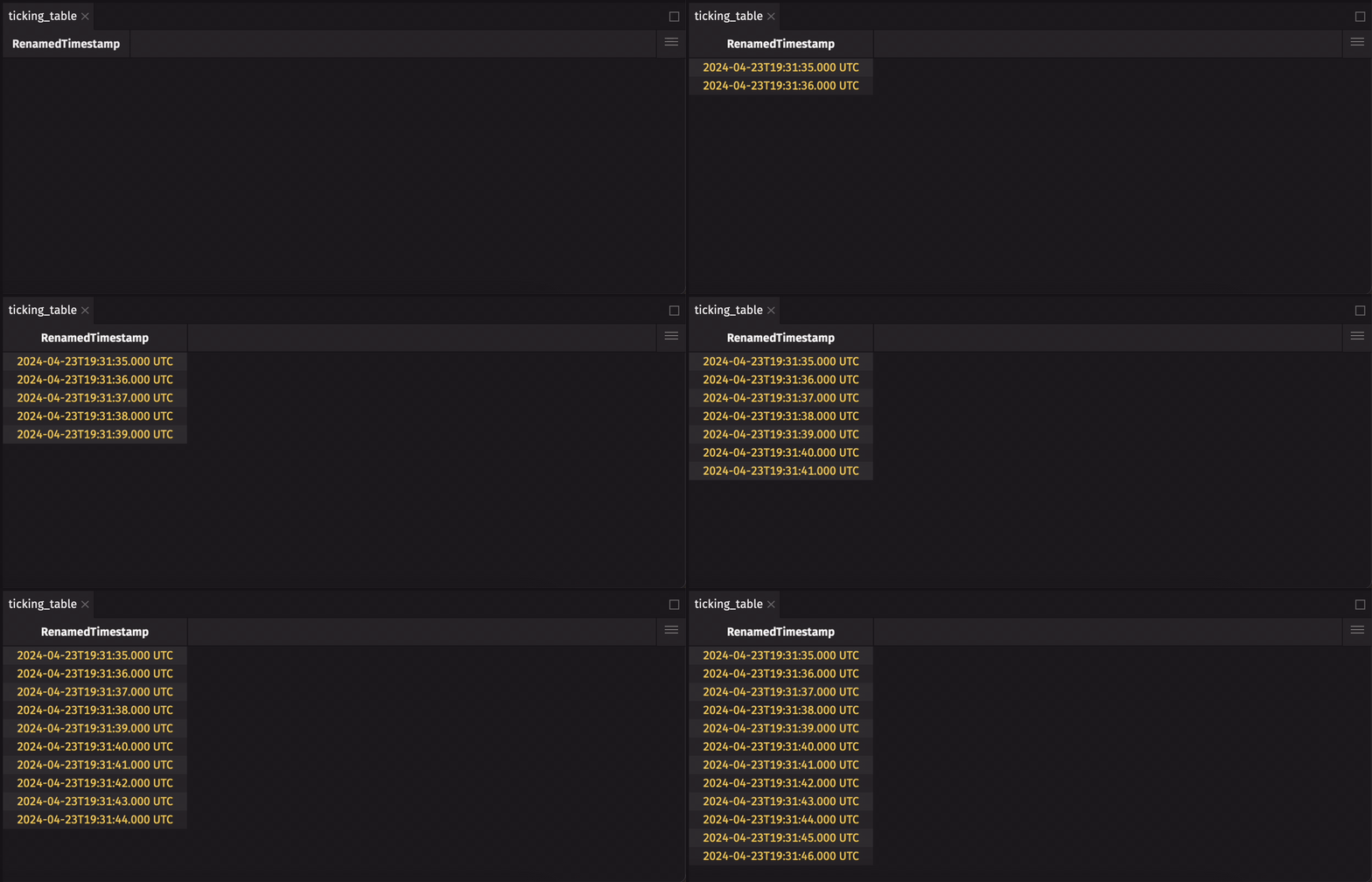
The original table's schema is immutable, so no operation can rename its columns. Instead, rename_columns creates a new table with a new schema, and the assignment points the ticking_table variable at that new table. Operations like rename_columns reuse the existing column data, so the new table uses very little additional memory.
Because table operations return new tables, Deephaven tables do not support in-place operations, unlike pandas DataFrames:
That operation creates a new table and immediately discards it, so ticking_table itself is unchanged. Instead, always assign the result of a table operation to a variable, either a new one or the same one:
This is the same update_view you used on the static source_table earlier. The query code doesn't change when the data is ticking.
The engine
The Deephaven engine is the powerhouse that implements everything you've seen so far. Every Deephaven query runs through the engine, which processes both static and streaming data as efficiently as possible.
Internally, the engine represents queries as directed acyclic graphs (DAGs). In the graph:
- Each table is a node.
- Each table operation connects one or more parent (upstream) tables to the child (downstream) table it produces.
The engine processes data changes in repeating rounds called update cycles. In each update cycle:
- When a parent table changes, the engine sends an update notification describing those changes to its child tables.
- Child tables generally process only those changes, not the whole table.
This incremental update model is key to Deephaven's efficiency.
For the sake of efficiency and scalability, the engine is implemented mostly in Java. You work with tables and write queries in Python, but Deephaven stores a table's underlying data in Java data structures and runs table operations in Java. Python functions that you write yourself and call from query strings run in Python; the query strings chapter shows how. To learn what to consider when data passes between Python and Java, see the Python-Java boundary guide.
User interface
The Deephaven user interface (UI) is a web-based application that runs in your browser and communicates with the Deephaven engine using the JavaScript API. The UI provides a rich experience for exploring tables, writing queries, and visualizing data.
Using deephaven.ui, you can build interactive web applications that leverage the power of Deephaven tables directly from your Python code. The deephaven.ui library provides Python components that make it easy to build custom dashboards, data explorers, and visualizations, with an API modeled on the React JavaScript library. You can use these components to display tables, create charts, and interact with data in real time.
The UI is also highly extensible. You can add custom widgets, visualizations, and functionality with JavaScript plugins. Create your own plugin starting with one of the plugin templates available on GitHub.
All Core components of the UI are open source on GitHub in the deephaven/web-client-ui repository, and the source code for the plugins is at deephaven/deephaven-plugins. You can explore the source code, contribute to the project, or even fork it to create your own custom version of the Deephaven UI.
Next, Create Your First Tables shows how to build static and ticking tables of your own.