Common problems when debugging Deephaven
This guide describes common Deephaven-specific issues you may encounter when debugging.
The examples shown use PyCharm with pip-installed Deephaven, but these problems and solutions apply to all IDEs and, except where noted, all installation methods.
Note
These issues are specific to how Deephaven works and are not related to your debugger setup.
Lazy evaluation of some table operations
Some Deephaven table operations like update_view utilize lazy evaluation, where the results of the operation are not computed until they are required by another downstream operation. In the absence of such downstream operations, the debugger may not hit the expected parts of the code since no real work is being done. This is particularly salient when attempting to debug user-defined functions called in lazy table operations. Take this example:
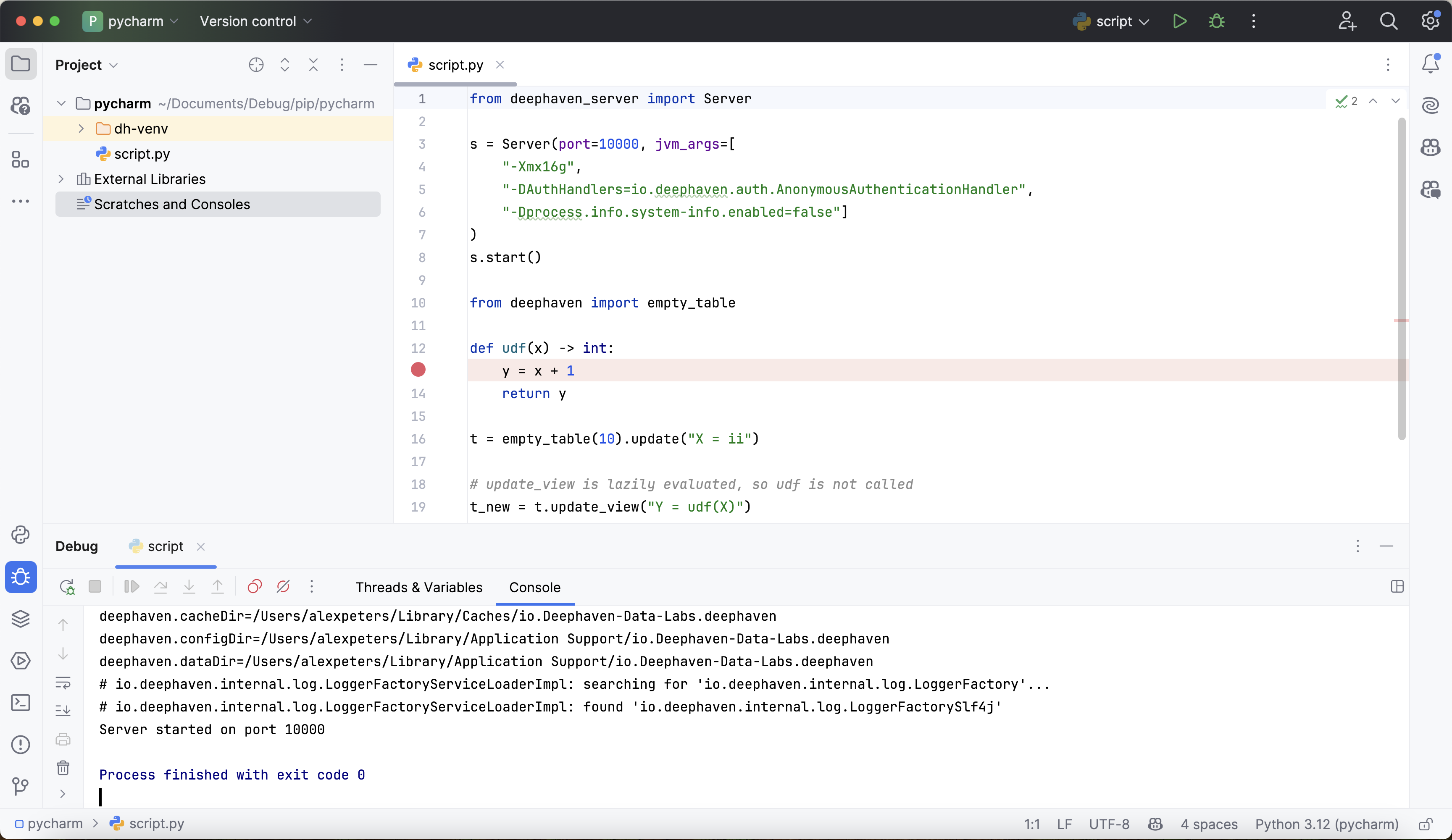
In this case, the breakpoint will not be reached, because update_view does not evaluate udf. To force evaluation for debugging purposes, use select:
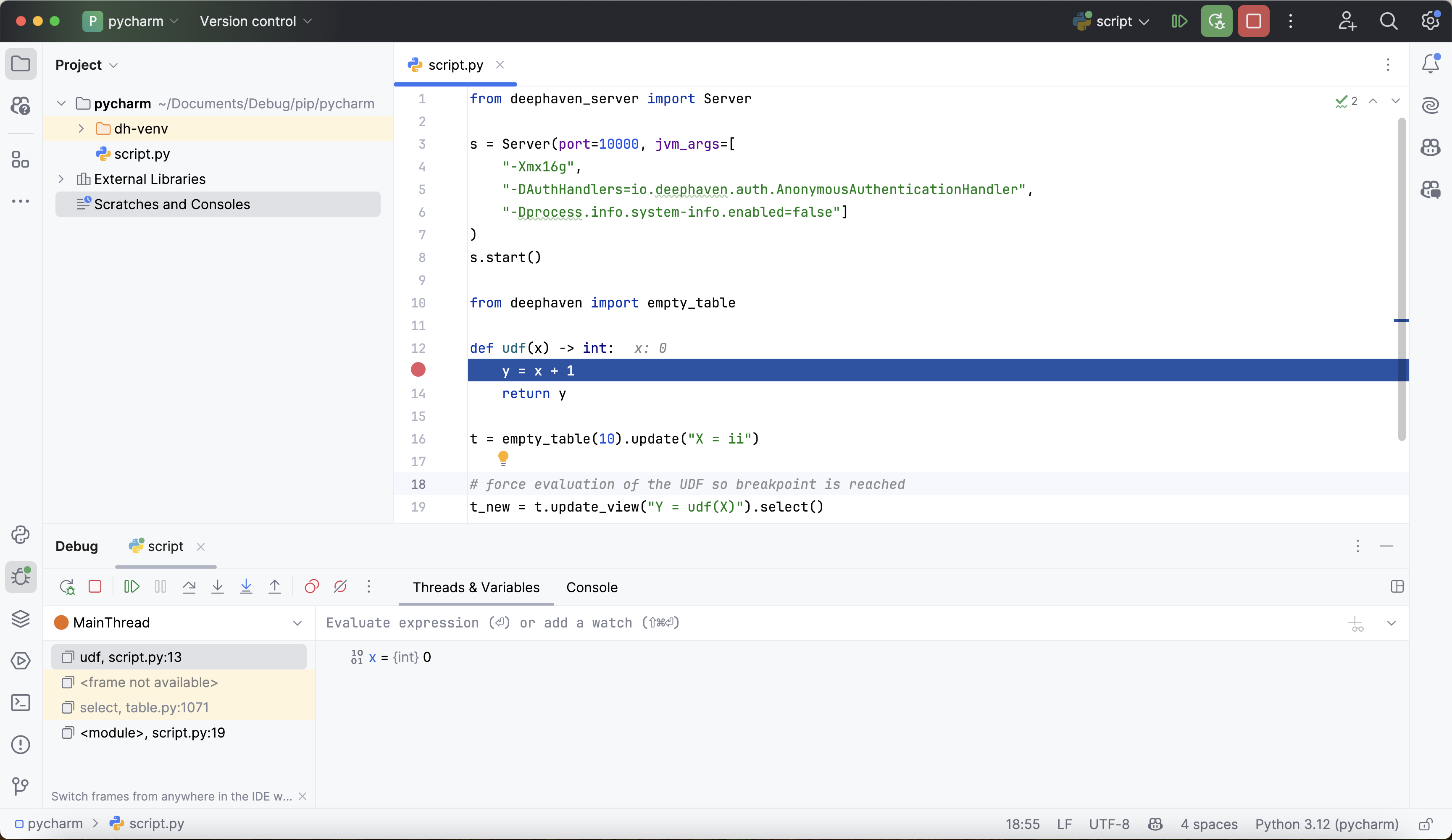
Ticking tables and the main thread
Ticking Deephaven tables are updated on Deephaven's own update threads, not on your script's main thread. Deephaven registers those threads with the debugger. However, when your script starts the server itself, as in the pip-installed setup with deephaven_server.Server, the Python process exits when the script reaches its last line, and that stops the server. If the script ends before an update reaches your code, that code never runs. This is particularly relevant with user-defined functions:
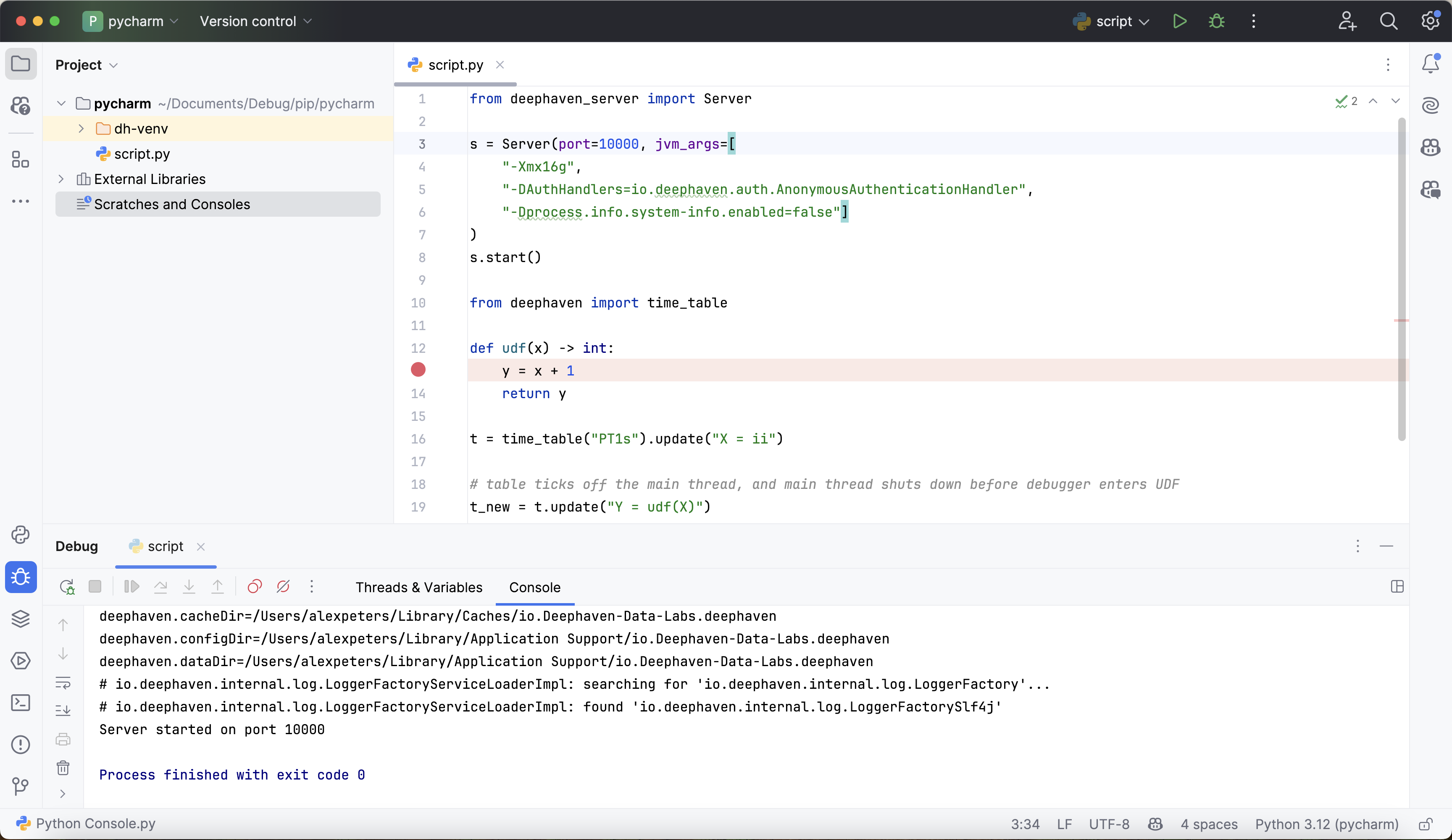
The script ends before the UDF is ever called. To remedy this in a script that starts its own server, keep the process alive with a call to time.sleep:
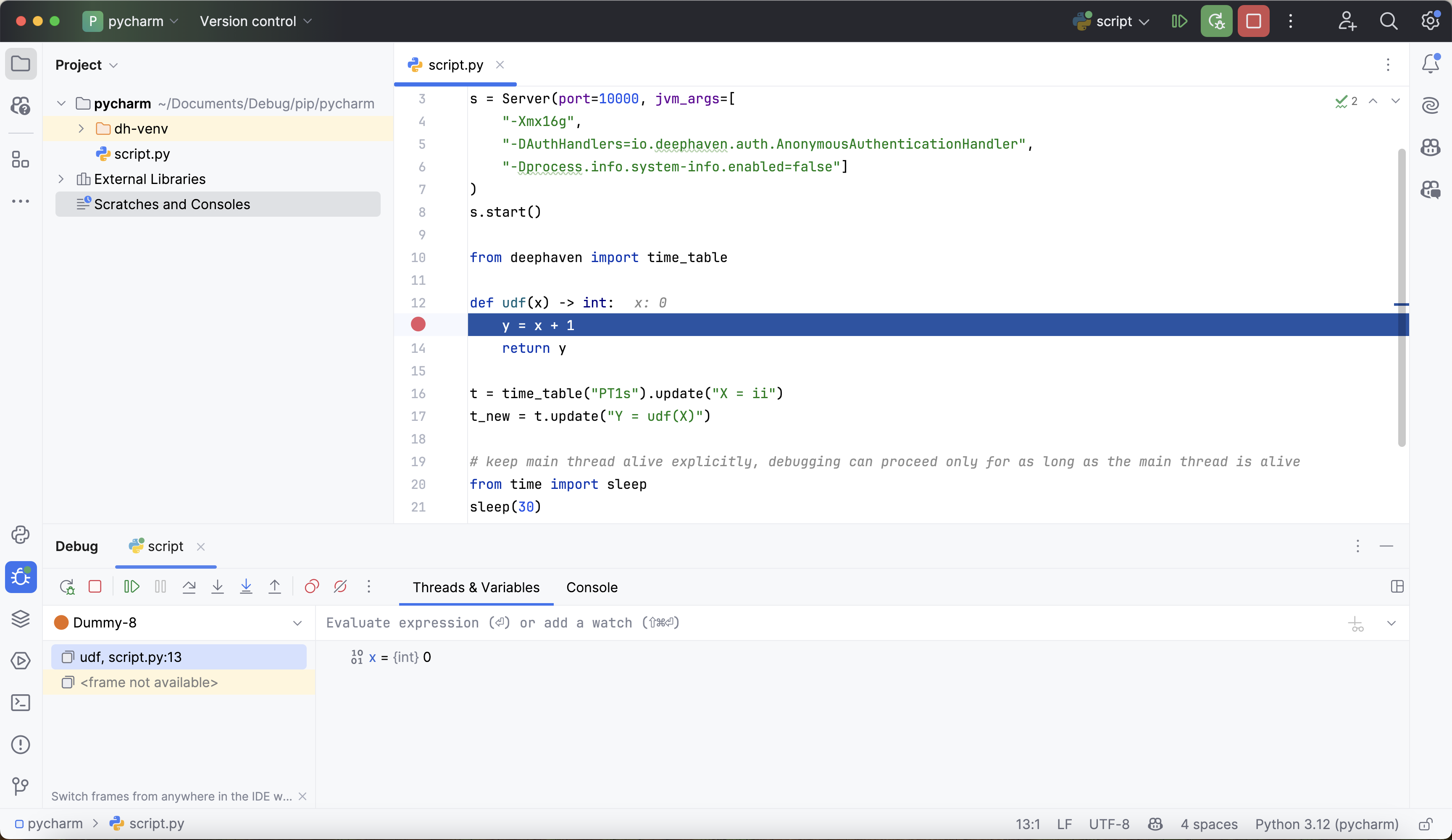
This problem does not affect code run in the web console of a separately running server, such as one in Docker, because the server keeps running after the code finishes.